
Nissan Armada 2025-2026 Service and Repair Manual: Exploded View
WITHOUT DYNAMIC DIGITAL SUSPENSION AND ELECTRONIC AIR SUSPENSION
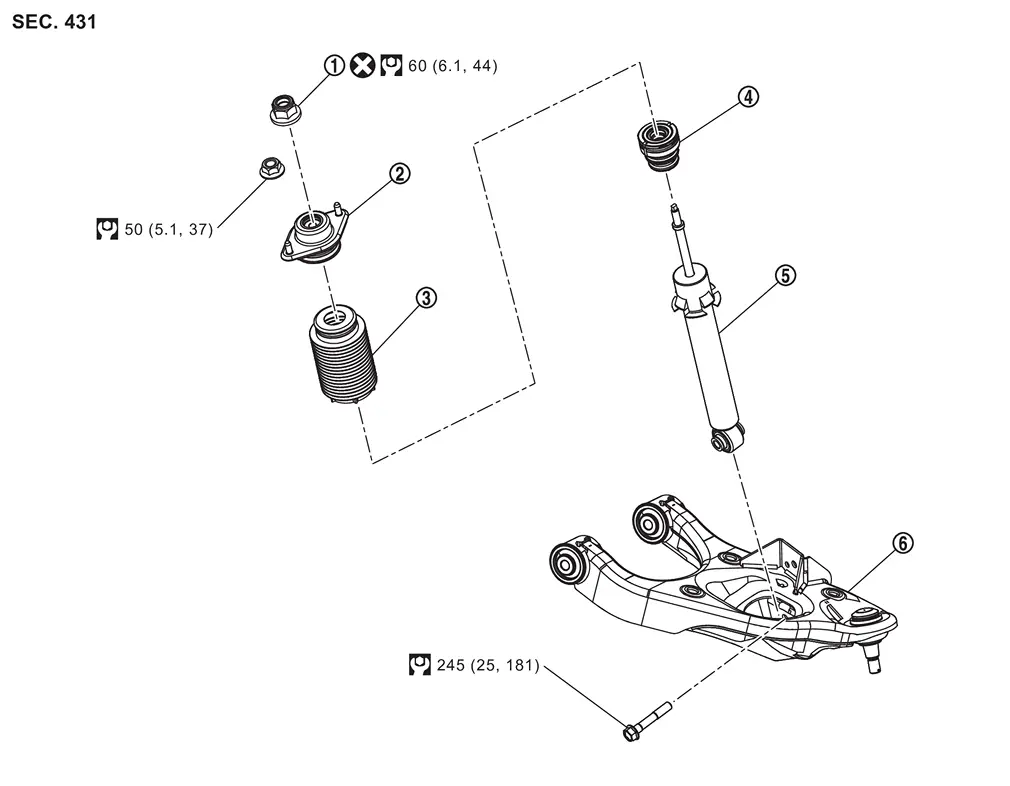
 | Piston rod lock nut |  | Shock absorber mounting bracket |  | Dust cover |
 | Bound bumper |  | Shock absorber |  | Front lower link |
 | : Always replace after every disassembly. | ||||
 | : N·m (kg-m, ft-lb) | ||||
WITH DYNAMIC DIGITAL SUSPENSION AND ELECTRONIC AIR SUSPENSION
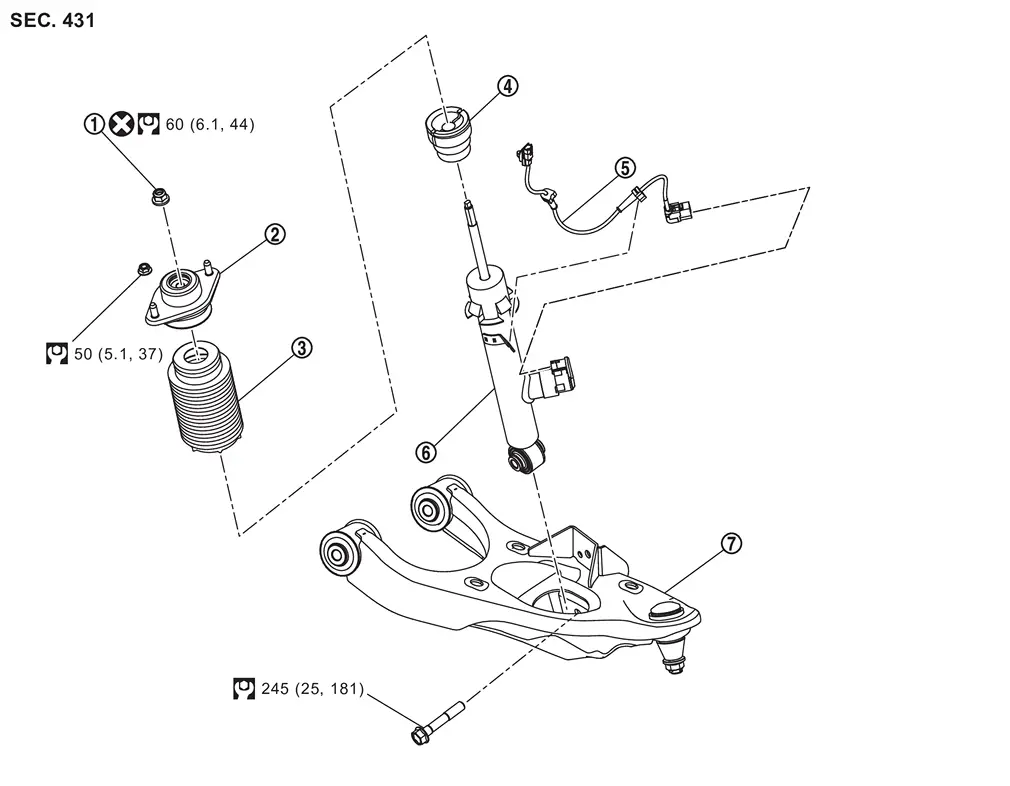
| Piston rod lock nut | | Shock absorber mounting bracket | | Dust cover |
| Bound bumper | | Shock absorber harness | | Shock absorber |
 | Front lower link | ||||
| : Always replace after every disassembly. | ||||
| : N·m (kg-m, ft-lb) | ||||

 Removal and Installation
REMOVAL
Without Dynamic Digital Suspension and Electronic Air Suspension
Remove tires. Refer to ROAD WHEEL TIRE : Removal & Installation.
Remove cylinder body. Hang cylinder body in a place where ...
Other materials:
Removal and Installation
REMOVAL
Remove back door lower finisher. Refer to Removal and Installation.
Disconnect rear camera (driving video recorder) harness connector .
Remove mounting bolts , and remove rear camera (driving video recorder) from vehicle.
INSTALLATION
Install in the reverse order of removal.
CAUTION:
Do ...
Special Service Tools
Tool number
(TechMate No.)
Tool name Description —
(—) Model GR8-1200 NI
Multitasking battery and electrical diagnostic station
Tests batteries, starting and charging systems and charges batteries.
For operating instructions, refer to diagnostic station instruction manual. —
(—) Model EXP- ...
MOD system operation
The Nissan Armada MOD system activates automatically under the following conditions:
When the transmission is shifted into R (Reverse).
When the CAMERA/
button is pressed to enable the Around View Monitor display.
When the Nissan Armada vehicle speed drops below approximately 5 MPH (8 ...

0.0049