
Nissan Armada 2025-2026 Owner's Manual: Basic information
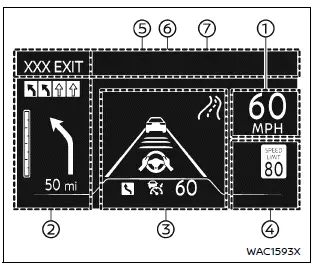
Example
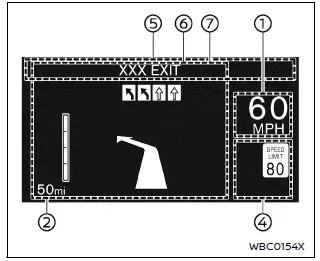
Example
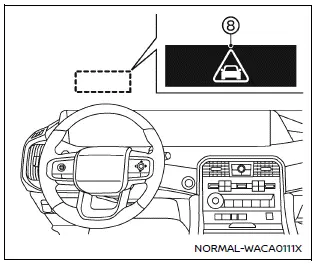
WARNING
- In the Nissan Armada, improper adjustment of the HUD brightness or position may obstruct the driver’s forward visibility through the windshield, increasing the risk of accidents that could lead to serious injury or death.
- Do not focus on the Head Up Display (HUD) in the Nissan Armada for extended periods. Always keep attention on the road, as distraction may prevent you from noticing vehicles, pedestrians, or obstacles.
The Nissan Armada Head Up Display (HUD) can present a wide range of real-time driving information directly in the driver’s line of sight, including:
- Vehicle speed
- Navigation directions
- Driving Assist system status
- Traffic Sign Recognition
- Audio information
- TEL/SMS notifications
- Driver assistance alerts
- Warning messages
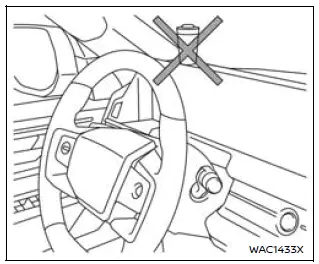
CAUTION
- Do not spill liquids near the HUD projector in the Nissan Armada, as this may cause system malfunction.
- Avoid touching internal components of the HUD projector, as this may damage the system.
- Do not place sharp objects near the projector opening to prevent scratches on the display surface.
- Ensure no objects are placed on the instrument panel that could block the HUD projection in the Nissan Armada.
- Clean the projector lens using a soft cloth with water only. Avoid using chemicals, alcohol, or abrasive materials that may damage or discolor the lens.
- Do not spray liquids directly onto the HUD lens, as this may lead to malfunction of the Nissan Armada display system.
NOTE:
- When wearing polarized sunglasses, the HUD image in the Nissan Armada may become difficult to see. Adjust brightness or remove sunglasses if necessary.
- Weather conditions such as rain, snow, or strong sunlight may affect HUD visibility.
- If the HUD image appears distorted in the Nissan Armada, have the system inspected by an authorized Nissan dealer.
- The Nissan Armada uses a specially designed windshield for HUD projection. Replacement should only be performed by a Nissan dealer.
- For cleaning, use a soft dry cloth or a slightly damp cloth, followed by a dry wipe to maintain clarity.

 How to use the HUD
Basic information
To activate the Head Up Display in the Nissan Armada, press the HUD switch. Press
it again to turn the system off.
If the HUD is turned off, it will remain disabled even afte ...
Other materials:
Overview
The Nissan Armada ProPILOT Assist system is an advanced driver assistance technology
designed specifically for controlled-access highways. It is not intended for urban
streets or rural roads. This system supports the driver by helping maintain lane
centering and keeping a preset following dist ...
System maintenance (ProPILOT Assist 2.1)
For reliable and accurate operation of the Nissan Armada ProPILOT Assist 2.1
system, it is crucial to keep the driver monitoring area clean and free from any
obstruction at all times.
Regularly inspect the camera surface and gently remove dust, fingerprints, or
any debris using a soft, cl ...
Basic information
WARNING
Failure to carefully follow all warnings and operating instructions related
to the I-FCW system in the Nissan Armada may lead to serious injury or even fatal
accidents.
The Intelligent Forward Collision Warning system in the Nissan Armada
is designed to provide early alerts befor ...

0.0036