Exploded View
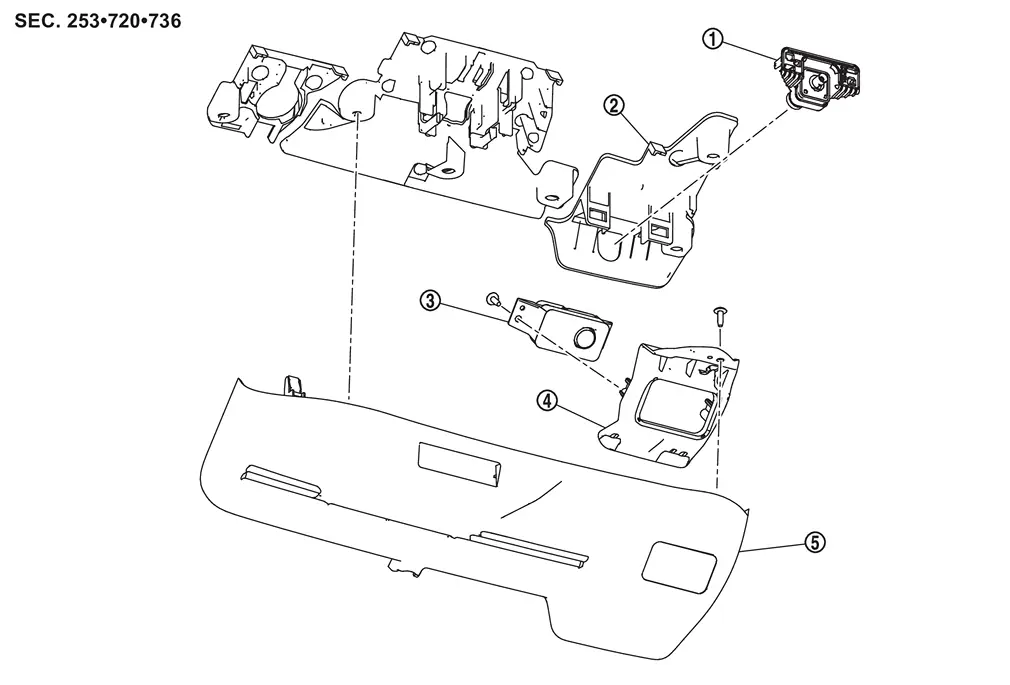
 |
Front camera (driving video recorder) |  |
Bracket |  |
Inside camera (driving video recorder) |
 |
Inside camera bracket |  |
Cover |
Removal and Installation
REMOVAL
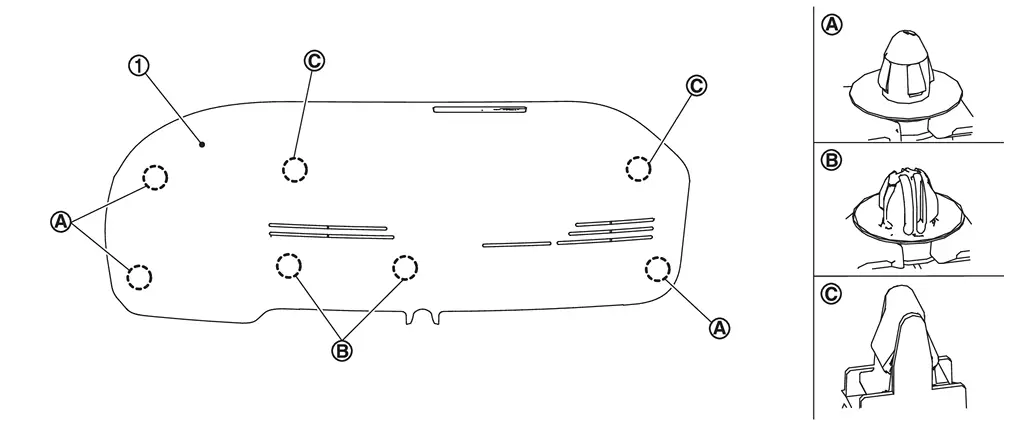
Using a suitable tool, release clips  , and remove cover .
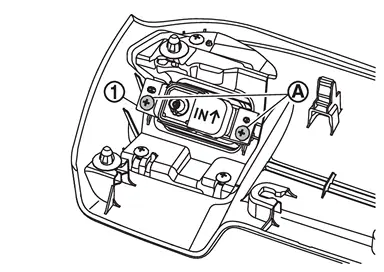
Disconnect inside camera (driving video recorder) harness connector.
Remove mounting screws  , and remove inside camera (driving video recorder) from inside camera bracket.
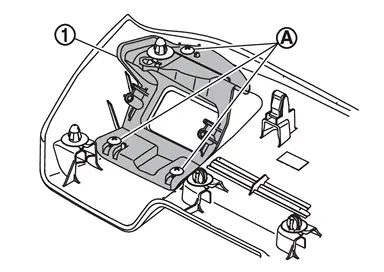
Remove mounting screws , and remove inside camera bracket from cover.
INSTALLATION
Install in the reverse order of removal.
CAUTION:
-
Do not touch or shock the inside camera (driving video recorder) lens area or drop the inside camera (driving video recorder).
-
Make sure that the inside camera (driving video recorder) harness is not twisted after installation.
-
Align the cover clips with the bracket holes and install by hand. Do not use excessive force.
Other materials
Heated steering wheel
Example
Example
The Nissan Armada heated steering wheel can be controlled either via the touch
screen display or by using the dedicated switch on the instrument panel.
1. Start the engine of the Nissan Armada.
2. Touch the
key A or press the heated steering wheel switch to turn the ...
Precautions
Precautions for Removing Battery Terminal
When disconnecting the 12V battery terminal, turn off the ACC power before disconnecting the 12V battery terminal, observing “How to disconnect 12V battery terminal” described below.
NOTE:
Some ECUs operate for a certain fixed time even after ignit ...
Configuration (sonar Control Unit)
Description
Vehicle specification needs to be written with CONSULT because it is not written after replacing the sonar control unit.The configuration requires network connection. CONSULT connects to network and then it downloads the configuration data from the server. Then CONSULT writes the vehicle ...