PRECAUTIONS FOR REMOVING BATTERY TERMINAL : Precautions
-
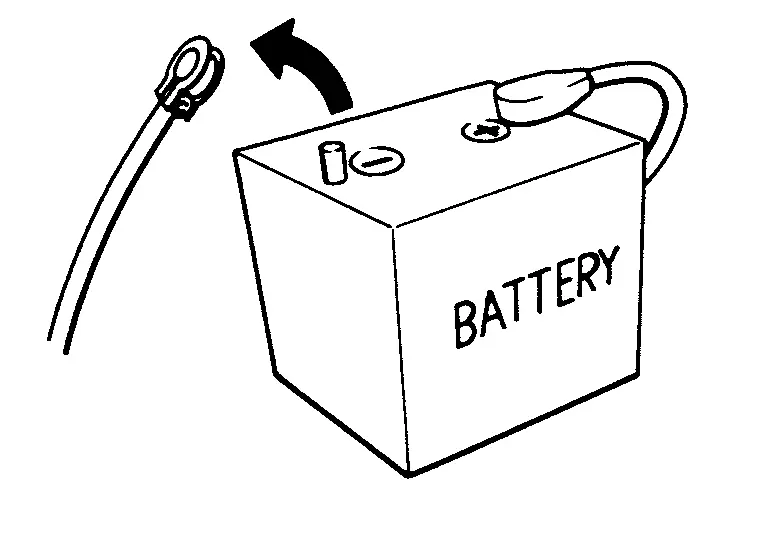
When disconnecting the 12V battery terminal, turn off the ACC power before disconnecting the 12V battery terminal, observing “How to disconnect 12V battery terminal” described below.
 NOTE:
NOTE:
Some ECUs operate for a certain fixed time even after ignition switch is turned OFF and ignition power supply is stopped. If the battery terminal is disconnected before ECU stops, accidental DTC detection or ECU data damage may occur.
-
For Nissan Armada vehicles with the 2-batteries, be sure to connect the main battery and the sub battery before turning ON the ignition switch.
NOTE:
If the ignition switch is turned ON with any one of the terminals of main battery and sub battery disconnected, then DTC may be detected.
-
After installing the 12V battery, always check "Self Diagnosis Result" of all ECUs and erase DTC.
NOTE:
The removal of 12V battery may cause a DTC detection error.
HOW TO DISCONNECT 12V BATTERY TERMINAL
Disconnect 12V battery terminal according to instruction described below.
-
Open the hood.
-
Turn ignition switch to the ON position.
-
Turn ignition switch to the OFF position with the driver side door opened.
-
Get out of the vehicle and close the driver side door.
-
Wait at least 3 minutes. For vehicle with the engine listed below, remove the battery terminal after a lapse of the specified time.
BR08DE : 4 minutes R9N engine : 12 minutes BR10DE : 12 minutes V9X engine : 4 minutes D4D engine : 20 minutes YD25DDTi : 2 minutes HR09DET : 12 minutes YS23DDT : 4 minutes HR10DDT : 12 minutes YS23DDTT : 4 minutes HR10DET : 12 minutes ZD30DDTi : 60 seconds HR13DDT : 12 minutes ZD30DDTT : 60 seconds HRA2DDT : 12 minutes K9K engine : 4 minutes M9R engine : 4 minutes R9M engine : 4 minutes CAUTION:
While waiting, never operate the vehicle such as locking, opening, and closing doors. Violation of this caution results in the activation of ACC power supply according to the Auto ACC function.
-
Remove 12V battery terminal.
CAUTION:
After installing 12V battery, always check self-diagnosis results of all ECUs and erase DTC.
Other materials
Vehicle Dynamic Control (VDC) OFF switch
The Nissan Armada should normally be driven with the Vehicle Dynamic Control
(VDC) system enabled, as it helps maintain vehicle stability and traction.
In situations such as being stuck in mud, snow, or sand, the Nissan Armada VDC
system may reduce engine power to limit wheel spin. This can ...
Diagnosis and Repair Work Flow
Work Flow
DETAILS OF TROUBLE DIAGNOSIS FLOWCHARTCOLLECT THE INFORMATION FROM THE CUSTOMER
It is also important to clarify customer concerns before starting the inspection. First of all, perform an interview utilizing Diagnostic Work Sheet and reproduce the symptom as well as fully understand it. Dep ...
Head up Display Main Switch
Removal and Installation
REMOVALRemove instrument pad A. Refer to Removal and Installation.
Remove switch bracket mounting screws .
Disengage fixing pawl with removal tool to remove Head up Display main switch from switch bracket.
: Pawl
INSTALLATIONInstallation is in the reverse order of ...