Removal and Installation
REMOVAL
Remove rear door finisher. Refer to Removal and Installation.
Remove rear door inner frame. Refer to Removal and Installation.
Disconnect rear door outside handle harness connector  , and then disengage rear door outside handle harness connector fixing clip
  (if equipped).
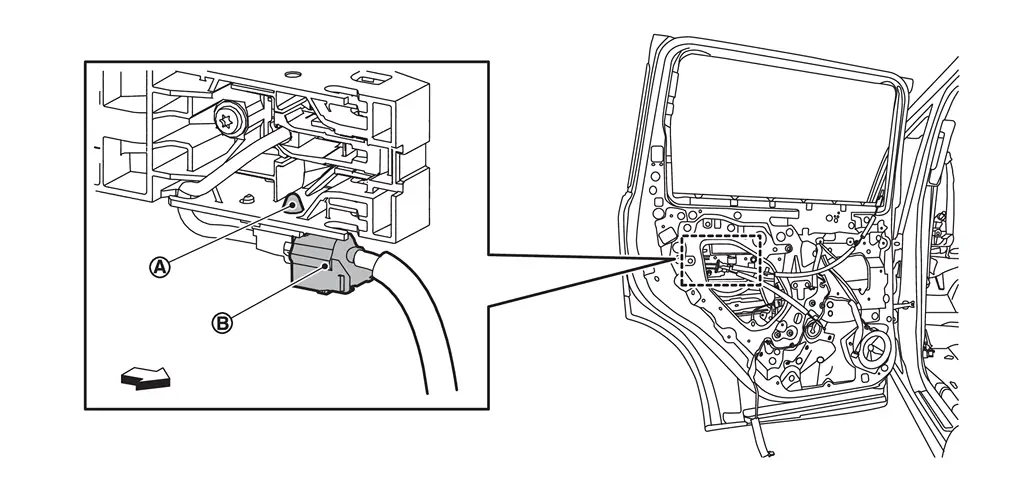
| : vehicle front |
Apply protective tape (A) on the part to protect it from damage.
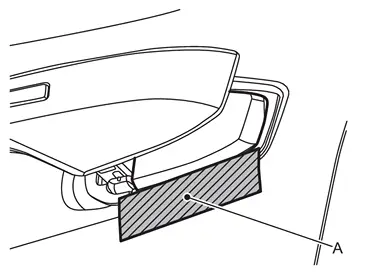
Insert a remover tool (A) at the notch of the escutcheon cover bottom and disengage fixing pawls, and then remove escutcheon cover.
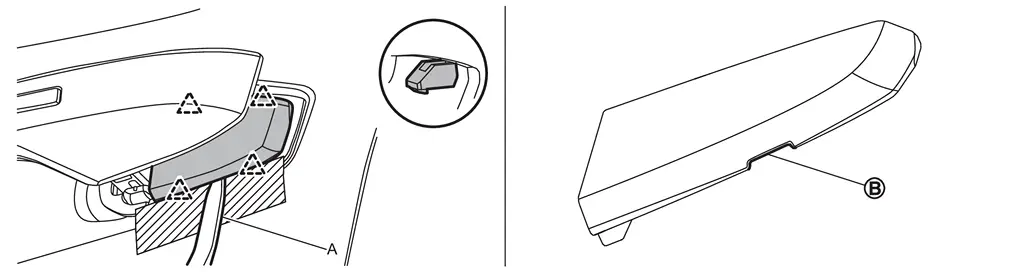
 |
: Pawl |
 NOTE:
NOTE:
If escutcheon cover cannot be removed from the bottom, remove it from the top.
Slide rear door outside handle grip toward rear of vehicle and remove it according to the numerical order 1→2 indicated by arrows as shown in figure.
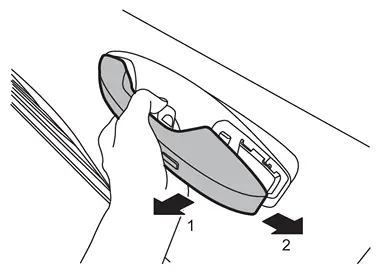
NOTE:
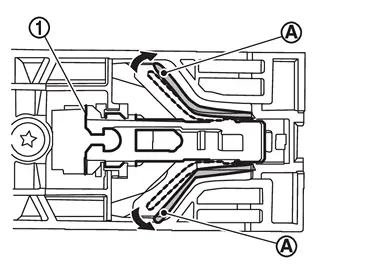
Expand the lib of rear door outside handle bracket  indicated by arrows as shown in figure to remove the handle easily.
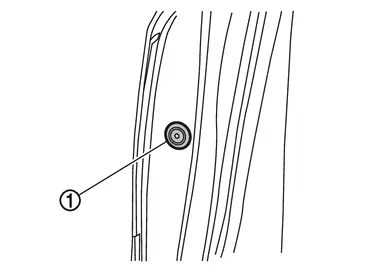
Remove door side grommet .
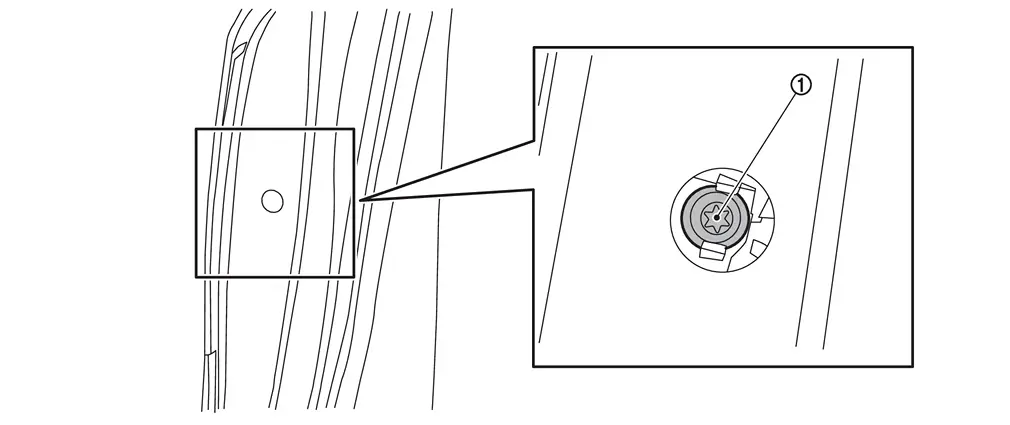
Loosen TORX bolt from grommet hole.
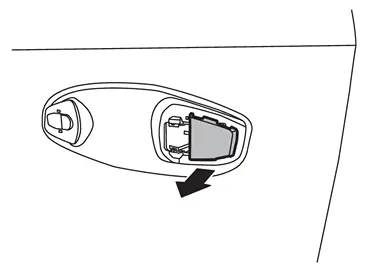
Remove escutcheon base from rear door panel.
Disengage front gasket and rear gasket  fixing pawls, and then remove front gasket and rear gasket.
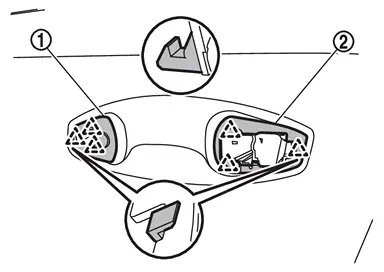
|
: Pawl |
Disengage rear door outside handle cable from rear door outside handle cable clip.
Loosen rear door outside handle bracket mounting TORX bolt .
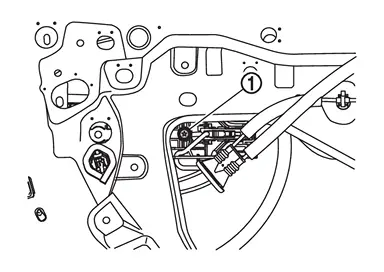
Slide rear door outside handle bracket toward front of vehicle and remove it.
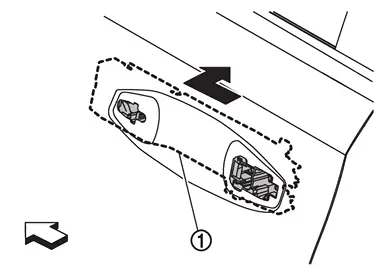
| : vehicle front |
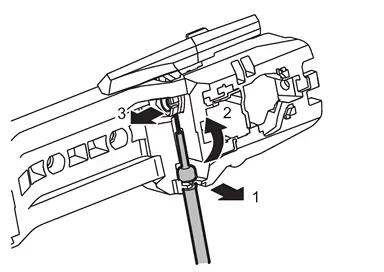
Disconnect rear door outside handle cable from rear door outside handle bracket according to the numerical order 1→3 indicated by arrows as shown in figure.
INSTALLATION
Note the following items, and then install in the reverse order of removal.
CAUTION:
-
Check rear door outside handle grip part for lubrication condition. Apply body grease if necessary.
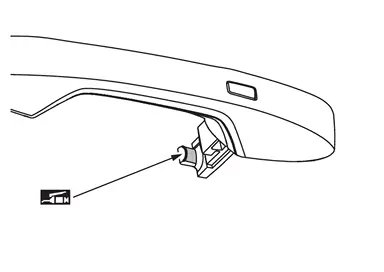

: Body grease -
Check rear door outside handle bracket parts for lubrication condition. Apply body grease if necessary.
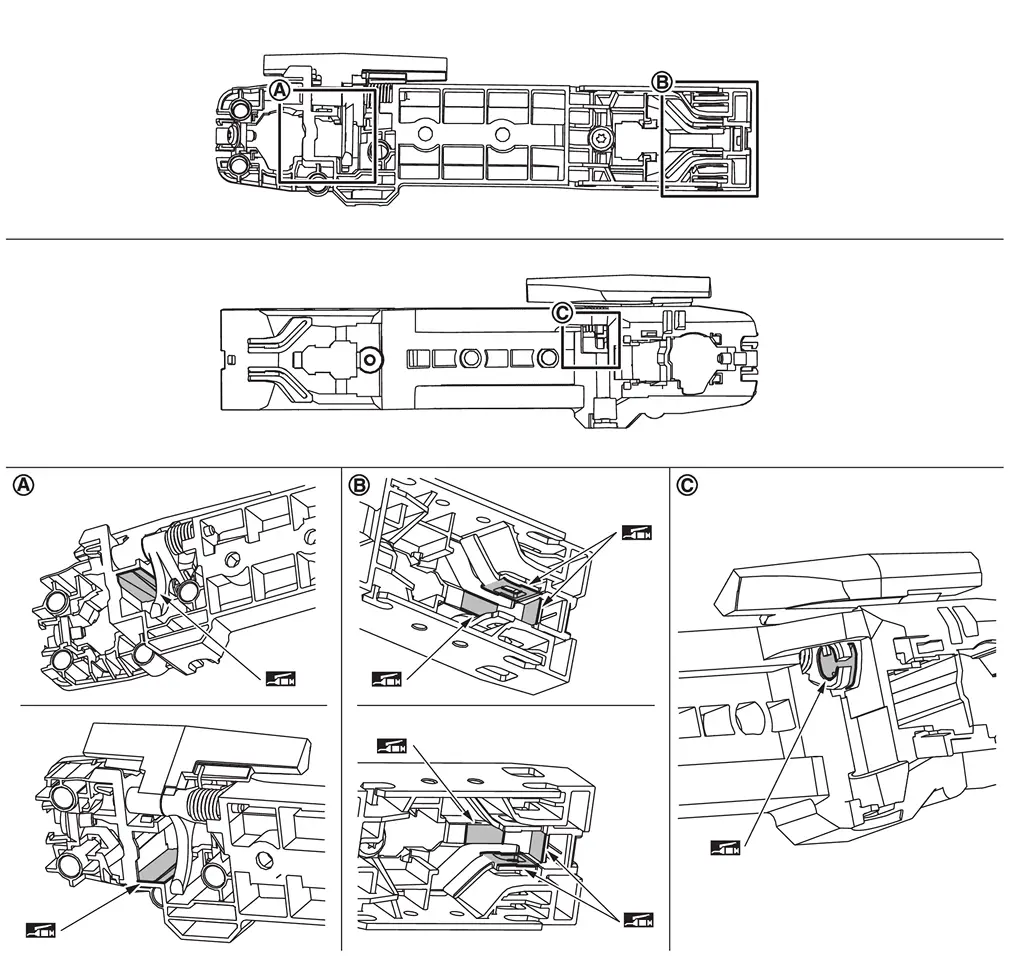
: Body grease -
When connecting rear door outside handle cable to rear door outside handle assembly, check that rear door outside handle cable is properly engaged with rear door outside handle assembly.
-
When installing rear door outside handle, be careful that rear door outside handle harness and body side harness are routed normally.
-
When installing, be careful that rear door outside handle cable is routed normally.
-
After installation, check rear door lock. Refer to Inspection.
-
Never reuse escutcheon cover. Always replace it with a new one when it is removed.
Other materials
Seat Memory Switch
Removal and Installation
REMOVALRemove front door finisher. Refer to Removal and Installation.
Disengage the fixing pawls using a remover tool (A) and then remove seat memory switch.
: Pawl
INSTALLATIONInstall in the reverse order of removal. ...
Intelligent Key
Description
Automatic back door open/close function does not operate using Intelligent Key.
Diagnosis Procedure
CHECK REMOTE KEYLESS ENTRY FUNCTION
Check remote keyless entry function.
Does door lock/unlock with Intelligent Key button?
YES>>
GO TO 2.
NO>>
Refer to Diagnosis Procedure.
...
Off Road Models
Exploded View
Front bumper fascia
Grommet
Front grille upper
Front grille
Front emblem
Front camera
: Clip
: Pawl
: Indicate that the part is connected at points with same symbol in actual vehicle.
Removal and Installation
REMOVALFully open hood assembly.
Remove fixing ...