Exploded View
Without air suspension
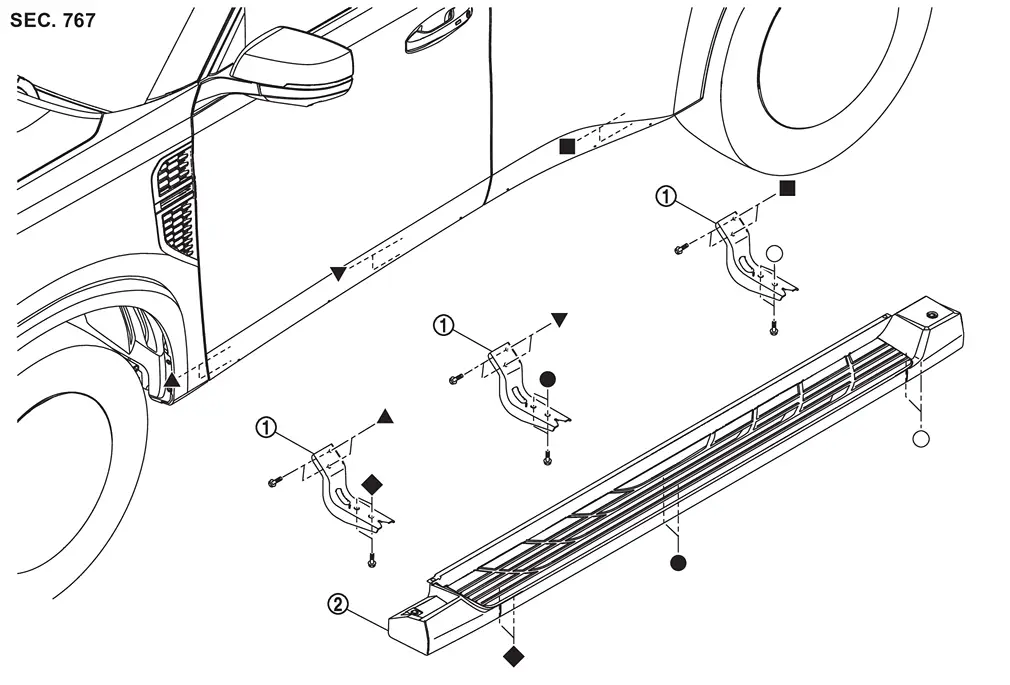
 |
Side step bracket |  |
Side step | ||
 , , , ,  , ,  , ,  , ,  : Indicates that the part is connected at points with same symbol in actual vehicle. : Indicates that the part is connected at points with same symbol in actual vehicle. |
|||||
With air suspension
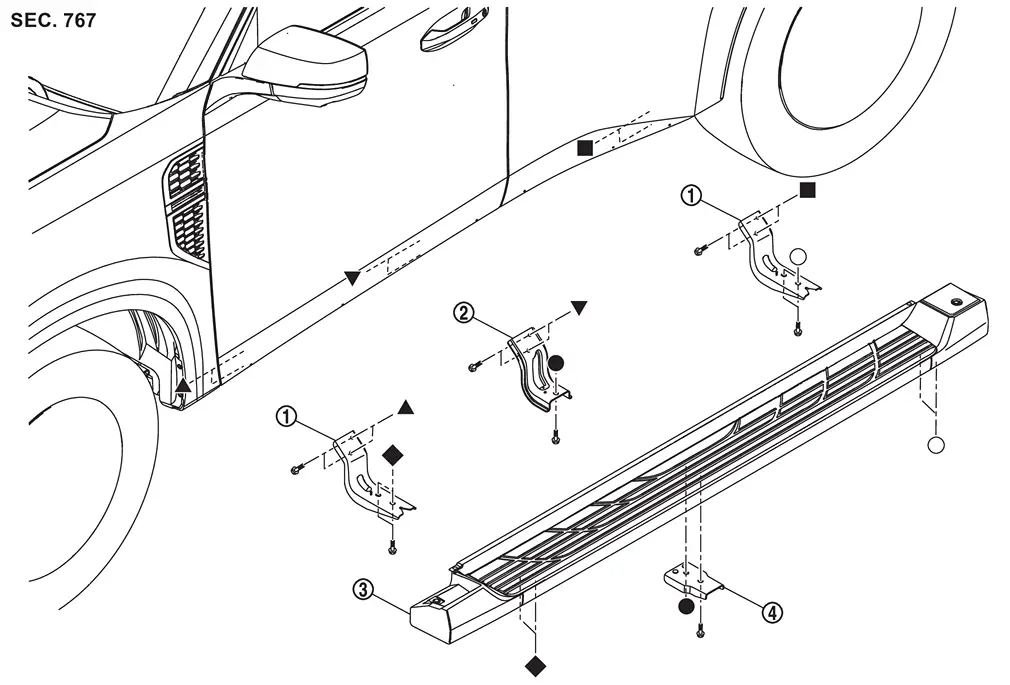
|
Side step bracket A | |
Side step bracket C |  |
Side step |
 |
Side step bracket B | ||||
| , , , , , : Indicates that the part is connected at points with same symbol in actual vehicle. |
|||||
Removal and Installation
WARNING:
REMOVAL
Without Air Suspension
Remove mounting bolts, and then remove side step.
Remove mounting bolts, and then remove side step bracket A.
With Air Suspension
Remove air tank. Refer to Removal and Installation.
Remove mounting bolts, and then remove side step.
Remove mounting bolts, and then remove side step bracket B.
Remove mounting bolts, and then remove side step bracket C.
Remove mounting bolts, and then remove side step bracket A.
INSTALLATION
Install in the reverse order of removal.
Other materials
How to use the vehicle information display
Type A
Type B
The vehicle information display in the Nissan Armada is designed to provide the
driver with clear, customizable, and real-time information. It can be easily controlled
using the multifunction dial and buttons located on the steering wheel, allowing
seamless interaction ...
ProPILOT Assist displays and indicators
ProPILOT Assist and ProPILOT Assist 1.1
ProPILOT activation
Appears once the Nissan Armada ProPILOT Assist system is enabled, confirming
that the driver assistance features are ready to operate and support the driver
during travel.
Steering Assist indicator
Displays the current S ...
Seat Lifting
Diagnosis Procedure
CHECK MANUAL OPERATION
Check manual operation.
Does it operate normally?
YES>>
GO TO 2.
NO>>
Refer to Diagnosis Procedure.
CHECK LIFTING SENSOR
Check lifting sensor LH. Refer to Component Function Check.
Is the inspection result normal?
YES>>
Check intermitte ...