
Nissan Armada 2025-2026 Service and Repair Manual: Work Procedure
Perform action test to verify the customer's concern.
Perform action test and check the system operation after system diagnosis.
WARNING:
CAUTION:
Fully understand the following items well before the road test;
System description: Refer to System Description.
Handling precaution: Refer to Precautions for Intelligent Lane Intervention.
CHECK I-LI SYSTEM SETTING
Start the engine, and then wait for 30 seconds or more.
Check that the I-LI system setting can be enabled/disabled on the information display.
Turn OFF the ignition switch and wait for 5 seconds or more.
Check that the previous setting is saved when the engine starts again.
GO TO 2.
ACTION TEST FOR I-LI
Turn I-LI system display ON.
Check the I-LI operation according to the following table.
Condition Action Display on information display Buzzer I-LI OFF — 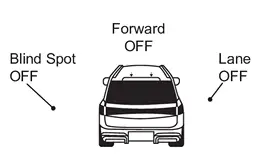
OFF I-LI ON Vehicle speed is less than approx. 60 km/h (37 MPH) — I-LI system indicator: White
Speaker icon : White
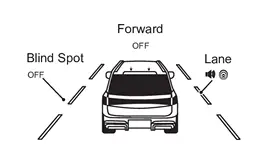
OFF Vehicle speed is approx. 60 km/h (37 MPH) or more Vehicle closes to lane marker Turn signal is OFF or ON (Opposite to the deviate side) Yawing control is ON Yellow (Blink)
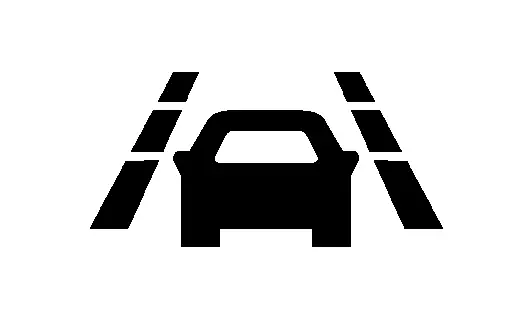
OFF I-LI system indicator: Yellow (Blink)
Speaker icon : White
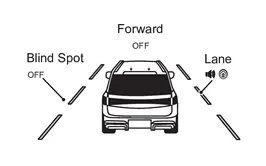
Turn signal is ON (Deviate side) — I-LI system indicator: White
Speaker icon : White
OFF Vehicle closes to lane marker with soft braking — Yawing control is ON Yellow (Blink)
OFF I-LI system indicator: Yellow (Blink)
Speaker icon : White
 NOTE:
NOTE:After the operating conditions of warning are satisfied, the warning continues until the vehicle speed reaches approximately 60 km/h (37 MPH). Refer to System Description.
INSPECTION END
 I-Li
I-Li
...
 Bsw
Bsw
...
Other materials:
Examination of Panel
Irregularities in the panel must be examined carefully to see whether or not they can be repaired, and also to determine the most suitable repair method.
Refer to "Examination of Panel Damage".
Work Direction on a Vehicle
1 Area mainly accessed from the back to the front 2 Area mainly accessed ...
Precautions for Removing Battery Terminal
NOTE:
NOTE:
NOTE:
The removal of 12V battery may cause a DTC detection error.
HOW TO DISCONNECT 12V BATTERY TERMINAL
Disconnect 12V battery terminal according to instruction described below.
Open the hood.
Turn ignition switch to the ON position.
Turn ignition switch to the OFF position with the d ...
Basic information
WARNING
Improper loading or exceeding the recommended trailer capacity for your Nissan
Armada can significantly affect handling, braking efficiency, and overall performance,
potentially leading to dangerous driving conditions or accidents.
CAUTION
Avoid towing a trailer or carrying heavy l ...

0.0051