
Nissan Armada 2025-2026 Service and Repair Manual: PRECAUTIONS FOR REMOVING BATTERY TERMINAL : Precautions
When disconnecting the battery terminal, pay attention to the following.
Always use a 12V battery as power source.
Never disconnect battery terminal while engine is running.
When removing the 12V battery terminal, turn OFF the ignition switch and wait at least 30 seconds.
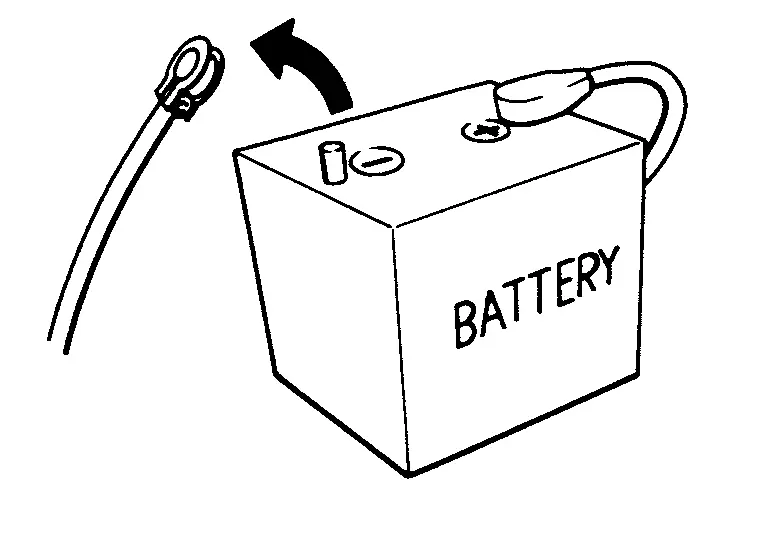
For vehicles with the engine listed below, remove the battery terminal after a lapse of the specified time:
BR08DE : 4 minutes R9M engine : 4 minutes BR10DE : 12 minutes R9N engine : 12 minutes D4D engine : 20 minutes V9X engine : 4 minutes HR09DET : 12 minutes YD25DDTi : 2 minutes HR10DDT : 12 minutes YS23DDT : 4 minutes HR10DET : 12 minutes YS23DDTT : 4 minutes HR13DDT : 12 minutes ZD30DDTi : 60 seconds HRA0DET : 12 minutes ZD30DDTT : 60 seconds HRA2DDT : 12 minutes K9K engine : 4 minutes M9R engine : 4 minutes  NOTE:
NOTE:ECU may be active for several tens of seconds after the ignition switch is turned OFF. If the battery terminal is removed before ECU stops, then a DTC detection error or ECU data corruption may occur.
After high-load driving, if the vehicle is equipped with the V9X engine, turn the ignition switch OFF and wait for at least 15 minutes to remove the battery terminal.
NOTE:Turbocharger cooling pump may operate in a few minutes after the ignition switch is turned OFF.
Example of high-load driving
Driving for 30 minutes or more at 140 km/h (86 MPH) or more.
Driving for 30 minutes or more on a steep slope.
- NOTE:
- NOTE:
The removal of 12V battery may cause a DTC detection error.
 PRECAUTIONS FOR SUPPLEMENTAL RESTRAINT SYSTEM (SRS) AIR BAG AND SEAT BELT PRE-TENSIONER
: Precautions
PRECAUTIONS FOR SUPPLEMENTAL RESTRAINT SYSTEM (SRS) AIR BAG AND SEAT BELT PRE-TENSIONER
: Precautions
WARNING:
Always observe the following items for preventing accidental activation.
PRECAUTIONS WHEN USING POWER TOOLS (AIR OR ELECTRIC) AND HAMMERS
WARNING:
Always observe the following items for preve ...
 Wiring Diagram
...
Other materials:
Removal and Installation
REMOVAL
Remove front door finisher. Refer to Removal and Installation.
Remove front door inside handle fixing screws .
Remove front door inside handle fixing pawls, and then remove front door inside handle.
:Pawl
INSTALLATION
Note the following items, and then install in the reverse order o ...
Work Flow
OVERALL SEQUENCE
DETAILED FLOW
GET INFORMATION FOR SYMPTOM
Get detailed information from the customer about the symptom (the condition and the environment when the incident/malfunction occurs).Check operation condition of the function that is malfunctioning.
>>
GO TO 2.
CHECK DTC
Check DTC. ...
Basic information
To preserve the premium cabin environment of your Nissan Armada, it is important
to regularly clean and maintain all interior surfaces.
Begin by removing loose dust and debris from interior trim, seats, and plastic
components using a vacuum cleaner or a soft-bristled brush. This helps prevent a ...

0.0056