Exploded View
REMOVAL
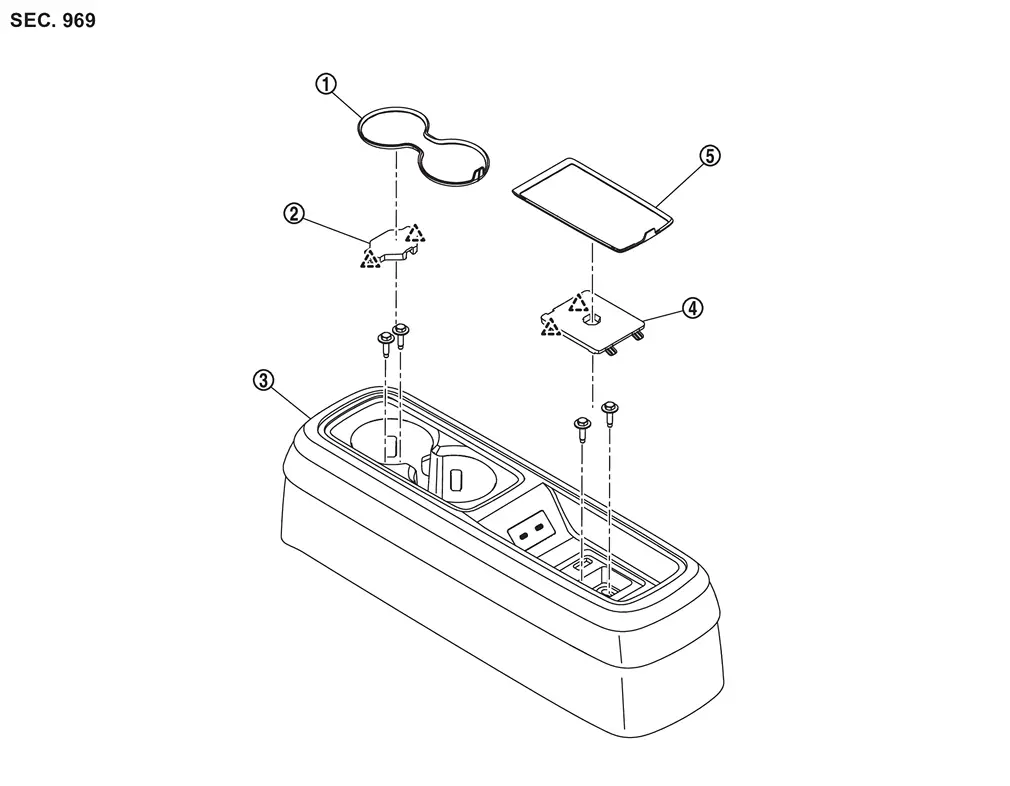
 |
Rear center tray cup holder mat |  |
Rear center tray front mask |  |
Rear center tray assembly |
 |
Rear center tray rear mask |  |
Rear center pocket mat | ||
 |
: Pawl | ||||
DISASSEMBLY
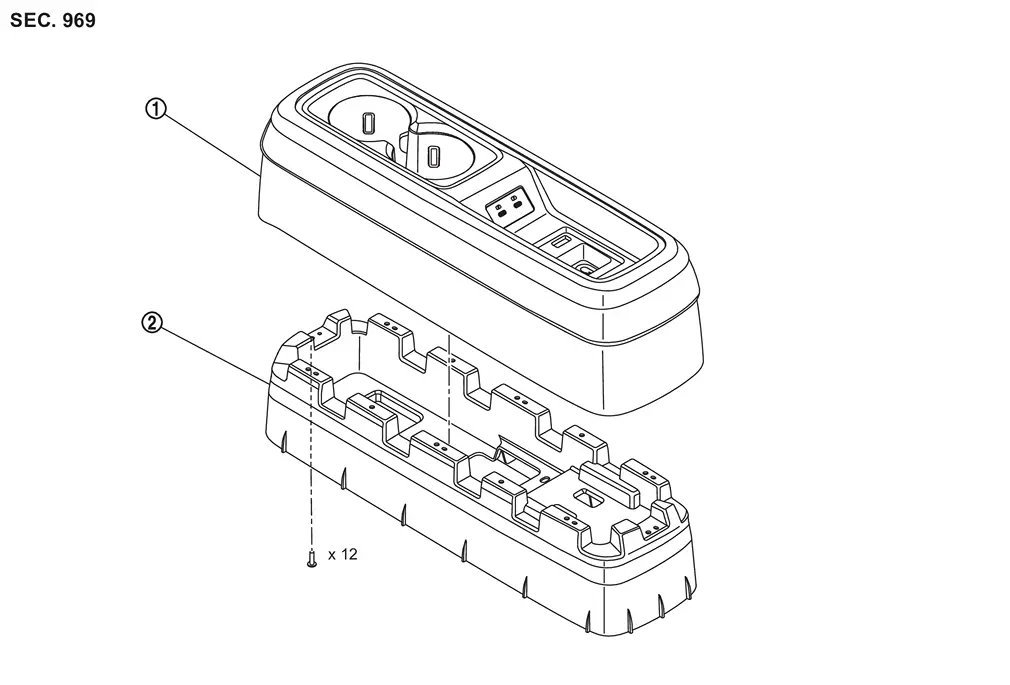
|
Rear center tray assembly | |
Rear center tray reinforcement |
Removal and Installation
REMOVAL
CAUTION:
When removing, always use a remover tool that is made of plastic.
Remove rear center tray cup holder mat and rear center pocket mat.
Remove rear center tray front mask.Apply protective tape (A) on the part to protect it from damage.
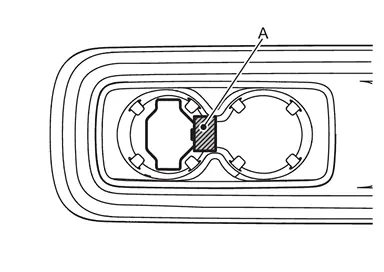
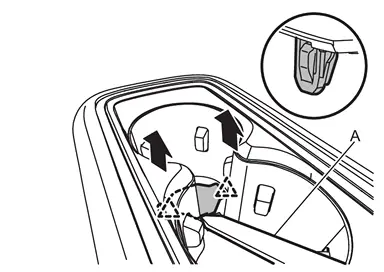
|
: Pawl |
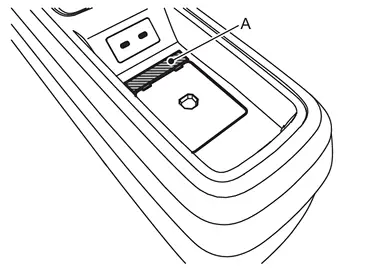
Remove rear center tray rear mask.Apply protective tape (A) on the part to protect it from damage.
 using a remover tool (A) according to numerical order 1→2 indicated by arrows as shown in the figure, and then remove rear center tray rear mask.
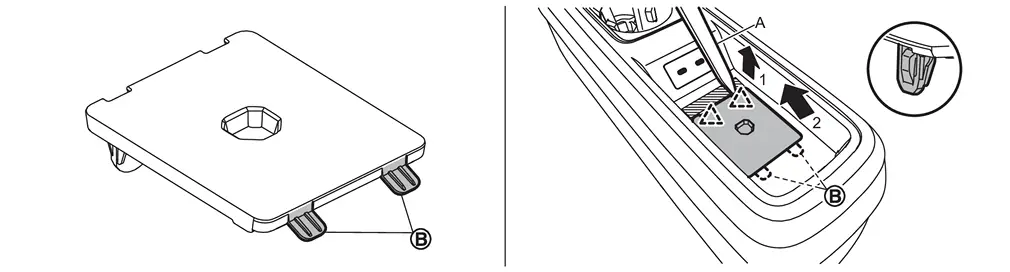
|
: Pawl |
Remove rear center tray assembly.Remove rear center tray assembly mounting bolts. Disconnect harness connector, and then remove rear center tray assembly.
INSTALLATION
Install in the reverse order of removal.
Disassembly and Assembly
DISASSEMBLY
CAUTION:
When disassemble, always use a remover tool that is made of plastic.
Disengage harness fixing clip.
Remove fixing screws, and then remove rear center tray reinforcement.
ASSEMBLY
Assemble in the reverse order of disassembly.
Other materials
Front Stabilizer
Exploded View
Stabilizer bar
Stabilizer bushing
Stabilizer clamp
Stabilizer connecting rod
Lower link
: N·m (kg-m, ft-lb)
Removal and Installation
WARNING:
Jacking up or lift up the vehicle may the vehicle height to go down which cause a personal injury and/or d ...
Selective Unlock Function Does Not Operate
Diagnosis Procedure
CHECK “SELECTIVE UNLOCK� SETTING IN COMBINATION METER
Check “selective unlock� setting is ON.
Is the inspection result normal?
YES>>
GO TO 2.
NO>>
Set “On� in combination meter.
REPLACE INTELLIGENT KEY UNIT
Replace Intelligent Key unit. Refer to Remova ...
Rear Room Lamp
Exploded View
Rear room lamp bracket
Headlining assembly
Rear room lamp
: Pawl
: vehicle front
Removal and Installation
CAUTION:
Disconnect the battery negative terminal or remove power circuit fuse when performing the operation for preventing electric leakage. Refer to Precaution ...