Work Procedure
If the front grille upper is removed or replaced, perform the simplified confirmation by birds-eye view screen.
CAUTION:
-
This procedure should only be performed if the front grille upper has been removed or replaced.
-
Perform camera calibration when removing or replacing each camera, removing the camera mounting parts (front bumper mall center, door mirror, etc.), or replacing the around view monitor control unit. Refer to Work Procedure.
TAKE A SCREENSHOT OF THE BIRDS-EYE VIEW SCREEN 1
-
Draw white lines with a width of 10 cm (3.9 in) or more as shown in the figure and place the vehicle.
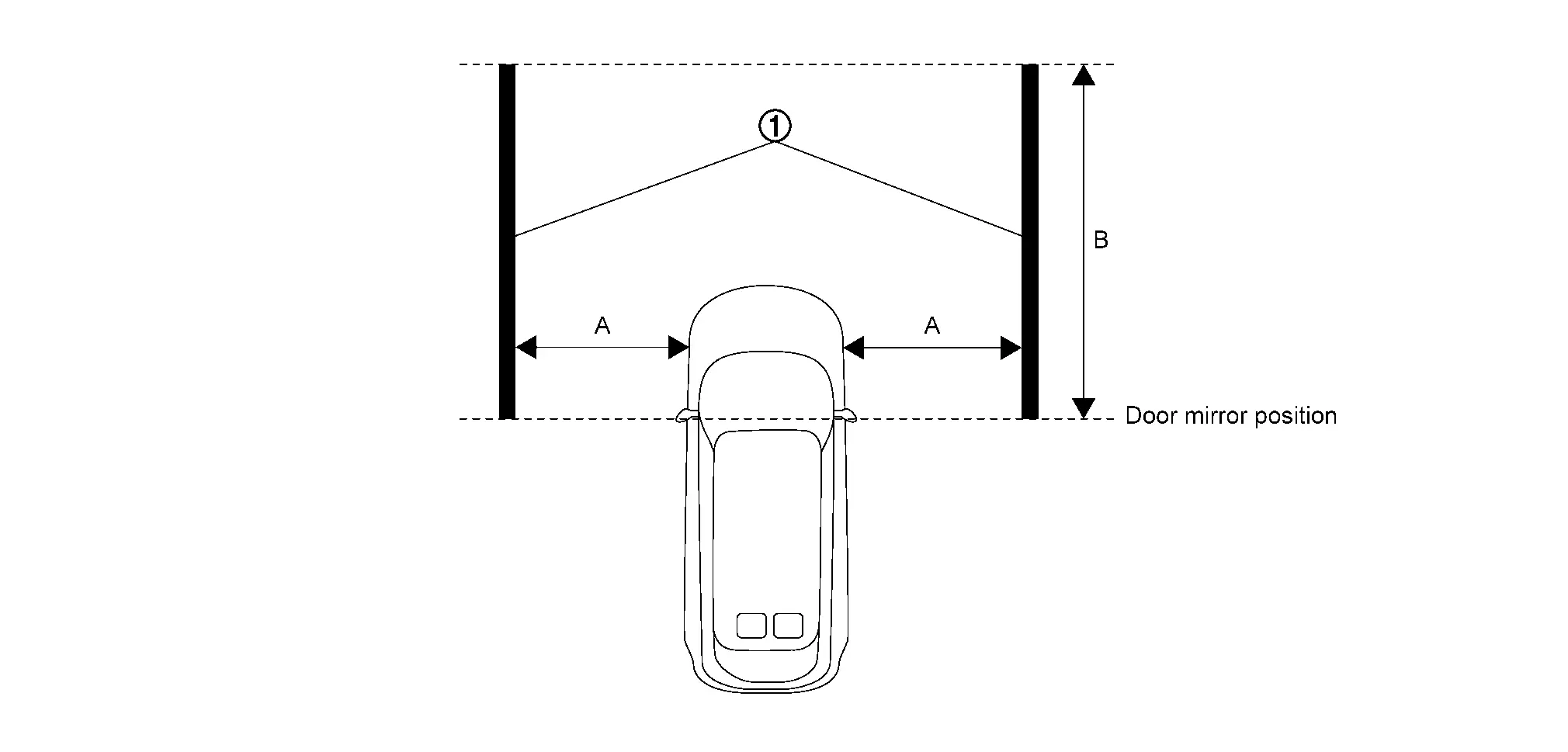

White lines
[10 cm (3.9 in) or more in width]A : 2 m (78.7 in) B : 3 m (118.1 in) -
Activate the around view monitor and display the birds-eye view screen.
-
Take a screenshot of the birds-eye view screen in the state shown in the figure.
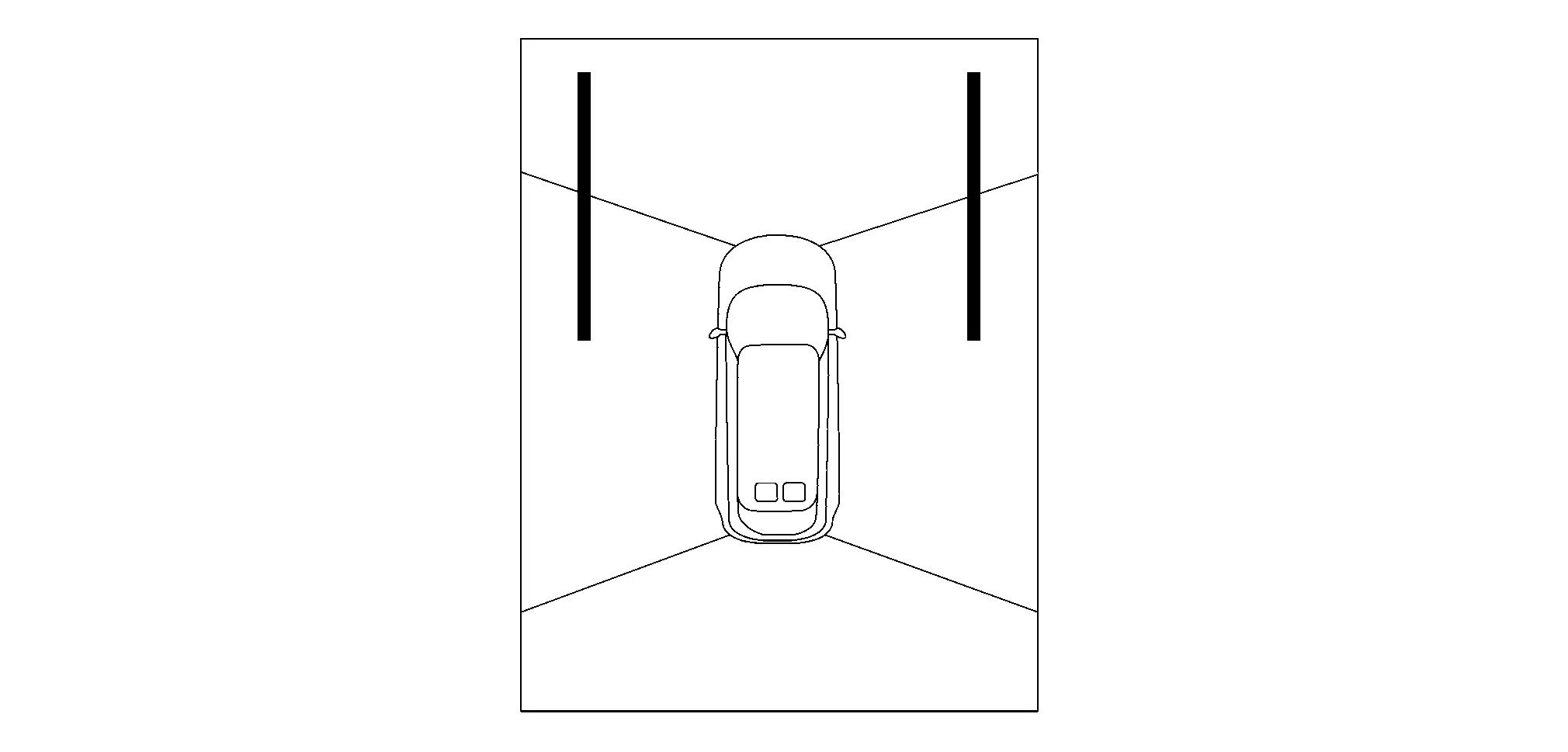
 NOTE:
NOTE:
A screenshot of the birds-eye view screen can be taken by following the steps below.
-
Insert the USB memory into the USB port.
NOTE:
Using a USB memory with an access lamp makes it easier to determine the communication status of the USB memory.
-
While pressing the camera switch, quickly turn the volume dial 3 clicks in the order of right→left→right (switches to system diagnostic mode).
-
Select “Display Diagnosis”.
-
Select “Screenshot to USB” and turn ON the screenshot.
-
Display the birds-eye view screen.
-
Press the camera switch.
-
Wait at least 10 seconds until the data is written to the USB memory.
-
>>
GO TO 2.
REMOVAL OR REPLACEMENT OF FRONT GRILL UPPER
Remove or replace the front grill upper. Refer to Removal and Installation.
>>
GO TO 3.
TAKE A SCREENSHOT OF THE BIRDS-EYE VIEW SCREEN 2
Take a screenshot of the birds-eye view screen again in the state of the figure.
>>
GO TO 4.
SCREENSHOT COMPARISON OF BIRDS-EYE VIEW SCREEN
Compare the screenshots of the birds-eye view screen before and after removing or replacing the front grill upper, and check if the white lines in the figure is misaligned.
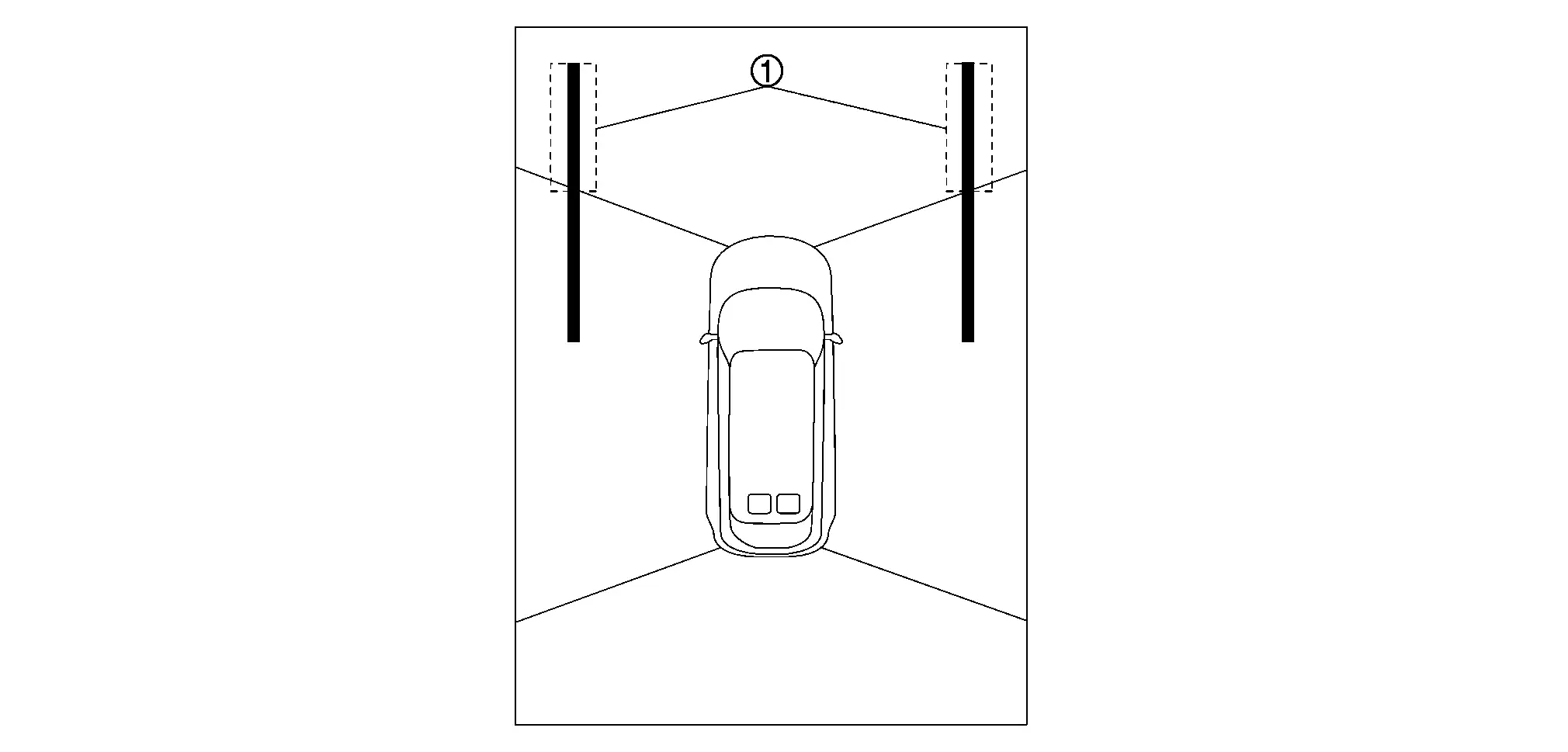
Is there a gap in the white lines?
YES>>Perform camera calibration. Refer to Work Procedure.
NO>>WORK END
Other materials
Tire labeling
Example
Basic information
In the Nissan Armada, all tires are required by federal regulations to display
standardized information directly on the sidewall.
This labeling provides essential data about the tire’s construction, performance
capabilities, and specifications, allowing Nissan ...
Front Spoiler
Exploded View
Front bumper fascia assembly
U nut
Front side spoiler RH
Front spoiler
Front side spoiler LH
: Rivet
: Always replace after every disassembly.
Removal and Installation
WARNING:
REMOVALRemove fixing rivets .
NOT ...
Diagnosis and Repair Work Flow
Work Flow
OVERALL SEQUENCEDETAILED FLOWINTERVIEW FOR MALFUNCTION
Interview the symptom to the customer.
>>
GO TO 2.
SYMPTOM CHECK
Check the symptom from the customer's information.
>>
GO TO 3.
FAIL-SAFE ACTIVATION CHECK
Check that the symptom is applied to the fail-safe activation.
D ...