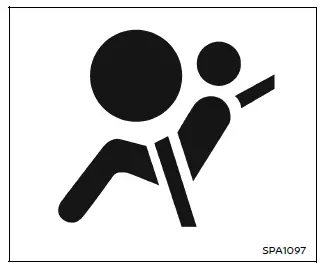
In the Nissan Armada, the supplemental air bag warning light, identified by the
symbol
 displayed in the instrument cluster, continuously monitors the integrity of the
air bag systems, pretensioners, and all associated wiring circuits.
displayed in the instrument cluster, continuously monitors the integrity of the
air bag systems, pretensioners, and all associated wiring circuits.
When the ignition switch of the Nissan Armada is turned to the ON position, the supplemental air bag warning light will illuminate for approximately 7 seconds and then turn off. This confirms that the system is functioning correctly and is ready to provide protection.
If any of the following conditions are observed in the Nissan Armada, the air bag and/or pretensioner systems require immediate inspection and servicing:
- The supplemental air bag warning light remains illuminated beyond the initial 7-second check.
- The warning light flashes intermittently while driving or after startup.
- The warning light does not illuminate at all when the ignition is switched ON.
Under these circumstances, the safety systems in the Nissan Armada may not operate as intended during a collision. Immediate diagnosis and repair are essential. It is strongly recommended to visit an authorized NISSAN dealer for professional inspection.
WARNING
If the supplemental air bag warning light in the Nissan Armada remains on, it may indicate that the front air bag, knee air bag, side air bag, curtain air bag, and/or pretensioner systems are not functioning properly and may fail to deploy during an accident.
To reduce the risk of injury to yourself and other occupants, have your Nissan Armada inspected as soon as possible by a qualified NISSAN dealer.
Repair and replacement procedure
All supplemental restraint components in the Nissan Armada—including front air bags, knee air bags, side air bags, curtain air bags, and pretensioners—are designed for one-time activation. Once deployed, these components must be replaced.
Even if no visible damage is present, the supplemental air bag warning light in the Nissan Armada will remain illuminated after deployment, indicating that system servicing is required. Replacement and inspection should be carried out without delay by a certified NISSAN dealer.
Whenever maintenance or repair work is performed on the Nissan Armada, it is critical to inform technicians about the presence of air bag systems and pretensioners. Always ensure that the ignition switch is in the OFF position before any work is carried out under the hood or inside the cabin.
WARNING
- Once any air bag in the Nissan Armada—whether front, knee, side, or curtain—has
deployed, it cannot be reused. The air bag module and the associated pretensioner
must be replaced as a complete unit.
It is strongly recommended to have this work performed by an authorized NISSAN dealer.
These components are not repairable and must not be reused under any circumstances.
- If the Nissan Armada has sustained damage to the front or side areas, all air bag systems and pretensioners should be inspected, even if they did not deploy during the incident.
- If disposal of any air bag components or pretensioners is required, or
if the vehicle is being scrapped, proper procedures must be followed.
Incorrect disposal may result in accidental deployment and serious injury. Always consult a NISSAN dealer for safe handling and disposal.
- If the Nissan Armada experiences an impact from any direction, the Occupant Classification System (OCS) must be checked to ensure it is still functioning correctly. Even if no air bags deploy, system verification is essential.
- Failure to confirm proper operation of the OCS in the Nissan Armada may result in incorrect air bag deployment, increasing the risk of serious injury or fatal outcomes.
Other materials
Positive Crankcase Ventilation
Inspection
Start engine and let it idle.
Replace PCV valve from the rocker cover. Refer to Removal and Installation.
Connect PCV valve to PCV hose.
Block and unblock the air hole of PCV valve and check if a hissing noise can be heard from the air hole.
Is the inspection result normal?
YES >> ...
Driver Seat Control Unit
Removal and Installation
REMOVALDisconnect driver seat control unit connector.
Remove driver seat control unit mounting screws .
Remove driver seat control unit.INSTALLATIONNote the following items, and then install in the reverse order of removal.CAUTION:
Be sure to perform ADDITIONAL SERVICE WHE ...
Panic Alarm Function Does Not Operate
Description
Panic alarm does not operate when press the PANIC ALARM button of Intelligent Key.
Diagnosis Procedure
CHECK INTELLIGENT KEY SYSTEM (REMOTE KEYLESS ENTRY FUNCTION)
Press the LOCK button of Intelligent Key.
Are all doors LOCKED?
YES>>
GO TO 2.
NO>>
Check Intelligent Key syst ...