
Nissan Armada 2025-2026 Service and Repair Manual: Work Procedure
Perform action test to verify the customer's concern.
Perform action test and check the system operation after system diagnosis.
WARNING:
CAUTION:
Fully understand the following items well before the road test;
System description for I-DA: Refer to System Description.
Handling precaution: Refer to Precautions for Intelligent Driver Alertness.
CHECK I-DA SYSTEM SETTING
Start the engine, and then wait for 30 seconds or more.
Check that the I-DA system setting can be enabled/disabled on the information display.
Turn OFF the ignition switch and wait for 5 seconds or more.
Check that the previous setting is saved when the engine starts again.
GO TO 2.
ACTION TEST FOR I-DA
Enable the setting of the I-DA system on the information display.
Check the I-DA operation according to the following table.
Vehicle condition/ Driver’s operation Display on combination meter Buzzer I-DA OFF — OFF I-DA ON 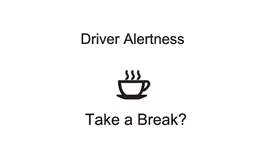
ON
INSPECTION END
 I-Da
I-Da
...

Other materials:
Removal and Installation
REMOVAL
Disconnect the battery cable from the negative terminal.
Disengage the fixing pawl on the vehicle front side of the IPDM E/R cover A and then pull up IPDM E/R cover A.
: Pawl
Disengage the fixing pawls on the vehicle rear side of the IPDM E/R cover A and then remove IPDM E/R cover A.
...
Exploded View
FRONT
Front heater & cooling unit assembly O-ring High-pressure pipe Valve cap (high-pressure side) Tube clip 1 Washer seal Condenser & liquid tank assembly High-pressure flexible hose Low-pressure flexible hose Valve cap (low-pressure side) Low-pressure pipe Tube clip 2 Front ...
Heated seats
Basic information
WARNING
In the Nissan Armada, avoid using seat heaters if occupants are unable to
sense temperature changes or pain. Improper use may result in overheating and serious
injury.
CAUTION
Do not operate the heated seats in the Nissan Armada for extended periods
when not i ...

0.0055