Exploded View
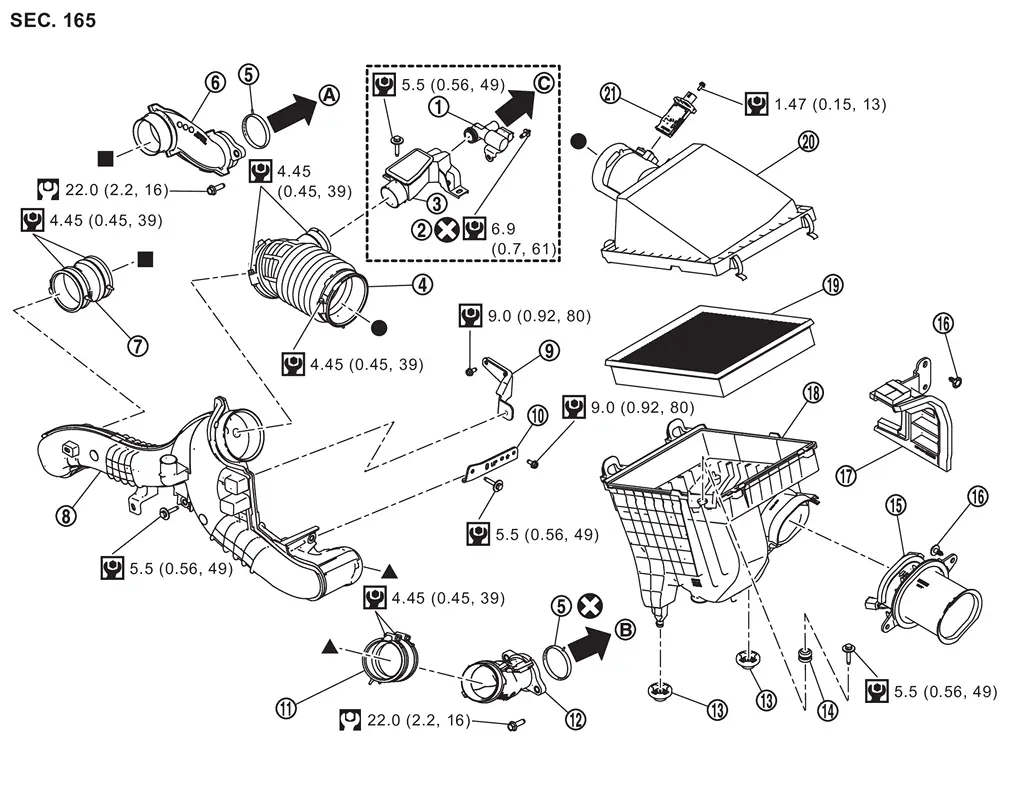
* When removing the crankcase ventilation valve* exchange as a set.
Removal & Installation
REMOVAL
 NOTE:
NOTE:
The mass airflow sensor can be removed while still installed on the air cleaner cover.
Pinch the clip  on the air cleaner cover
  to release the lock, and remove the air cleaner cover.
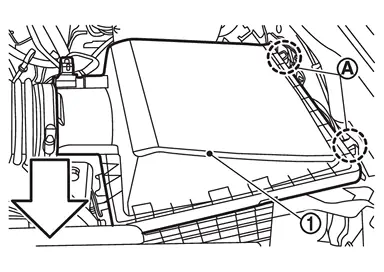
| : vehicle front |
Remove air cleaner filter  from air cleaner body .
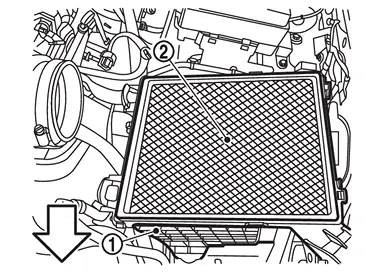
| : vehicle front |
INSTALLATION
Install in the reverse order of removal.
-
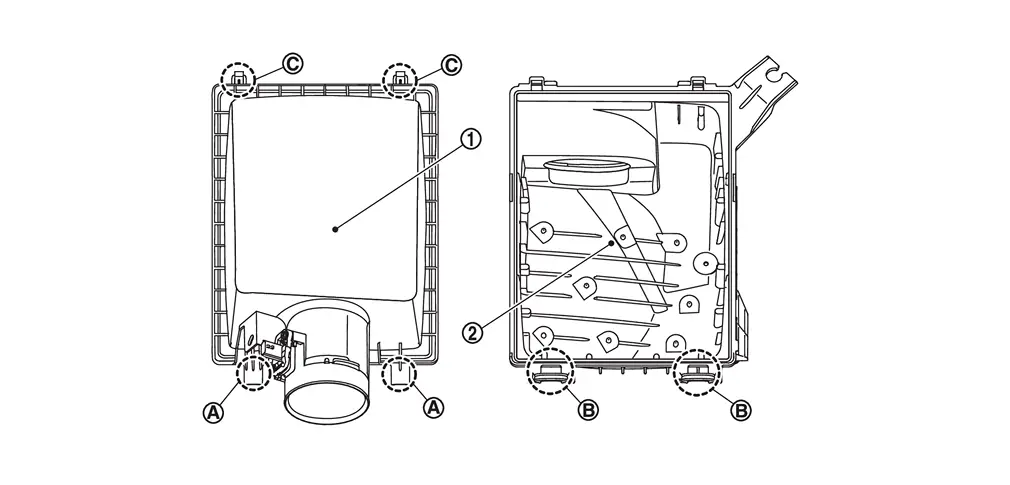
Insert part
of air cleaner cover into part  of air cleaner body and lock it with clip
  .
.
Inspection
INSPECTION AFTER REMOVAL
Examine with eyes that there is no stain, clogging, or damage on air cleaner filter.
-
Remove dusts (such as dead leafs) on air cleaner filter surface and inside cleaner case.
-
If clogging or damage is observed, replace the air cleaner filter.
MAINTENANCE INTERVAL
Refer to Periodic Maintenance.
Other materials
Basic information
The Nissan Armada is equipped with an advanced automatic brake hold function
designed to enhance driving convenience in stop-and-go traffic conditions. This
system automatically maintains braking force when the vehicle comes to a complete
stop, such as at traffic lights or intersections, allow ...
Rear Disc Brake
Brake Pad
Inspection and Adjustment
WARNING:
Jacking up or lift up the vehicle may the vehicle height to go down which cause a personal injury and/or damage to the air suspension component parts. Refer to Precaution for when Jacking and Lifting Up the vehicle with Electronic Air Suspension System ...
Steering Column Control Module
Removal and Installation
REMOVALRemove instrument lower panel LH. Refer to Removal and Installation.
Remove steering column control module bracket mounting screw .
Disconnect steering column control module connector.
Remove steering column control module.INSTALLATIONNote the following items, and t ...