Removal and Installation
REMOVAL
Disconnect the battery cable from the negative terminal.
Remove display unit display unit finisher RH and LH. Refer to Removal and Installation.
Remove display unit cover. Refer to Removal and Installation.
Remove the mounting screws  of the display unit
  .
.
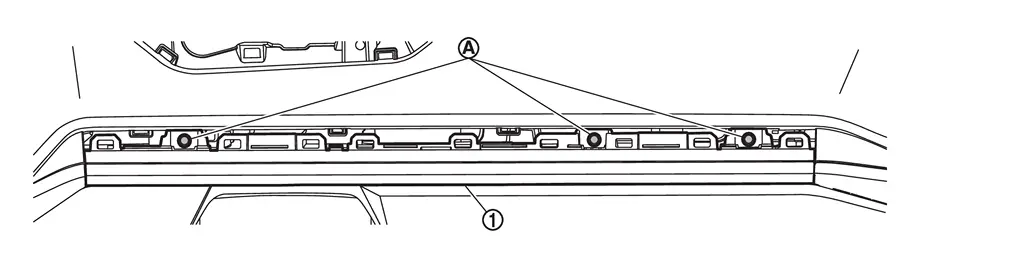
Pull the display unit upward, then disconnect harness connectors and remove.
CAUTION:
Never damage the display unit.
INSTALLATION
Installation is in the reverse order of removal.
CAUTION:
-
When replacing the display unit, always replace it with a new one. The functions controlled by the display unit does not operate properly in case of reuse of the display unit from another vehicle.
-
Be sure to perform the configuration when replacing display unit. Refer to Work Procedure.
Other materials
Basic information
WARNING
Never operate the push-button ignition switch in your Nissan Armada while
the vehicle is in motion, except in an emergency. Pressing the ignition switch three
consecutive times or holding it for more than 2 seconds will stop the engine. If
the engine shuts off while driving, this may ...
Front Door Module Assembly
Removal and Installation
REMOVALCAUTION:
Before removing, take a short memo/photo to remember door harness and cable layout.Remove front door glass. Refer to Removal and Installation.
Disconnect harness connectors , and then disengage harnesses fixing clips.
: Clip
Remove hole seals from fro ...
Additional Service When Replacing Front Camera Unit
Work Procedure
Always perform the front camera unit configuration after replacing the front camera unit.
Always perform the camera aiming after removing and installing or replacing the front camera unit.
CAUTION:
The system does not operate normally unless the front camera unit configuration an ...