Exploded View
With ProPILOT Assist 2.1
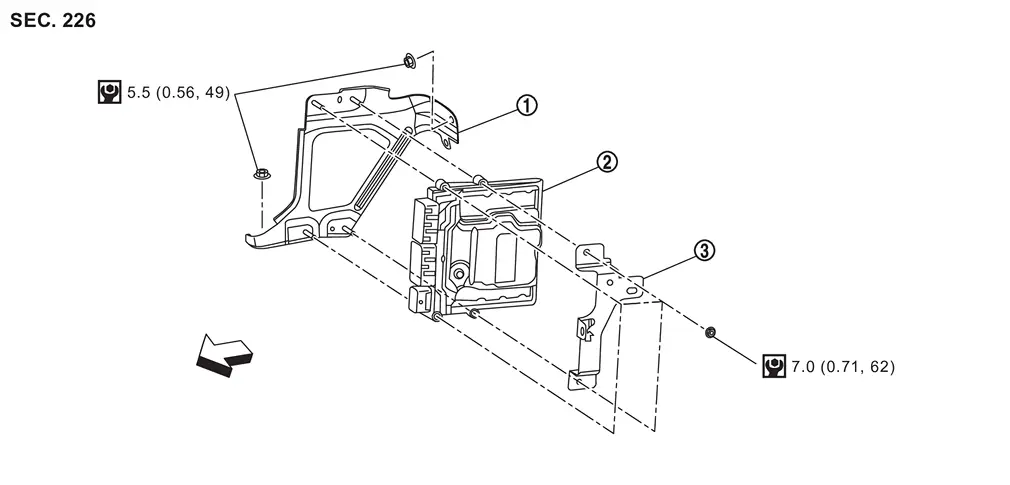
 |
ECM bracket |  |
ECM |  |
Bracket |
| : vehicle front | |||||
 |
: N·m (kg-m, in-lb) | ||||
Without ProPILOT Assist 2.1
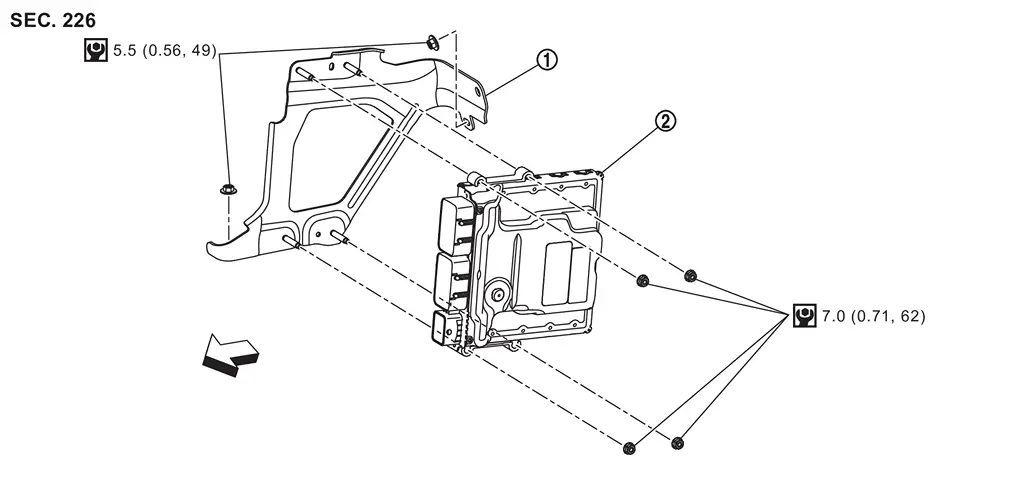
|
ECM bracket | |
ECM |
| : vehicle front | |||
|
: N·m (kg-m, in-lb) | ||
Removal & Installation
CAUTION:
Perform ADDITIONAL SERVICE WHEN REPLACING ECM. Refer to Work Procedure.
REMOVAL
With ProPILOT Assist 2.1
Disconnect the ECM harness connectors.
Remove ECM mounting nuts (  ) and remove ECM from the bracket.
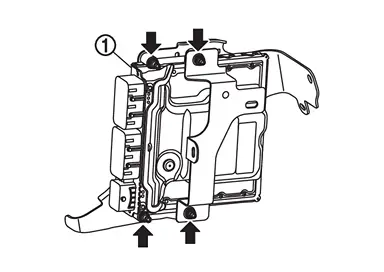
Remove bracket mounting nuts ( ) and remove the bracket .
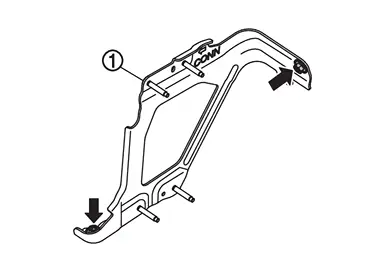
Without ProPILOT Assist 2.1
Disconnect the ECM harness connectors.
Remove ECM mounting nuts ( ) and remove ECM from the bracket.
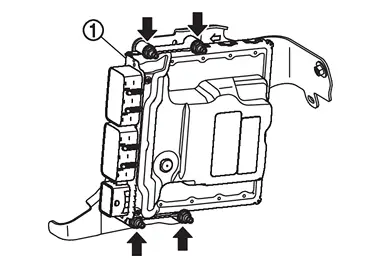
Remove bracket mounting nuts ( ) and remove the bracket .
INSTALLATION
Install in the reverse order of removal.
Other materials
Intelligent Key Button Operation Has Poor Range (all Keys)
Description
Intelligent Key button operation has poor range.SYMPTOM TABLE (BOTH INTELLIGENT KEYS HAVE THE SAME SYMPTOMS) Door lock operation (remote keyless entry) Door lock operation (one touch sensor or request switch of front/rear/back door) or trunk/back door open operation (opener switch of tr ...
Rear Lh Side Power Window Does Not Operate
When Both Power Window Main Switch and Rear Power Window Switch Lh Are Operated
Diagnosis Procedure
CHECK REAR POWER WINDOW MOTOR LH POWER SUPPLY AND GROUND CIRCUIT
Check rear power window motor LH power supply and ground circuit. Refer to Diagnosis Procedure.
Is the inspection result normal?
YE ...
Lan System. Can (controller Area Network)
Precautions
Precaution for Supplemental Restraint System (SRS) "AIR BAG" and "SEAT BELT PRE-TENSIONER"
The Supplemental Restraint System such as “AIR BAG� and “SEAT BELT PRE-TENSIONER�, used along with a front seat belt, helps to reduce the risk or severity of injury to the driver and front ...