Exploded View
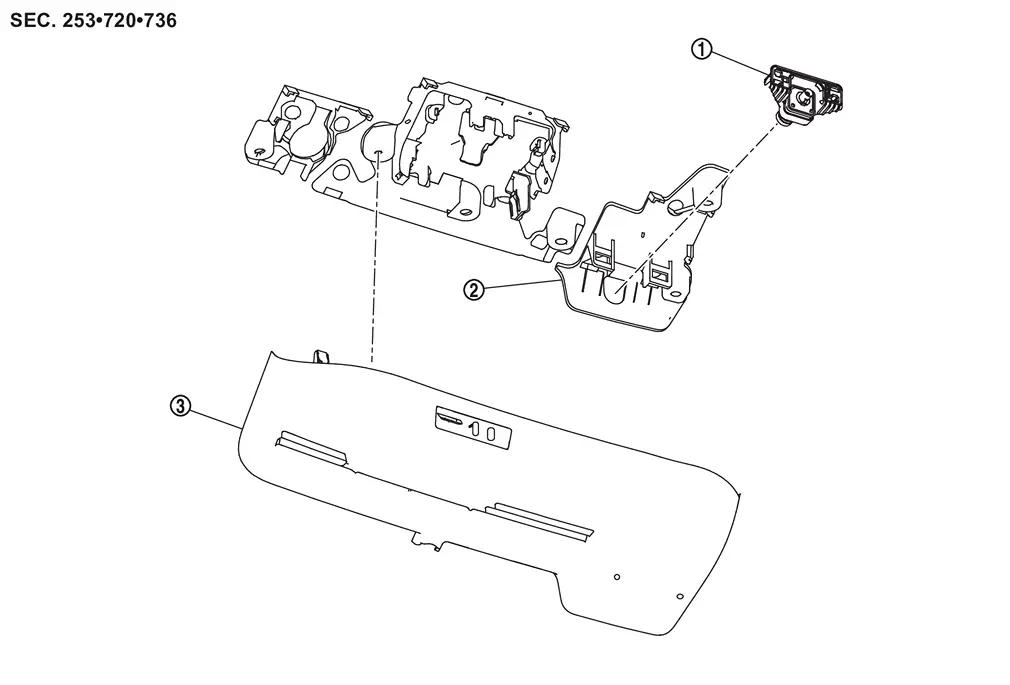
 |
Front camera (driving video recorder) |  |
Bracket |  |
Cover |
Removal and Installation
REMOVAL
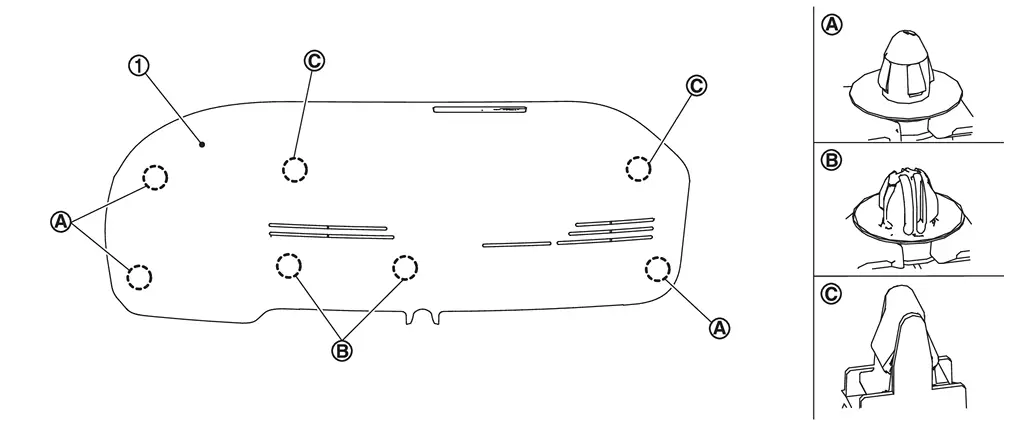
Using a suitable tool, release clips  , and remove cover .
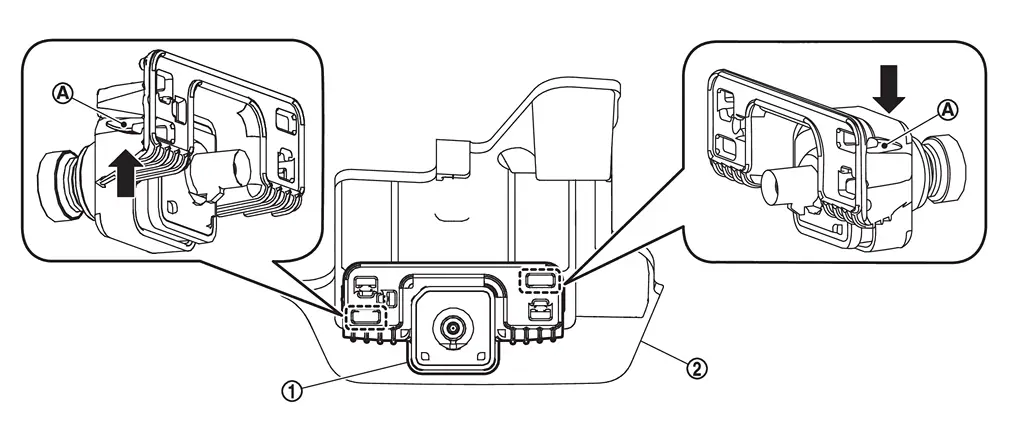
Disconnect front camera (driving video recorder) harness connector.
Push to the arrow  the stopper
  , and remove the front camera (driving video recorder) from bracket .
INSTALLATION
Note the following, and install in the reverse order of removal.
 NOTE:
NOTE:
Bracket together with windshield glass is supplied to the market as a one unit.
CAUTION:
-
Do not touch or shock the front camera (driving video recorder) lens area or drop the front camera (driving video recorder).
-
Make sure that the front camera (driving video recorder) harness is not twisted after installation.
-
Align the cover clips with the bracket holes and install by hand. Do not use excessive force.
Other materials
Brake Caliper Assembly
Exploded View
REMOVAL
Brake caliper assembly
: N·m (kg-m, ft-lb)
DISASSEMBLY
Cap
Bleeder valve
Cylinder body
Sliding pin
Sliding pin boot
Bushing
Torque member
: vehicle front
: ...
Vdc Warning Lamp, Abs Warning Lamp and Brake Warning Lamp Turn on
Description
ABS warning lamp and Brake warning lamp turn ON for a moment when restating the engine.
Diagnosis Procedure
CHECK ABS ACTUATOR AND ELECTRIC UNIT (CONTROL UNIT)
With CONSULT
Start the engine.
CAUTION:
The vehicle must be in a stopped state.
Connect booster battery (12V) and jumper cab ...
Entry Assist/driving Position Return Function Does Not Operate
Diagnosis Procedure
CHECK LOG-IN FUNCTION
Check log-in function. Refer to System Description.
Is the inspection result normal?
YES>>
GO TO 2.
NO>>
Refer to Work Flow.
CHECK REMOTE KEYLESS ENTRY FUNCTION
Check door lock/unlock using Intelligent Key button operation.
Does door lock/unloc ...