WARNING
The following section outlines important limitations of the Moving Object Detection (MOD) system in the Nissan Armada. Ignoring these limitations or relying on the system beyond its capabilities may significantly increase the risk of accidents, serious injury, or even fatal outcomes. The Nissan Armada MOD system is designed as an assistance feature and should never replace attentive driving.
- Do not operate the MOD system while towing a trailer with your Nissan Armada, as system accuracy and detection performance may be compromised.
- High levels of ambient noise, such as loud music or open windows, can interfere with audible alerts, making warning chimes difficult or impossible to hear.
- The effectiveness of the Nissan Armada MOD system may vary depending
on environmental conditions and surrounding factors, including:
- Low contrast between moving objects and the background.
- Flashing or intermittent light sources that may confuse detection.
- Strong light exposure such as direct sunlight or headlights from other vehicles.
- Improper camera positioning, for example when mirrors are folded or misaligned.
- Obstructions such as dirt, water droplets, snow, or ice on the camera lens.
- Situations where moving objects remain stationary within the display frame.
- The Nissan Armada MOD system may incorrectly interpret elements such as water droplets, exhaust smoke, or moving shadows as objects.
- System accuracy may be affected by object speed, direction, distance, and shape.
- If your Nissan Armada sustains damage near camera mounting areas, misalignment may occur, altering the detection zone and reducing system reliability.
- Extreme temperature conditions may reduce display clarity. This behavior is normal and does not indicate a malfunction.
NOTE:
The MOD indicator icon in your Nissan Armada will change from green to orange under certain conditions.
- If a system malfunction is detected.
- If internal component temperature becomes too high.
- If the rear camera detects an obstruction.
If the orange indicator remains illuminated, it is strongly recommended to have your Nissan Armada inspected by an authorized Nissan dealer to ensure proper system operation.
System maintenance
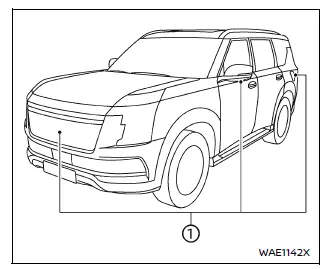
CAUTION
- Never use alcohol, benzine, or paint thinner when cleaning the camera lenses on your Nissan Armada, as these substances can cause permanent damage or discoloration.
- Avoid physical damage to the camera units, as this may negatively impact display quality and system performance.
If dirt, rain, or snow accumulates on any of the cameras in your Nissan Armada, the MOD system may not function correctly. Carefully clean the lens using a soft cloth with a mild diluted cleaning solution, followed by a dry wipe to maintain optimal visibility and performance.
Other materials
VR35DDTT ENGINE MODEL
Basic information
This section outlines the detailed maintenance schedule specifically designed
for the Nissan Armada equipped with the VR35DDTT engine, ensuring long-term durability,
optimal performance, and safe operation under a wide range of driving conditions.
Select the most appropriate ...
Noise, Vibration and Harshness (nvh) Troubleshooting
NVH Troubleshooting Chart
Use the chart below to find the cause of the symptom. If necessary, repair or replace these parts. Possible cause and SUSPECTED PARTS Symptom Reference
Noise
Gear tooth rough
×
Inspection, Inspection
Gear contact improper
×
Adjustment
Tooth surfaces wo ...
Squeak and Rattle Trouble Diagnoses
Work Flow
CUSTOMER INTERVIEW
The customer may not be able to provide a detailed description or the location of the noise. Attempt to obtain all the facts and conditions that exist when the noise occurs (or does not occur).
If there is more than one noise in the vehicle, perform a diagnosis and re ...