
Nissan Armada 2025-2026 Service and Repair Manual: Precautions for Removing Battery Terminal
 NOTE:
NOTE:- NOTE:
- NOTE:
The removal of 12V battery may cause a DTC detection error.
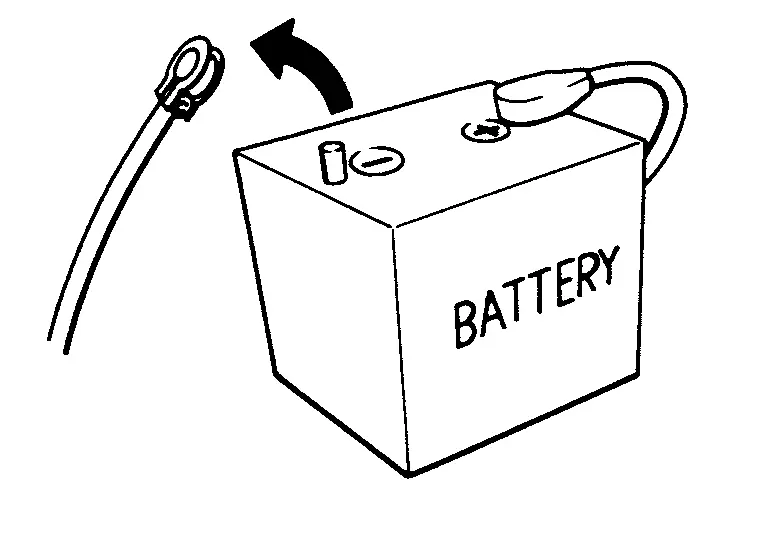
HOW TO DISCONNECT 12V BATTERY TERMINAL
Disconnect 12V battery terminal according to instruction described below.
Open the hood.
Turn ignition switch to the ON position.
Turn ignition switch to the OFF position with the driver side door opened.
Get out of the vehicle and close the driver side door.
BR08DE : 4 minutes R9N engine : 12 minutes BR10DE : 12 minutes V9X engine : 4 minutes D4D engine : 20 minutes YD25DDTi : 2 minutes HR09DET : 12 minutes YS23DDT : 4 minutes HR10DDT : 12 minutes YS23DDTT : 4 minutes HR10DET : 12 minutes ZD30DDTi : 60 seconds HR13DDT : 12 minutes ZD30DDTT : 60 seconds HRA2DDT : 12 minutes K9K engine : 4 minutes M9R engine : 4 minutes R9M engine : 4 minutes CAUTION:
Remove 12V battery terminal.
CAUTION:

 On Board Diagnostic (OBD) System of Engine and A/T
The ECM and TCM have an on board diagnostic system. It will illuminate the malfunction indicator lamp (MIL) to warn the driver of a malfunction causing emission deterioration.
CAUTION:
Always turn the ...
Other materials:
Removal and Installation
CAUTION:
Never damage the body panel.
REMOVAL
Remove front kicking plate. Refer to Removal and Installation.
Remove hood lock control handle (driver side). Refer to Removal and Installation.
Disengage dash trim clip from dash side finisher.
Disengage dash side finisher fixing clips, and then remo ...
Removal and Installation
REMOVAL
Remove headlining assembly. Refer to Removal and Installation.
Disconnect IR sensor harness connector .
Remove room lamp harness from IR sensor assembly.
Disengage fixing pawls, and then remove IR sensor finisher and IR sensor assembly .
: Pawl
INSTALLATION
Install in the reverse o ...
Ventilated seats
Basic information
CAUTION
In the Nissan Armada, avoid using the ventilated seat system for long
periods when the seat is unoccupied to prevent unnecessary wear and energy consumption.
Do not place heavy, sharp, or pointed objects on the Nissan Armada seats,
as this may damage the intern ...

0.0146