Removal and Installation
CAUTION:
Clean back door window glass and rear wiper refill so that back door window glass may not be damaged by dust, etc.
REMOVAL
Operate rear wiper to the auto stop position. Refer to System Description.
Remove rear spoiler. Refer to Removal and Installation.
Remove rear wiper arm mounting nut.
Remove rear wiper arm.
INSTALLATION
Note the following items, and then install in the reverse order of removal.
CAUTION:
-
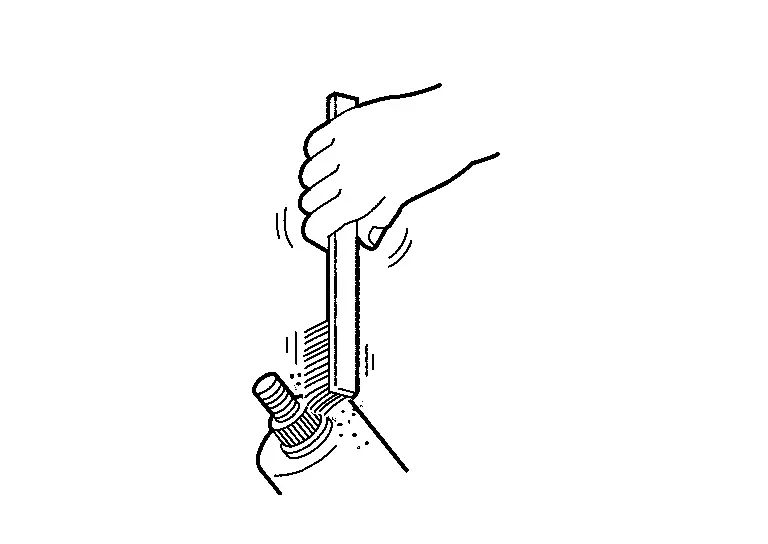
Clean rear wiper arm installation location as shown in the figure, and then fully insert rear wiper arm to prevent nut from being loosened by shakiness.
-
Before installation, operate rear wiper to the auto stop position.
-
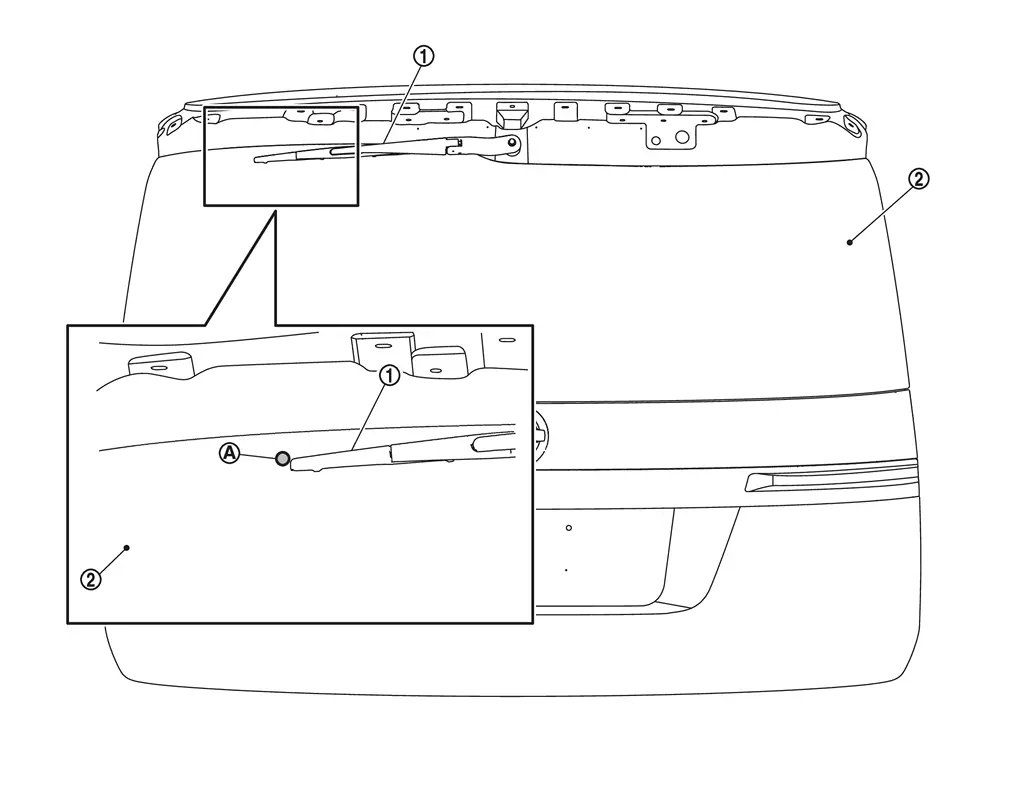
When installation, install so that it is within the specified position. And after installation, operate rear wiper, and then check that rear wiper blade stops at the specified position. Refer to Adjustment.
Adjustment
WIPER BLADE POSITION ADJUSTMENT
Set rear wiper blade as set position mark.
 |
Rear wiper blade |  |
Back door window glass | ||
 |
Set position mark |
Other materials
Brake fluid
Basic information
For detailed specifications regarding brake fluid for your Nissan Armada, refer
to the section "Capacities and recommended fluids/lubricants" in the official documentation.
Maintaining the correct brake fluid condition in the Nissan Armada is essential
for ensuring ...
Configuration (ipdm E/r)
Description
Vehicle specification needs to be written with CONSULT because it is not written after replacing the IPDM E/R.CONSULT connects to network and then it downloads the configuration data from the server. Then CONSULT writes the vehicle specification to the IPDM E/R. For details, refer to Wor ...
Additional Service When Replacing Front Camera Unit
Work Procedure
Always perform the front camera unit configuration after replacing the front camera unit.
Always perform the camera aiming after removing and installing or replacing the front camera unit.
CAUTION:
The system does not operate normally unless the front camera unit configuration an ...