Basic information
WARNING
Ensure the engine is off, the ignition is switched off, and the parking brake is securely engaged before servicing spark plugs in your Nissan Armada.
CAUTION
Always use the correct socket when removing spark plugs from your Nissan Armada to avoid damaging the components.
Replacing spark plugs
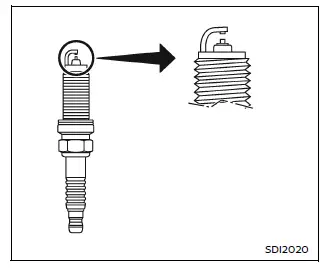
Basic information
If spark plug replacement is required, it is recommended that you have the work performed by a qualified technician or an authorized NISSAN dealer to ensure proper installation and performance.
Iridium platinum-tipped spark plugs
The Nissan Armada is equipped with advanced iridium platinum-tipped spark plugs, which offer extended service life compared to conventional plugs.
Follow the maintenance schedule outlined for your Nissan Armada, but do not attempt to clean or re-gap these spark plugs. Replacement should always be done using specified or equivalent components.
Always replace spark plugs with recommended or equivalent ones.
Regular inspection and timely servicing of the battery, drive belts, and ignition components are essential to maintain the reliability, efficiency, and long-term performance of your Nissan Armada.
Other materials
Unit Parameter Writing
Description
After working the following, transfer unit parameter must be written to transfer control unit.
Transfer control unit replacing
Transfer assembly replacing
Transfer control actuator replacing
Transfer range position sensor replacing
Transfer case component parts disassembling
NO ...
Auto Door Lock Operation Does Not Operate. Automatic Back Door Control Unit
Automatic Back Door Control Unit
Diagnosis Procedure
REPLACE INTELLIGENT KEY UNIT
Replace Intelligent Key unit. Refer to Removal and Installation.
Confirm the operation after replacement.
Is the result normal?
YES>>
INSPECTION END
NO>>
Check intermittent incident. Refer to Inter ...
Diagnosis and Repair Work Flow
Work Flow
OVERALL SEQUENCEDETAILED FLOWGET INFORMATION FOR SYMPTOM
Get detailed information from the customer about the symptom (the condition and the environment when the incident/malfunction occurs).
Check operation condition of the function that is malfunctioning.
>>
GO TO 2.
CHECK ...