Example
Basic information
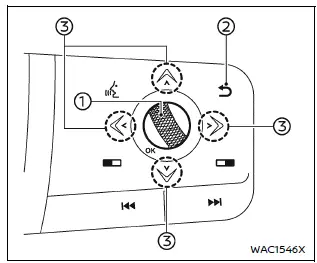
In the Nissan Armada, the trip computer is controlled using intuitive switches located directly on the steering wheel, allowing the driver to navigate menus without distraction.
- Scroll dial - in the Nissan Armada this control enables smooth navigation through the vehicle information display, allowing you to scroll up/down and press to confirm selections.
-
 - returns to the previous menu screen for quick adjustments
 - Directional arrows - allow switching between different information screens such as trip data, fuel economy, and other vehicle metrics in the Nissan Armada.
The displayed screens may vary depending on the Nissan Armada model and equipment level.
Home
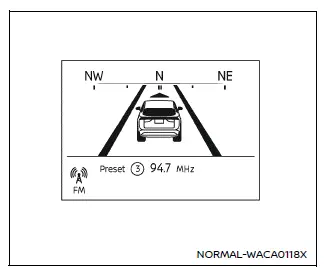
The Home screen in the Nissan Armada provides quick access to essential information and frequently used functions.
- Navigation (if so equipped)
- Audio
Drive Computer
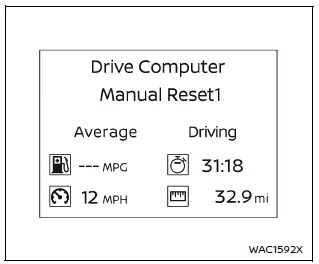
Average fuel consumption: Displays the average fuel usage in the Nissan Armada since the last reset, helping drivers monitor efficiency.
Average speed: Shows the average speed of the Nissan Armada over a selected period.
Trip odometer: Indicates the total distance traveled since the last reset.
Elapsed time: Tracks the time elapsed since the last reset of the Nissan Armada trip data.
The Drive Computer in the Nissan Armada offers three operating modes: Manual Reset1, Manual Reset2, and Auto Refuel, allowing flexible tracking of trip data.
Manual Reset modes can be reset manually via the scroll dial, while Auto Refuel resets automatically after refueling the Nissan Armada.
Fuel Economy display
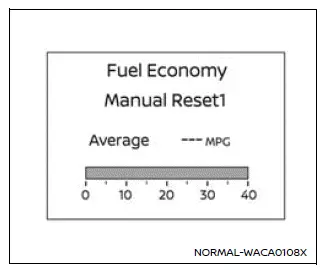
Current fuel consumption: This mode shows real-time fuel consumption of the Nissan Armada during driving.
Average fuel consumption: Displays average consumption since the last reset, allowing long-term efficiency tracking.
The Nissan Armada provides the same three reset modes: Manual Reset1, Manual Reset2, and Auto Refuel for convenience.
Manual modes can be reset using the scroll dial, while Auto Refuel resets automatically when refueling.
Example
Off Road (if so equipped)
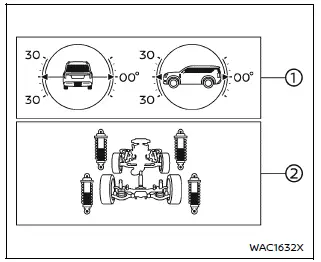
The Nissan Armada Off-Road display provides detailed vehicle condition data for enhanced off-road driving control.
The Pitch and Roll Gauge indicates the vehicle’s angle relative to terrain, visually showing tilt and inclination in real time.
The Tire Angle & 4WD Gauge shows steering angle and current 4WD status, giving the Nissan Armada driver a clear understanding of wheel positioning and drivetrain distribution.
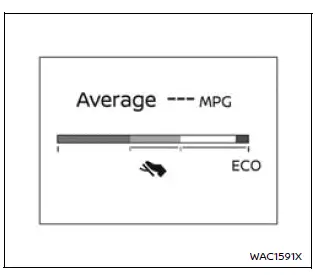
ECO Pedal Guide (if so equipped)
When ECO mode is activated in the Nissan Armada, the ECO Pedal Guide assists the driver in maintaining efficient acceleration for improved fuel economy.
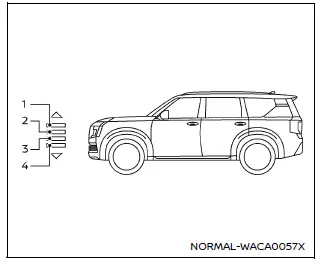
Height Control display (if so equipped)
The Nissan Armada displays current suspension height across four levels, adapting to different driving needs.
Depending on the selected mode, one of the indicators will illuminate:
1. HIGH – maximum ground clearance for rough terrain.
2. NORMAL – standard driving height for everyday use.
3. AERO – optimized height for improved aerodynamics and efficiency.
4. ACCESS – lowered height for easier entry and exit.
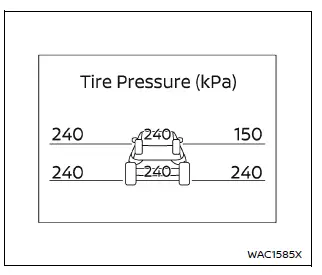
Tire Pressures
The Nissan Armada tire pressure display shows real-time pressure values for all four tires while driving.
If the "Tire Pres ECO advice" feature is active, the system will notify the driver when tire pressure drops, recommending adjustment for optimal fuel efficiency.
When the Tire Pressure Low warning appears, the display can be switched to detailed tire pressure view using the scroll dial.
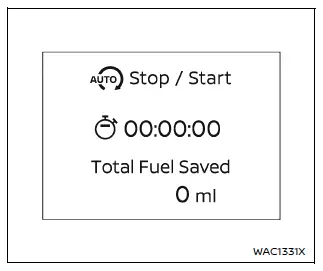
Idling Stop System
This screen shows how much fuel has been saved using the Nissan Armada Idling Stop System, helping drivers understand efficiency benefits.
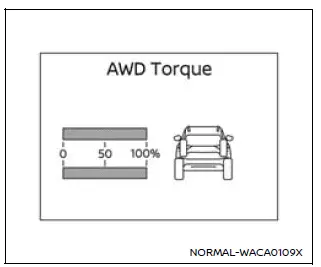
4WD Torque Split display (if so equipped)
This display shows how torque is distributed between the front and rear wheels in the Nissan Armada during driving, improving traction awareness.
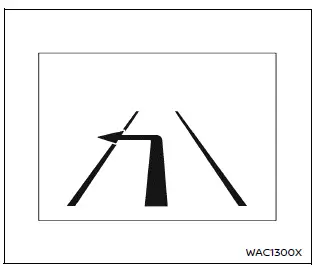
Navigation
When navigation is active, the Nissan Armada displays route guidance and directions directly in the instrument cluster.
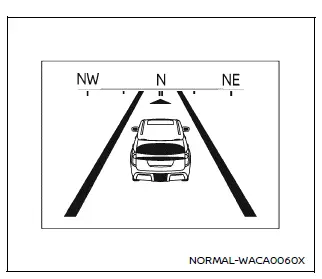
Compass (if so equipped)
This display shows the current driving direction of the Nissan Armada using a digital compass.
Audio
The Nissan Armada audio screen provides information about currently playing media and system status.
Driver Assistance
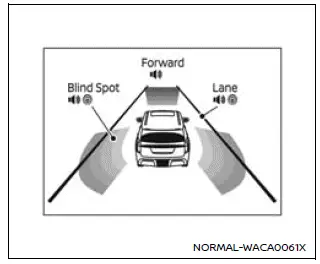
This screen in the Nissan Armada displays the status of advanced safety systems:
- Forward:
- Automatic Emergency Braking (AEB) with Pedestrian Detection system
- Intelligent Forward Collision Warning (I-FCW)
- Lane:
- Lane Departure Warning (LDW)
- Intelligent Lane Intervention (I-LI)
- Blind Spot:
- Blind Spot Warning (BSW)
- Intelligent Blind Spot Intervention (IBSI)
Example
ProPILOT Assist
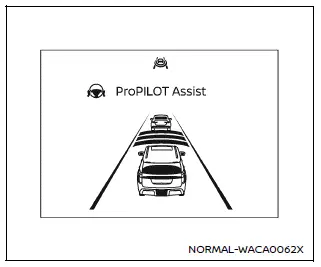
The Nissan Armada ProPILOT Assist display shows the active status of Intelligent Cruise Control and Steering Assist systems.
This screen is automatically displayed when ProPILOT Assist is activated.
Traffic Sign Recognition
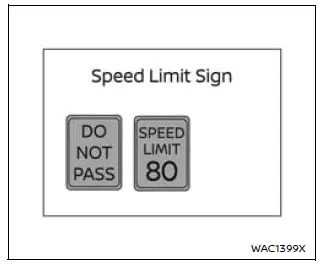
The Nissan Armada Traffic Sign Recognition system displays recently detected road signs, such as speed limits, helping the driver stay informed and compliant.
Other materials
Rear Automatic Air Conditioning System
Work Procedure
DESCRIPTIONThe purpose of the operation inspection is to check that the individual system operates normally. NOTE:
Check that front automatic air conditioning system operates normally. Refer to Work Procedure. Check condition
: Engine running at normal operating temperature.
OPERA ...
Seat Lifting
Diagnosis Procedure
CHECK LIFTING MECHANISM
Check for the following.
Mechanism deformation or pinched foreign materials.
Interference with other parts because of poor installation.
Is the inspection result normal?
YES>>
GO TO 2.
NO>>
Repair or replace the malfunctioning parts.
CH ...
Automatic Back Door Switch
Description
Automatic back door open/close function does not operate using automatic back door switch.
Diagnosis Procedure
CHECK AUTO OPEN/CLOSE FUNCTION
Check auto open/close function using back door opener switch operation.
Is the inspection result normal?
YES>>
GO TO 2.
NO>>
Refer t ...