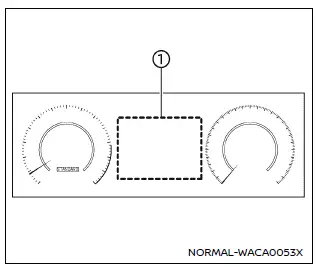
Example
The vehicle information display in the Nissan Armada is centrally positioned within the instrument cluster and serves as a key interface for driver information and system notifications. It provides real-time data and customizable settings for enhanced driving awareness.
The Nissan Armada display may include the following features, depending on equipment level:
- Tachometer
- Speedometer
- Vehicle settings
- Trip computer information
- Driver Assistance systems
- ProPILOT Assist status
- Intelligent Key operation details
- Audio system information
- Navigation turn-by-turn directions
- Warning and indicator alerts
- Tire pressure monitoring data
- Additional system information
Additional note: The Nissan Armada vehicle information display allows drivers to personalize their driving experience by adjusting layouts and accessing critical data quickly, improving both convenience and safety on the road.
Other materials
Second Seat Belt Retractor
Removal and Installation
WARNING:
Before servicing, disconnect ground line of battery. Refer to Precautions for Removing Battery Terminal.
Prevent accidental activation. Refer to Precaution for Supplemental Restraint System (SRS) "AIR BAG" and "SEAT BELT PRE-TENSIONER".
REMOVALSeat Belt Pre-ten ...
Seat Tools and Preparation
Special Service Tools
The actual shapes of TechMate tools may differ from those of special service tools illustrated here.
Tool number
(TechMate No.)
Tool name Description
(NI-39570)
Chassis ear
Locates the noise
(NI-50397)
Squeak and Rattle Kit
Repairs the cause of noise
Commerci ...
Fuel Filler Lid
Exploded View
Fuel filler base assembly
Fuel filler lid
Fuel filler lid lock assembly
Fuel filler base mask
: Pawl
: Always replace after every disassembly.
Fuel Filler Lid
Removal and Installation
REMOVAL Fully open fuel filler base assembly.
Diseng ...