Exploded View
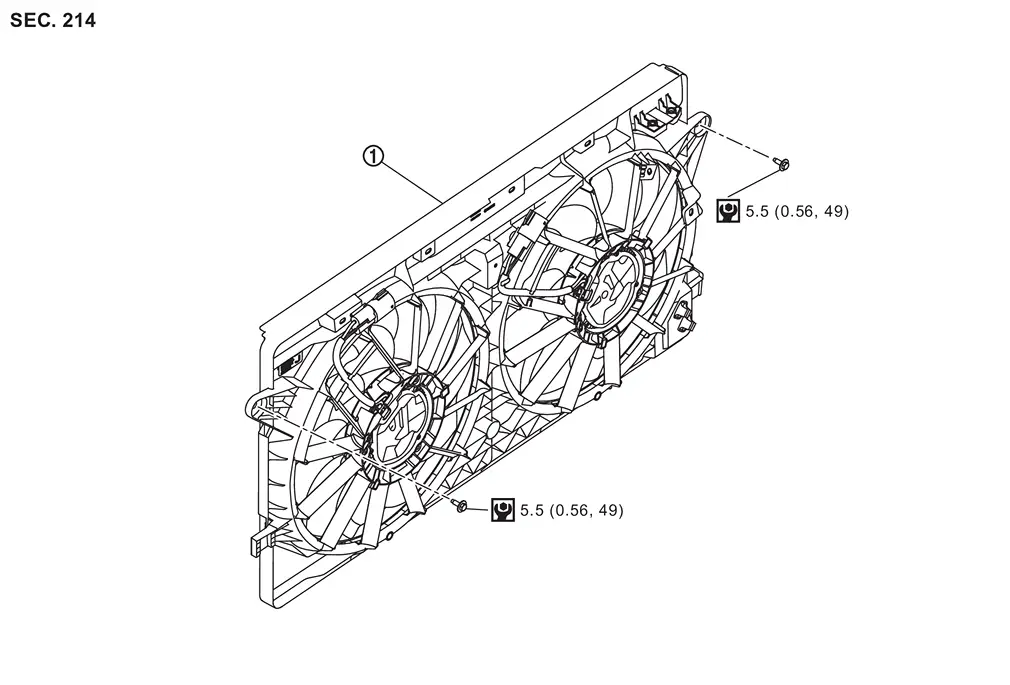
 |
Engine cooling fan | ||||
 |
: N·m (kg-m, in-lb) | ||||
Removal & Installation
WARNING:
Jacking up or lift up the vehicle may the vehicle height to go down which cause a personal injury and/or damage to the air suspension component parts. Refer to Precaution for when Jacking and Lifting Up the vehicle with Electronic Air Suspension System.
REMOVAL
Remove engine cover. Refer to Removal and Installation.
Remove air inlet tube 1 and air inlet tube 2. Refer to Removal & Installation.
Disconnect engine cooling fan harness connectors  .
.
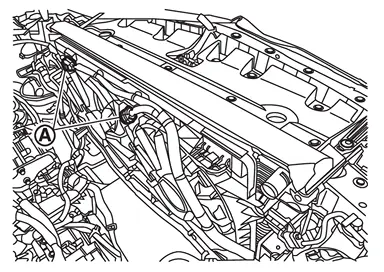
Remove A/T fluid cooler tube from part of engine cooling fan  .
.
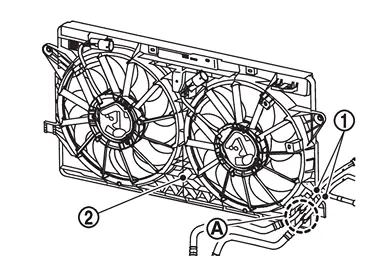
Remove mounting bolt of the radiator pipe assembly .
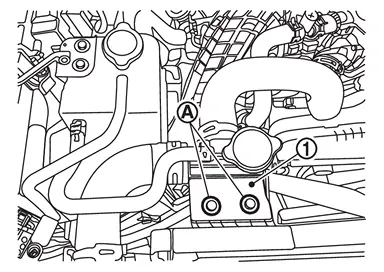
Move the radiator pipe assembly to a location where it will not interfere with removal.
Remove engine cooling fan.
CAUTION:
Never damage or scratch radiator core when removing.
INSTALLATION
Note the following, and install in the reverse order of removal.
CAUTION:
Only use genuine parts for cooling fan mounting bolt and observe the specified torque (to prevent radiator being damaged).
Other materials
Rear Disc Brake. Disc Rotor
Disc Rotor
Inspection
WARNING:
Jacking up or lift up the vehicle may the vehicle height to go down which cause a personal injury and/or damage to the air suspension component parts. Refer to Precaution for when Jacking and Lifting Up the vehicle with Electronic Air Suspension System.
INSPECTI ...
Stroke Sensor Calibration
Description
CAUTION:
Always perform stroke sensor calibration before driving after any of the following operations is performed.×: Necessary, -: Not necessary Procedure Stroke sensor calibration
Removing/installing electrical brake control unit
×
Replacing electrical brake control unit
à ...
Rear Door Assembly
Removal and Installation
CAUTION:
Perform work with 2 workers, because it is heavy weight.
Support door with a proper material and use protective tape or shop cloth to protect door and body from falling and damage when removing and installing door assembly.
REMOVALRemove rear door harness gromm ...