Basic information
CAUTION
- In the Nissan Armada, avoid leaving interior lights switched on for extended periods when the engine is not running, as this may lead to battery discharge.
- Always switch off all interior lighting before leaving the Nissan Armada to preserve battery life and ensure reliable vehicle operation.
Interior light switch
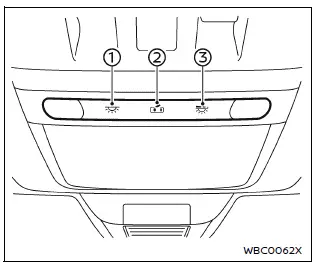
- In the Nissan Armada, interior lights can be manually turned ON regardless of door position. They will automatically turn off after a certain period unless the ignition is switched to the ON position when a door is opened.
- The Nissan Armada interior lighting can also be configured to activate automatically
when doors are opened.
To disable this function, touch the switch—this prevents the lights from turning on even when doors are opened. The lights will turn off once the ignition is switched ON or when the driver’s door is closed and locked.
- The Nissan Armada map light brightness can be adjusted across four different levels using the brightness control switch, allowing for personalized illumination.
Map lights
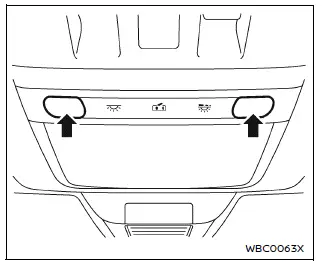
To activate the Nissan Armada map lights, simply touch the light surface.
Touch the light again to switch it off.
The Nissan Armada system will automatically turn off the lights after a certain period when the engine is off to prevent battery drain.
Rear personal lights
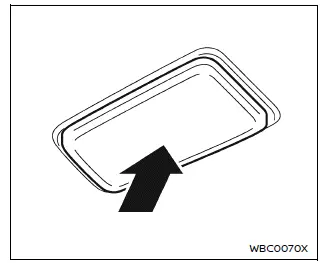
In the Nissan Armada, rear passengers can control their personal lights individually.
Touch the light once to turn it on, touch again to dim it, and touch once more to turn it off completely.
The Nissan Armada automatically switches off these lights after a period of time when the engine is off to protect the battery.
Rear room light
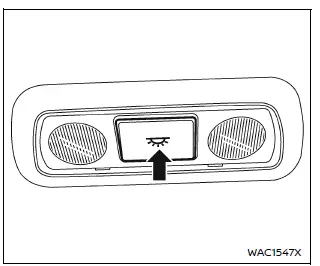
To turn on the rear room light in the Nissan Armada, press the designated switch.
Press the switch again to turn the light off.
The Nissan Armada lighting system will automatically deactivate the rear room light after a certain time when the engine is off.
Vanity mirror light
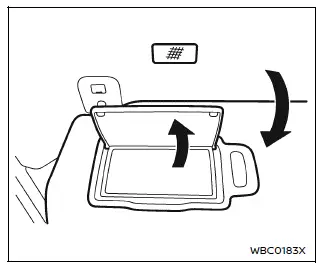
The Nissan Armada vanity mirror light activates automatically when the mirror cover is opened.
Closing the cover will switch the light off.
To prevent battery drain, the Nissan Armada system will turn off the vanity mirror light automatically if left on while the engine is off.
Cargo light
The Nissan Armada cargo light turns on automatically when the liftgate is opened, providing visibility in the cargo area.
This light will also automatically switch off after a certain period if the engine is not running, helping to conserve battery power.
The Nissan Armada interior lighting system is designed to provide both convenience and efficiency, ensuring optimal visibility while maintaining energy-saving functionality.
Other materials
Driver Knee Air Bag Module
Exploded View
Steering member
Driver knee air bag module
: Always replace after every disassembly.
: N·m (kg-m, in-lb)
Removal and Installation
WARNING:
Always observe the following items for preventing accidental activation.
Before servicing, ignition switch OFF, di ...
Squeak and Rattle Trouble Diagnoses
Work Flow
CUSTOMER INTERVIEW
The customer may not be able to provide a detailed description or the location of the noise. Attempt to obtain all the facts and conditions that exist when the noise occurs (or does not occur).
If there is more than one noise in the vehicle, perform a diagnosis and re ...
Precautions
Precautions for Removing Battery Terminal
When disconnecting the 12V battery terminal, turn off the ACC power before disconnecting the 12V battery terminal, observing “How to disconnect 12V battery terminal� described below.
NOTE:
Some ECUs operate for a certain fixed time even after ignit ...