Exploded View
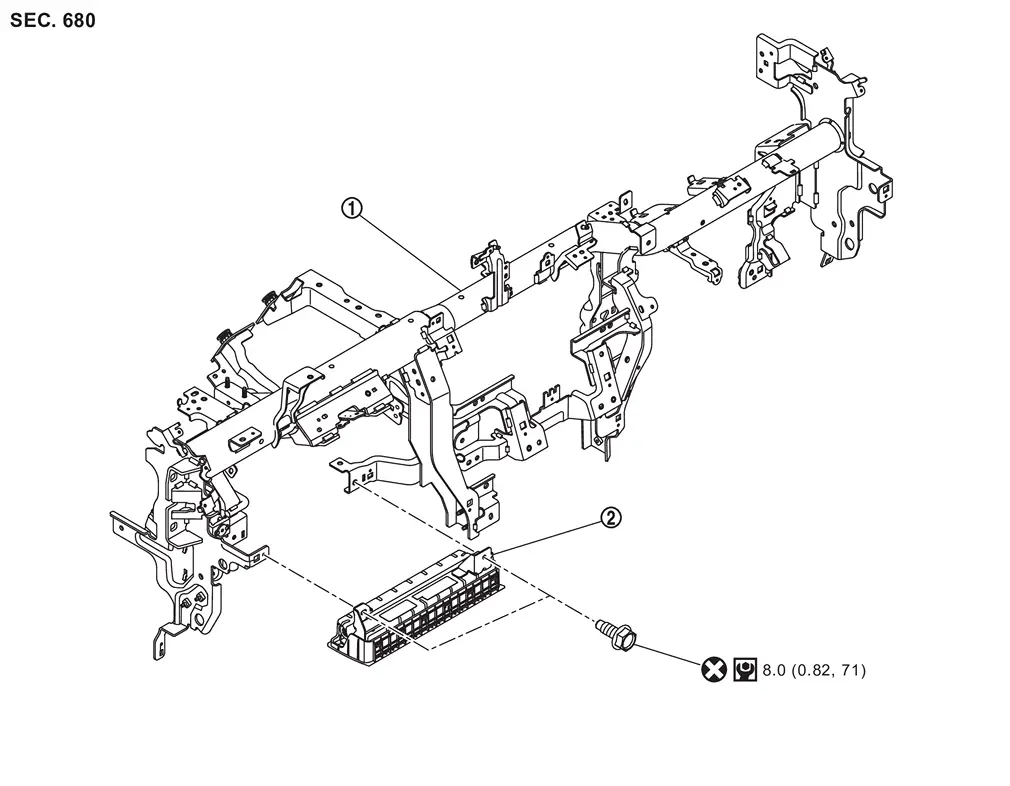
 |
Steering member |  |
Driver knee air bag module | ||
 |
: Always replace after every disassembly. | ||||
 |
: N·m (kg-m, in-lb) | ||||
Removal and Installation
WARNING:
Always observe the following items for preventing accidental activation.
-
Before servicing, ignition switch OFF, disconnect battery negative terminal and wait for 3 minutes or more (discharges electricity held in the additional power supply circuit of the air bag diagnosis sensor unit). Refer to Precautions for Removing Battery Terminal.
-
Always work from the side of air bag module. Never work in front of it.
-
Never use air tools or electric tools for servicing.
REMOVAL
Remove instrument lower panel LH. Refer to Removal and Installation.
Remove driver knee air bag module mounting bolts  .
.
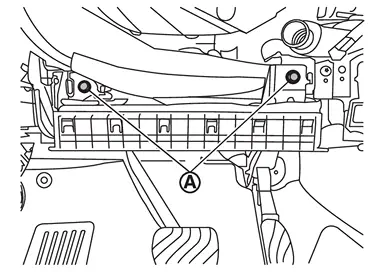
Move driver knee air bag module from steering member, and then disconnect driver knee air bag module harness connector .
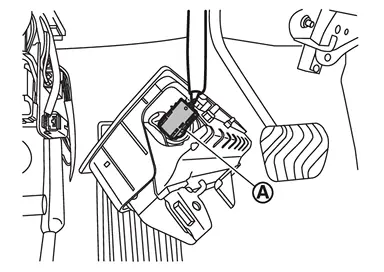
CAUTION:
-
Never damage harness connector.
-
Insert remover tool (A) wrapped in tape between connector and lever
 , and then disconnect harness connector while moving the lever.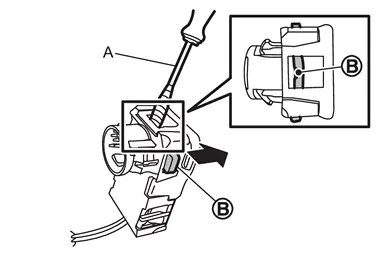
Remove driver knee air bag module.
CAUTION:
-
To prevent accidental explosion, always place the driver knee air bag module with deploying direction facing upward.
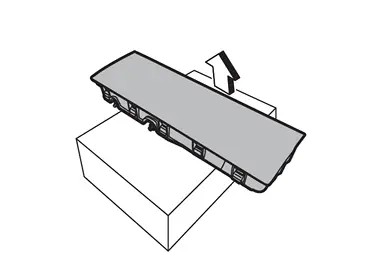
: Upward -
To prevent damage to the parts, never impact the driver knee air bag module.
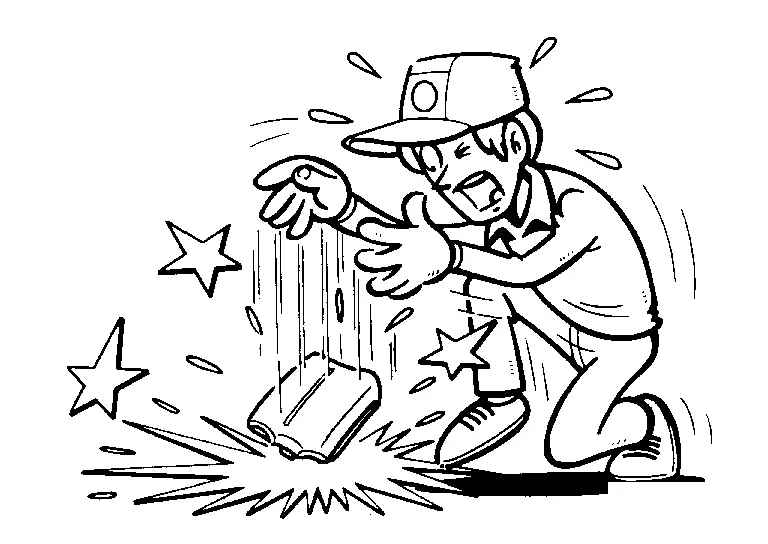
-
Replace driver knee air bag module if it is dropped or sustains an impact.
-
To prevent accidental explosion, never insert any foreign objects (screwdriver, etc.) into the driver knee air bag module.
-
To prevent accidental explosion, never disassemble the driver knee air bag module.
-
To prevent accidental explosion, never expose the driver knee air bag module to temperature of more than 90 °C (194 °F).
-
To prevent damage to the parts, never allow oil, grease, detergent, or water to come in contact with the driver knee air bag module.
INSTALLATION
Note the following items, and then install in the reverse order of removal.
CAUTION:
-
Never reuse mounting bolts after removal, replace with new bolts.
-
Never damage the harness while installing.
-
When connect driver knee air bag harness connector, press harness connector until clicking sound.
-
After installing the connector, check that the lock is pushed securely into it.
-
After installation is completed, perform self-diagnosis using CONSULT and confirm if the system is normal. Refer to Work Flow.
-
After the work is completed, check that no system malfunction is detected by air bag warning lamp.
Other materials
Starter Motor. Vr35ddtt
Vr35ddtt
Exploded View
Transmission housing
Starter motor cover 1
Starter motor cover 2
“B� terminal harness
Starter motor harness connector
Starter motor
: vehicle front
: N·m (kg-m, in-lb)
: N·m (kg-m, ft-lb)
: Indicates that the part is connected at points w ...
Configuration (bcm)
Description
Vehicle specification needs to be written with CONSULT because it is not written after replacing the BCM.The configuration requires network connection. CONSULT connects to network and then it downloads the configuration data from the server. Then CONSULT writes the vehicle specification ...
Push-Button Ignition Switch
Removal and Installation
REMOVALRemove instrument pad B. Refer to Removal and Installation.
Disengage the fixing pawls using a remover tool (A) and then remove push-button ignition switch from instrument pad B.
: Pawl
INSTALLATIONInstall in the reverse order of removal. ...