Exploded View
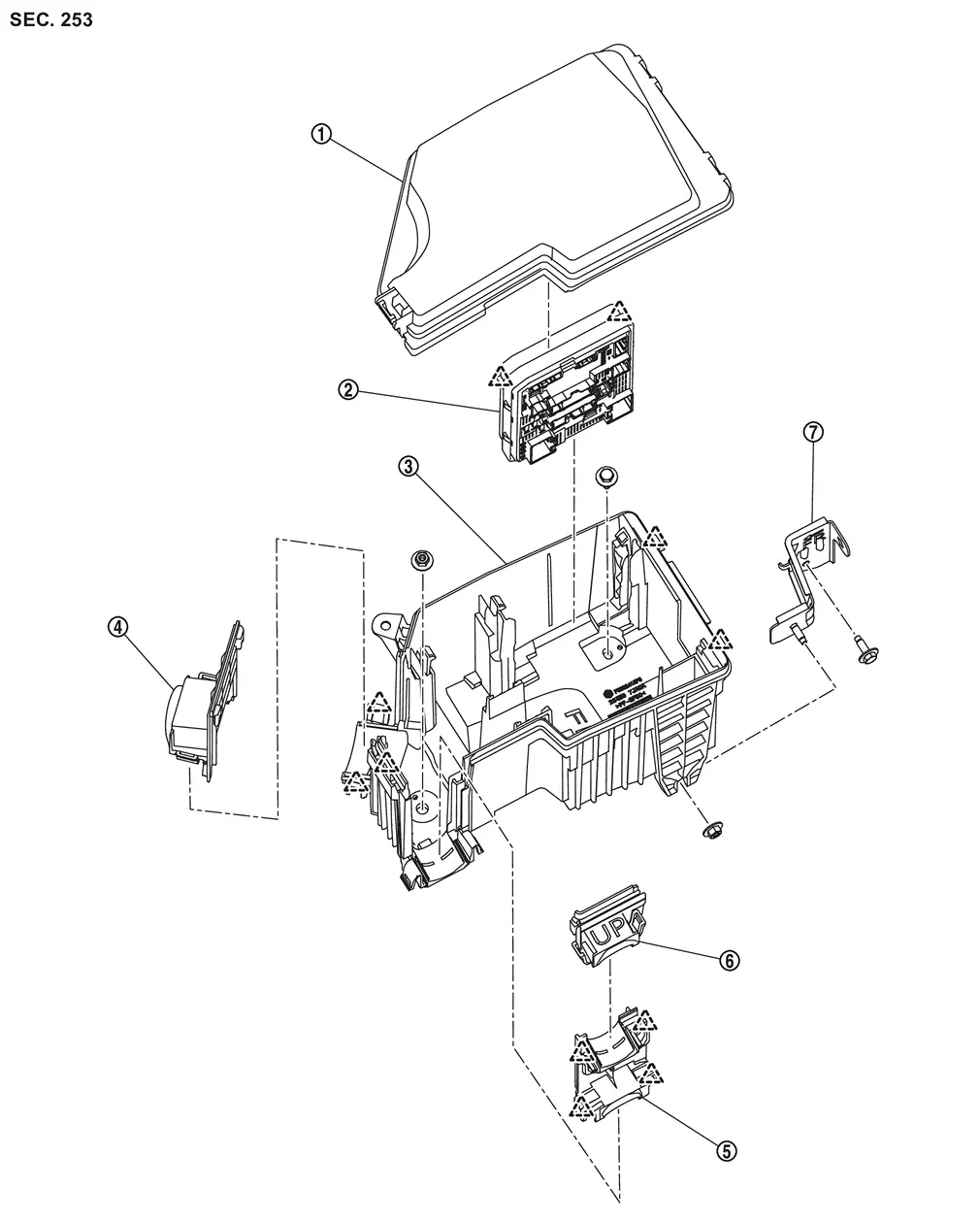
 |
IPDM E/R cover A |  |
IPDM E/R |  |
IPDM E/R cover B |
 |
IPDM E/R cover C |  |
IPDM E/R cover D |  |
IPDM E/R cover E |
 |
IPDM E/R cover bracket | ||||
 |
: Pawl |
Removal and Installation
REMOVAL
Disconnect the battery cable from the negative terminal.
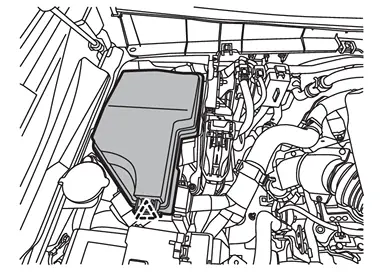
Disengage the fixing pawl on the vehicle front side of the IPDM E/R cover A and then pull up IPDM E/R cover A.
|
: Pawl |
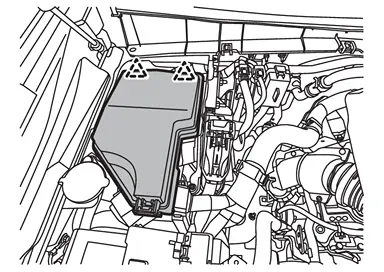
Disengage the fixing pawls on the vehicle rear side of the IPDM E/R cover A and then remove IPDM E/R cover A.
|
: Pawl |
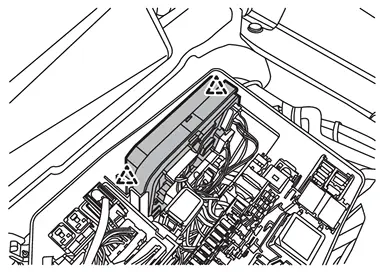
Disengage the fixing pawls and then pull up IPDM E/R.
|
: Pawl |
Disconnect the IPDM E/R harness connector and then remove IPDM E/R from the vehicle.
INSTALLATION
Install in the reverse order of removal.
CAUTION:
Be sure to perform ADDITIONAL SERVICE WHEN REPLACING IPDM E/R when replacing IPDM E/R. Or not doing so, IPDM E/R control function does not operate normally. Refer to Description.
Other materials
Squeak and Rattle Trouble Diagnoses
Work Flow
CUSTOMER INTERVIEW
The customer may not be able to provide a detailed description or the location of the noise. Attempt to obtain all the facts and conditions that exist when the noise occurs (or does not occur).
If there is more than one noise in the vehicle, perform a diagnosis and re ...
Front Door Weather-Strip
Removal and Installation
REMOVALApply protective tape (A) to front door panel around front door weather-strip fixing clips for preventing damage.
Disengage fixing clips on the reverse side of front door weather-strip using a remover tool (A).
: Clip
CAUTION:
Never damage front door pane ...
Intelligent Key System Symptoms
Diagnosis Procedure
NOTE:
Perform the self-diagnosis with CONSULT before the symptom diagnosis. Perform the trouble diagnosis if any DTC is detected.SYMPTOM TABLE 1 (BOTH INTELLIGENT KEYS HAVE THE SAME SYMPTOMS) No. Door lock operation (remote keyless entry) Door lock operation (request switch of ...