Disassembly and Assembly
DISASSEMBLY
Remove seatback trim and pad. Refer to Disassembly and Assembly.
Disengage seat cushion trim fixing retainers  .
-
LH seat
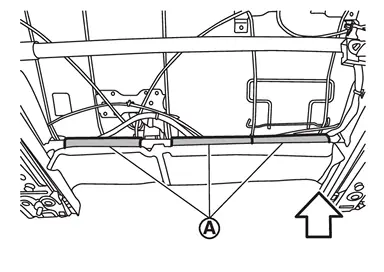
: vehicle front -
RH seat
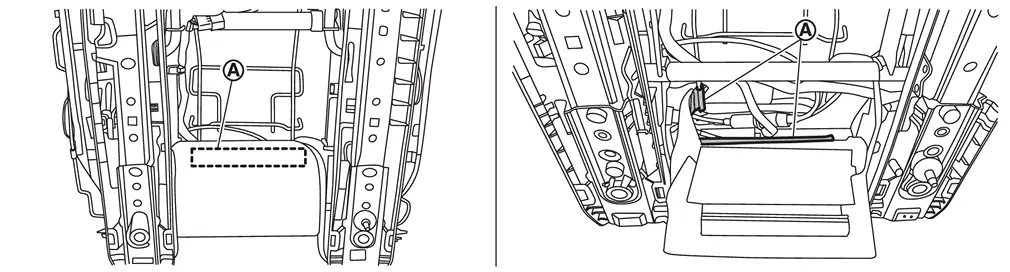
Disengage seat cushion trim fixing retainers .
-
LH seat
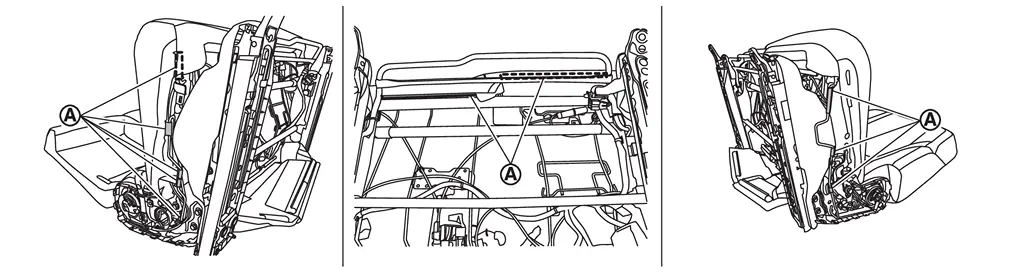
-
RH seat
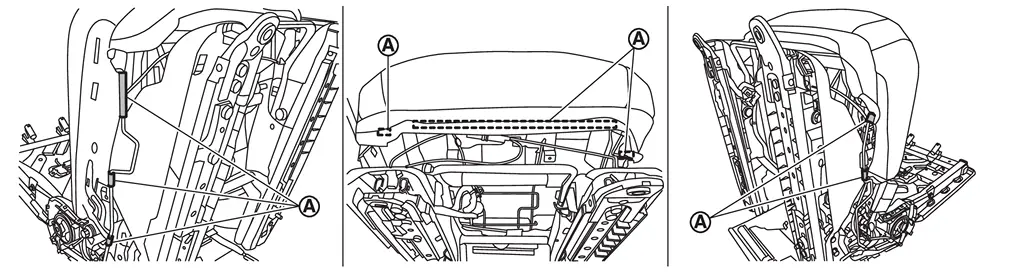
Disengage seat cushion trim fixing retainers (LH seat).
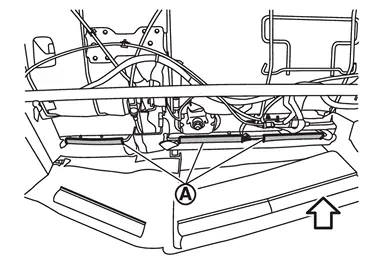
| : vehicle front |
Disengage harness fixing clips of seat cushion, and then disconnect harness connectors.
CAUTION:
Before performing removal operation, check the installation position of harness connectors and harness fixing clips.
Remove seat cushion trim and pad as a set from seat frame assembly.
Remove hog rings, and then separate seat cushion trim and pad.
CAUTION:
-
Before removing hog rings, check its position because it should be installation in position.
-
Never disassemble seat cushion pad and seat cushion heater (if equipped).
ASSEMBLY
Note the following items, and then assemble in the reverse order of disassembly.
CAUTION:
-
Always install hog ring in position.
-
Never reuse hog ring after disassembly, using new hog ring.
-
Use new hog ring if removed or crimped unsuccessfully.
-
Be installed harnesses and harness fixing clips in position.
-
If harnesses clip be broken, replace with new clip and it install in position where marked before removing clip.
Other materials
Door Does Not Lock/unlock and Engine Does Not Start (one I-Key/req Sw/push Sw)
Description
All doors do not lock/unlock using one touch sensor and engine does not start when push-button ignition switch is pressed while carrying Intelligent Key. (One Intelligent Key has the symptom, other keys operate normally.)SYMPTOM TABLE (ONE INTELLIGENT KEY HAS THE SYMPTOM, OTHER KEYS OPER ...
Side Step
Exploded View
Without air suspension
Side step bracket
Side step
, , , , , : Indicates that the part is connected at points with same symbol in actual vehicle.
With air suspension
Side step bracket A
Side step bracket C
Side step
Side step bracket B
&n ...
Diagnosis and Repair Work Flow
Work Flow
OVERALL SEQUENCEDETAILED FLOWGET INFORMATION FOR SYMPTOM
Get detailed information from the customer about the symptom (the condition and the environment when the incident/malfunction occurs).
Check operation condition of the function that is malfunctioning.
>>
GO TO 2.
CHECK ...