
Nissan Armada 2025-2026 Service and Repair Manual: Shrinking
(1) FLAME SHRINKING
The area should be heated to approximately 250°C.
Aluminum alloy panels do not turn red when heated like steel plates. Prior to heating up the panel you are trying to repair, first practice with a scrap piece to get a good idea of how much heat is needed. This way the number of passes with the gas burner needed to achieve the correct temperature can be determined.
A thermometry pen may be applied to the repair area before heat application. Apply the thermometry pen to the heated part. Check if the thermometry pen is melted to judge if the temperature on the heated area is within the range of the specified temperature. When measuring temperature, use two thermometry pens of different specified temperatures. This allows the top and bottom of the temperature range to be judged accurately.
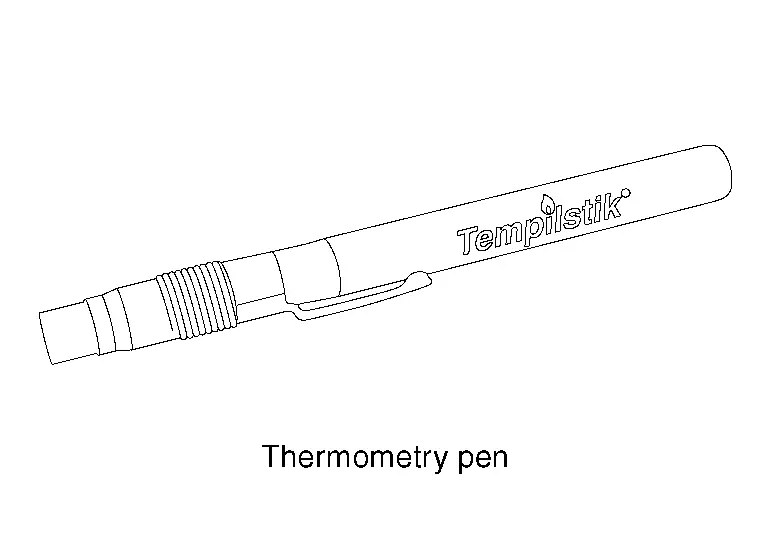
(Example: Tempilstik or equivalent)
The heat conduction efficiency of aluminum alloy panel is approximately twice that of steel plate, which allows heat to be absorbed and released at a faster rate. Hammering [(b) in the figure] and rapid cooling work [(c) in the figure] must be performed while the area is still hot.
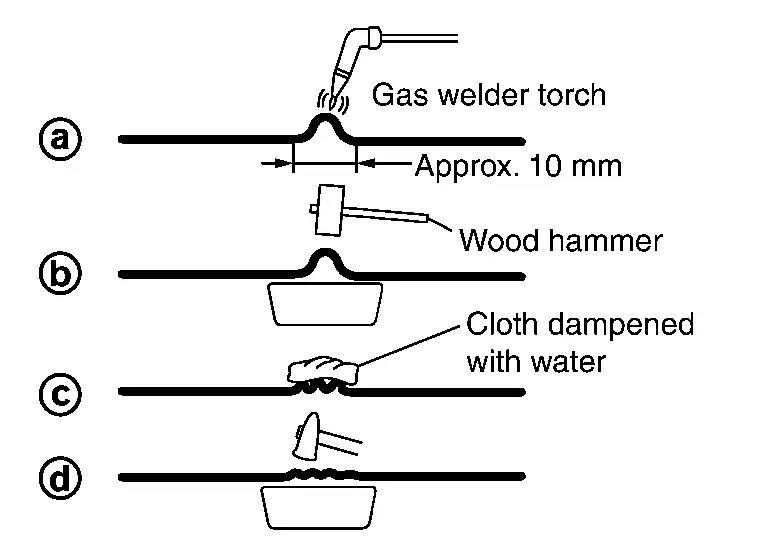
Don't use a shrinking hammer because it causes a crack.
(2) SHRINKING BY ELECTRIC WELDING
Shrinking with an electric welder is easier than with a gas burner, however this method leaves spark marks, scratches, carbon deposits, and oxide film on the panel surface.
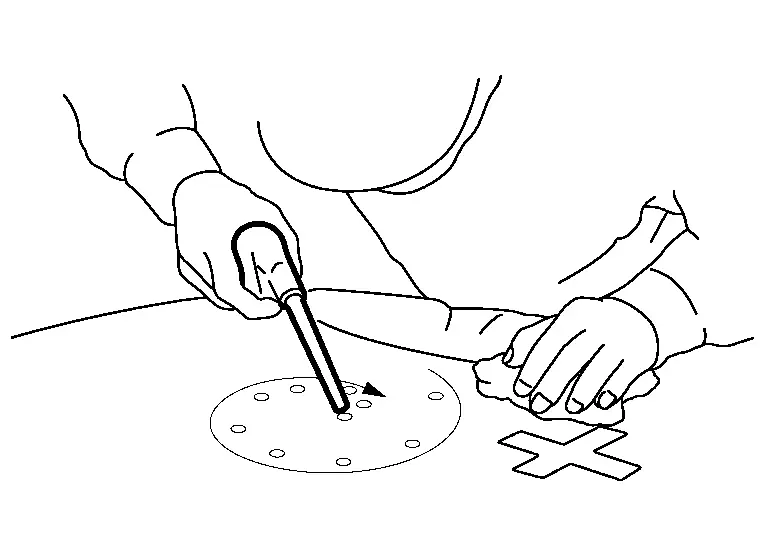
For this reason, as an undercoating preparation, the panel surface must be cleaned using silicon off and a stainless steel wire brush.
When spark marks and scratches are large, the impurities are first completely removed using a wire brush, and then wash primer and putty are applied.
 Heating Repair
While hammering work is being performed during the rough repair stage, the area needs to be heated. First, cover your hand with a glove (cloth material), and then place hand on the reverse side of the ...
 Precautions during Assembly
When installing parts, insulating materials such as resin washers (bolts at front fender) and anti-corrosion sealant (hood hinges) are inserted between the aluminum alloy panel and steel plates to pre ...
Other materials:
Removal and Installation
REMOVAL
Drain engine coolant from cooling system. Refer to ENGINE COOLANT : Draining.
Disconnect electric water pump harness connector .
Disengage fixing clip, and then move electric water pump harness to secure work space.
: Clip
Loosen clamps , and then disconnect water hose 3 and water ho ...
Clock and outside air temperature
In the Nissan Armada, both the clock 1 and the outside air temperature 2 are
conveniently displayed at the top section of the vehicle information display, allowing
the driver to quickly access essential information while driving.
Clock
The clock in the Nissan Armada can be adjusted through ...
Motion-activated liftgate
Example
Example
Basic information
The Nissan Armada features a convenient motion-activated liftgate system that
allows hands-free operation using a simple foot gesture beneath the rear bumper.
The kick motion sensor a is positioned on the left side under the rear bumper.
When you per ...

0.012