
Nissan Armada 2025-2026 Owner's Manual: Steering Assist switch
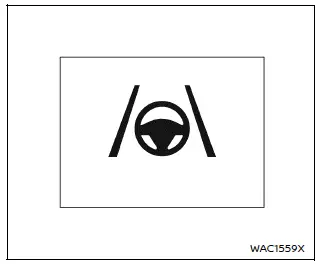
The Steering Assist switch in the Nissan Armada allows the driver to temporarily enable or disable the Steering Assist function.
Additionally, the system can be controlled through the "Driver Assistance" menu within the Nissan Armada vehicle information display.
The Nissan Armada Steering Assist system actively supports the driver by making small steering adjustments to help keep the vehicle centered within the lane during highway driving.
This feature enhances comfort and reduces driver fatigue during long trips.
 Ventilated seats
Basic information
CAUTION
In the Nissan Armada, avoid using the ventilated seat system for long
periods when the seat is unoccupied to prevent unnecessary wear and energy consumption.
Do not ...
 Vehicle Dynamic Control (VDC) OFF switch
The Nissan Armada should normally be driven with the Vehicle Dynamic Control
(VDC) system enabled, as it helps maintain vehicle stability and traction.
In situations such as being stuck in mud, ...
Other materials:
Basic information
Drive Mode Selector (example)
Vehicle information display (example)
The Nissan Armada features a versatile Drive Mode Selector system that allows
the driver to tailor vehicle performance to different driving conditions. By rotating
the selector dial to the left or right, you can quickl ...
How to turn off the VDC system
The Nissan Armada should normally be driven with the Vehicle Dynamic Control
(VDC) system activated, as it plays a critical role in maintaining stability, traction,
and overall vehicle control in a wide range of driving conditions.
However, in certain situations—such as when the Nissan Armada ...
Checking engine coolant level
For optimal performance and reliability of your Nissan Armada, always check the
engine coolant level when the engine is completely cold.
Inspect the coolant level in the reservoir tank. If the level is below the MIN
2 mark, carefully open the reservoir cap and add the appropriate coolant ...

0.0035