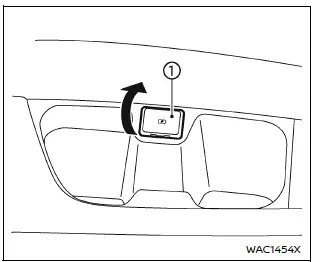
In the Nissan Armada, the Type-C USB charging connector 1 is предназначен exclusively for charging external devices such as smartphones, tablets, and other portable electronics.
To begin charging in the Nissan Armada, simply connect a compatible USB device into the connector. Once connected, charging will start automatically without any additional action required.
The Nissan Armada USB charging system provides continuous power as long as the ignition switch is in the ON position, ensuring reliable charging during your journey.
However, charging performance in the Nissan Armada may vary depending on the specifications and compatibility of the connected device, and some devices may not charge.
CAUTION
- Do not force a USB device into the Nissan Armada connector. Inserting the plug at an angle may damage both the port and the device.
- Always remove the USB cable carefully and avoid pulling on the connector cover, as this may cause damage to the Nissan Armada charging port.
Other materials
Seat belts with pretensioners (front and second row outboard seats)
WARNING
In the Nissan Armada, seat belt pretensioners are single-use safety devices.
Once activated, they must be replaced as a complete unit together with the seat
belt retractor and buckle to ensure continued protection.
If your Nissan Armada is involved in a collision and the pretensi ...
LDW/I-LI system limitations
WARNING
The following outlines important limitations of the Nissan Armada LDW and
I-LI systems. Failure to understand and follow these limitations may result in serious
injury or death.
The Nissan Armada I-LI system may activate unintentionally when changing
lanes without signaling or wh ...
Front Door Finisher
Exploded View
Front door panel
Inside seal
Front door sash inner cover
Pull handle cap
Inside handle cap
Front door finisher
Pull handle bracket
: Clip
: Pawl
: N·m (kg-m, in-lb)
Front Door Finisher
Removal and Installation
CAUTION:
N ...