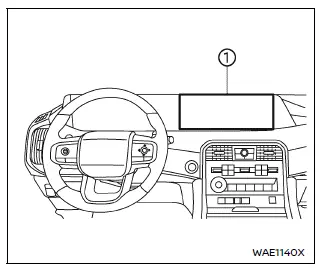
- Touch screen display
WARNING
- Failure to follow proper Nissan Armada RearView Monitor usage instructions may result in serious injury or fatal accidents.
- The Nissan Armada RearView Monitor is an assistance feature and must
not replace proper driving practices.
Always visually check surroundings, use mirrors, and look behind before reversing.
- The system is designed to help detect large stationary objects behind the Nissan Armada and reduce the risk of vehicle damage.
- The displayed distance and width guidelines are for reference only and
are most accurate on level surfaces.
Actual distances may differ from what is shown on the screen.
CAUTION
When cleaning the Nissan Armada rear camera, avoid scratching or damaging the lens, as this may reduce image clarity.
The Nissan Armada RearView Monitor automatically activates when the transmission is shifted into R (Reverse), providing a live rear view on the display.
The audio system will continue to operate normally while the Nissan Armada RearView Monitor is active, ensuring uninterrupted entertainment and system functionality.
The Nissan Armada integrated monitor and multimedia systems are designed to combine convenience, safety, and advanced technology, delivering a modern and intuitive driving experience.
Other materials
Lights
Basic information
Example
Front parking light / daytime running light / front turn signal
Map light
Headlight (low beam)
Front fog light (if equipped)
Headlight (high beam)
Front side marker light
Puddle light (if equipped)
Side turn signal (if equipped)
Rear personal light
...
Compression Pressure
Inspection
WARNING:
Jacking up or lift up the vehicle may the vehicle height to go down which cause a personal injury and/or damage to the air suspension component parts. Refer to Precaution for when Jacking and Lifting Up the vehicle with Electronic Air Suspension System.
Warm up engine thoroughly ...
Transfer Fluid
Inspection
WARNING:
Jacking up or lift up the vehicle may the vehicle height to go down which cause a personal injury and/or damage to the air suspension component parts. Refer to Precaution for when Jacking and Lifting Up the vehicle with Electronic Air Suspension System.
FLUID LEAKAGECheck t ...