
Nissan Armada 2025-2026 Owner's Manual: Basic information
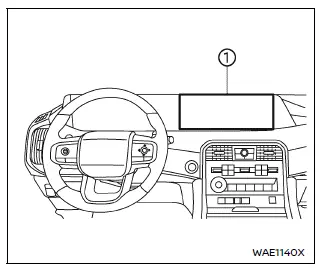
- Touch screen display
WARNING
- Failure to follow proper Nissan Armada RearView Monitor usage instructions may result in serious injury or fatal accidents.
- The Nissan Armada RearView Monitor is an assistance feature and must
not replace proper driving practices.
Always visually check surroundings, use mirrors, and look behind before reversing.
- The system is designed to help detect large stationary objects behind the Nissan Armada and reduce the risk of vehicle damage.
- The displayed distance and width guidelines are for reference only and
are most accurate on level surfaces.
Actual distances may differ from what is shown on the screen.
CAUTION
When cleaning the Nissan Armada rear camera, avoid scratching or damaging the lens, as this may reduce image clarity.
The Nissan Armada RearView Monitor automatically activates when the transmission is shifted into R (Reverse), providing a live rear view on the display.
The audio system will continue to operate normally while the Nissan Armada RearView Monitor is active, ensuring uninterrupted entertainment and system functionality.
The Nissan Armada integrated monitor and multimedia systems are designed to combine convenience, safety, and advanced technology, delivering a modern and intuitive driving experience.
 RearView Monitor
...
 RearView Monitor system operation
The Nissan Armada RearView Monitor system utilizes a rear-mounted camera 1, positioned
just above the license plate, to provide a clear and wide-angle view behind the
vehicle.
To activate the ...
Other materials:
I-FCW system limitations
Illustration A
Illustration B
Illustration C
Illustration D
WARNING
The following limitations apply to the Nissan Armada I-FCW system. Ignoring
these limitations may result in serious injury or fatal accidents.
The Nissan Armada I-FCW system cannot detect every object or v ...
RAB system operation
Vehicle information display
RAB system warning indicator (vehicle information display)
RAB system OFF warning light (instrument panel)
Steering-wheel-mounted controls (right side)
Touch screen display
The Nissan Armada RAB system becomes active when the transmission is shifted
in ...
Towing recommended by NISSAN
Four-wheel drive models
Four-wheel Drive (4WD) models
For the Nissan Armada equipped with four-wheel drive, the manufacturer strongly
recommends transporting the vehicle using towing dollies or, preferably, a flatbed
truck to ensure maximum protection of drivetrain components.
Using the c ...

0.0029