Removal and Installation
REMOVAL
CAUTION:
Never damage front door glass and front door panel.
Fully close front door glass.
Remove front door finisher. Refer to Removal and Installation.
Remove front door woofer. Refer to Removal & Installation.
Remove front door glass run from front door lower sash.
Remove front door lower sash mounting bolt  .
.
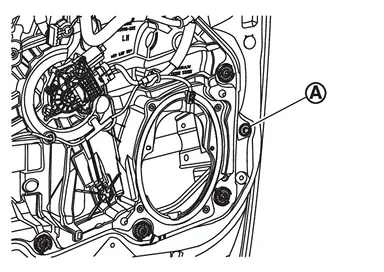
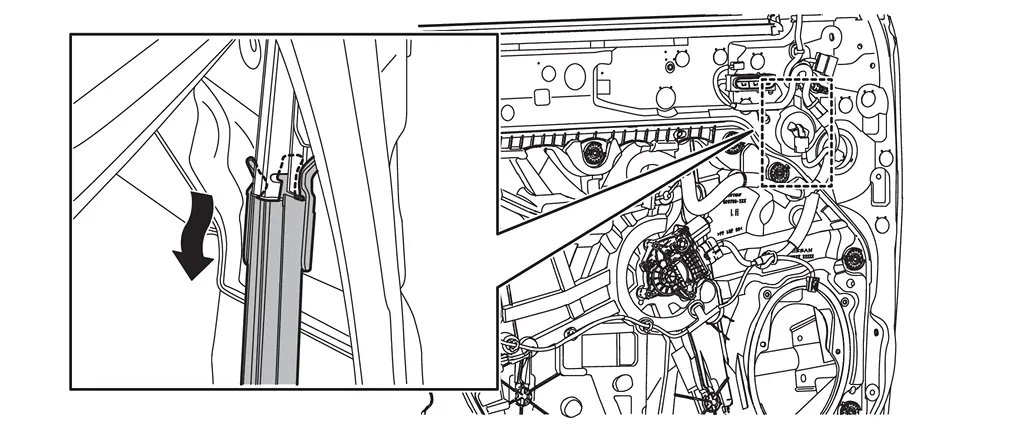
Remove front door lower sash from the hole of front door panel.
CAUTION:
When removing front door lower sash, disengage fixing portion by arrow direction as shown in the figure.
INSTALLATION
Note the following items, and then install in the reverse order of removal.
CAUTION:
-
When installing, insert portion
of front door lower sash  to hole
  of front door sash (front door panel
  ) as shown in the figure.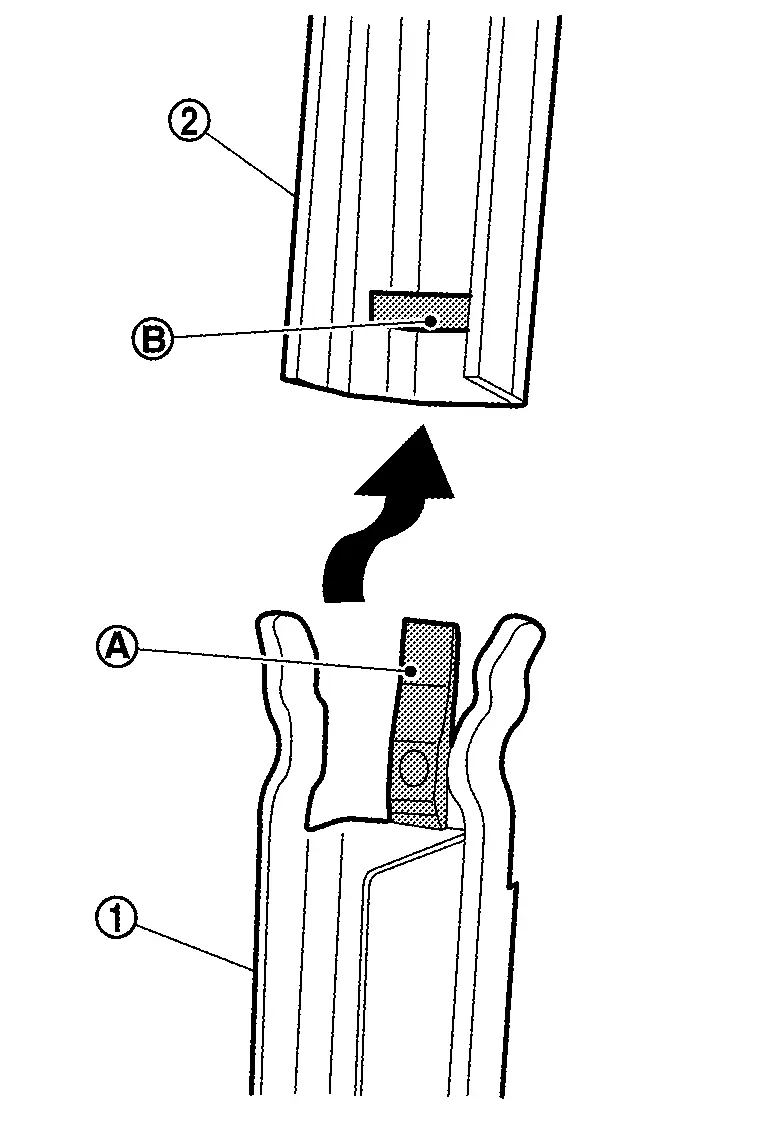
-
Tighten front door lower sash mounting bolt to the specified torque. Refer to Exploded View.
-
After installing, check the front door glass can be move smoothly. If it could not move smoothly, check the front door glass run has installed to front door lower sash correctly.
Other materials
Basic information
The Vehicle Dynamic Control (VDC) system in the Nissan Armada is an advanced
stability and traction management system that continuously monitors driver inputs
and vehicle behavior through multiple sensors. By analyzing steering input, wheel
speed, and vehicle motion, the Nissan Armada VDC syst ...
4wd Mode Does Not Change
Description
Vehicle does not enter 4-wheel drive mode even though 4WD warning turned to OFF.
Diagnosis Procedure
CHECK DTC OF TRANSFER CONTROL UNIT
With CONSULT
Ignition switch ON.
Perform self-diagnosis for “AWD/4WD�.
Is any DTC detected?
YES >>
Check DTC detected item. Refer to DT ...
Diagnosis and Repair Work Flow
Work Flow
OVERALL SEQUENCEDETAILED FLOWGET INFORMATION FOR SYMPTOM
Get detailed information from the customer about the symptom (the condition and the environment when the incident/malfunction occurs).
Check operation condition of the function that is malfunctioning.
>>
GO TO 2.
CHECK ...