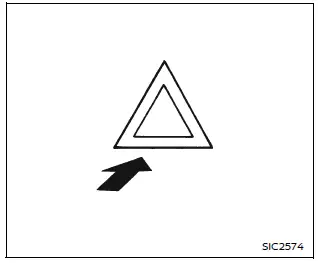
Press the hazard warning flasher switch in the Nissan Armada to alert other drivers when your vehicle must stop or is parked under emergency conditions. Once activated, all turn signal lights will flash simultaneously to increase visibility.
WARNING
- In an emergency, always move the Nissan Armada as far off the roadway as possible to avoid obstructing traffic and reduce the risk of accidents.
- Avoid using the hazard warning flashers while driving on highways unless absolutely necessary—for example, when your Nissan Armada must travel significantly below normal traffic speed.
- Keep in mind that the turn signal indicators will not function while the hazard warning lights are activated.
The hazard warning flasher system in the Nissan Armada can be activated regardless of the ignition switch position, ensuring it is available at all times when needed.
In certain situations, such as a collision that may deploy the supplemental air bag system, the Nissan Armada hazard lights may activate automatically to warn surrounding drivers.
To turn off the hazard lights, press the switch again. If pressed twice, the system will deactivate immediately.
WARNING
Do not switch off the hazard warning flashers in the Nissan Armada until you are certain it is safe to do so. Additionally, automatic hazard activation may vary depending on the severity of the impact.
Some state laws may prohibit the use of the hazard warning flasher switch while driving.
Other materials
Steering Angle Sensor
Removal and Installation
REMOVALRemove spiral cable assembly. Refer to Removal and Installation.
Remove steering angle sensor from spiral cable.INSTALLATIONNote the following, and install in the reverse order of removal.
When replacing the angle sensor , if the lock pin is installed, remove the lo ...
Back Pillar Garnish
Removal and Installation
CAUTION:
Never damage the body panel.REMOVALCAUTION:
When removing, always use a remover tool that is made of plastic to prevent damage to the parts.Remove roof rear garnish. Refer to Removal and Installation.
Release back pillar garnish portion of back door weather-strip. R ...
Alternator. Vr35ddtt
Vr35ddtt
Exploded View
Engine assembly
Alternator
“B� terminal harness
Alternator harness connector
: vehicle front
: N·m (kg-m, ft-lb)
, , , : Indicates that the part is connected at points with same symbol in actual vehicle.
Removal and In ...