Basic information
WARNING
- Do not rely solely on the Hill Descent Control system in the Nissan Armada to regulate speed on steep downhill slopes. Always maintain full control of the vehicle and use the brake pedal when necessary. Extra caution is required on slippery, muddy, icy, or extremely steep surfaces, as improper speed control may lead to loss of control and serious injury.
- The Nissan Armada Hill Descent Control system may not maintain speed effectively under all driving conditions or loads. Always be ready to apply the brakes manually to ensure safe operation.
CAUTION
If the Hill Descent Control system in the Nissan Armada is used continuously for extended periods, the temperature of the Vehicle Dynamic Control (VDC) actuator may rise. In such cases, the system may temporarily deactivate, and the indicator light will blink. If the light does not remain steadily illuminated after blinking, discontinue use of the system until it cools down.
The Hill Descent Control system in the Nissan Armada automatically applies controlled braking to help maintain a steady and safe speed when descending steep or slippery slopes, particularly in off-road conditions, without requiring constant driver input.
This system is especially useful when driving below approximately 20 MPH (30 km/h), where engine braking alone may not be sufficient to control vehicle speed in 4WD mode.
When driving forward downhill, the Nissan Armada speed can be adjusted using the brake or accelerator pedal. When reversing downhill, the system maintains a controlled speed automatically.
Hill descent control switch
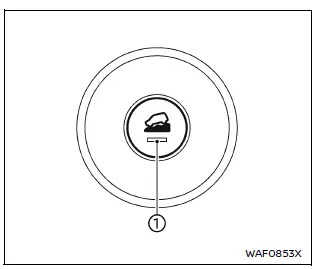
To activate the Hill Descent Control system in the Nissan Armada, press the hill descent control switch.
When activated, both the switch indicator and the corresponding indicator light in the instrument cluster will illuminate, confirming system operation.
Additionally, the brake lights will illuminate while the Nissan Armada system is actively applying braking force to control vehicle speed.
To enable the Hill Descent Control system, the following conditions must be met:
- The transmission must be in a forward or reverse gear.
- The 4WD system must be set to 4H or 4L (if equipped), and vehicle speed must be below 20 MPH (30 km/h).
- The hill descent control switch must be turned ON.
If the accelerator or brake pedal is pressed while the system is active, the Nissan Armada Hill Descent Control system will temporarily pause operation. Once the pedals are released and conditions are met, the system will resume automatically.
If the Hill Descent Control indicator light blinks, it means that the system conditions are not fully satisfied or the system has been temporarily disengaged.
To deactivate the system, press the hill descent control switch again to turn it OFF.
Other materials
Mac Key Writing
Description
When replacing sub-TCM, it is necessary to write MAC key to sub-TCM. Write MAC key to sub-TCM according to "MAC Key writing" procedure of "CONSULT Operation Manual". Refer to Work Procedure.CAUTION:
During MAC key writing, maintain the following conditions:
Ignition switch ON
CONSULT ...
Front Heater Outlet Pipe Assembly
Removal and Installation
REMOVALDrain engine coolant from cooling system. Refer to ENGINE COOLANT : Draining.
Remove engine cover. Refer to Removal and Installation.
Remove air inlet tube 1. Refer to Removal & Installation.
Remove front heater outlet pipe assembly mounting nuts and mounting bol ...
Precautions
Precaution for Supplemental Restraint System (SRS) "AIR BAG" and "SEAT BELT PRE-TENSIONER"
The Supplemental Restraint System such as “AIR BAG� and “SEAT BELT PRE-TENSIONER�, used along with a front seat belt, helps to reduce the risk or severity of injury to the driver and front passenger fo ...