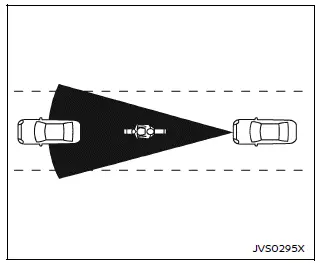
Illustration A
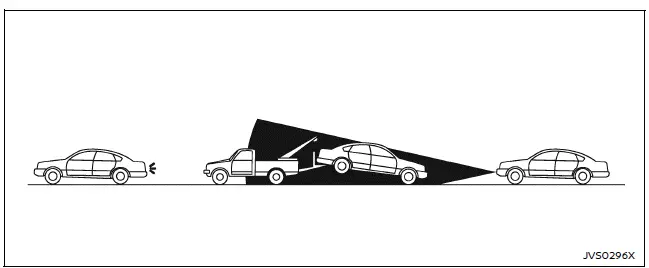
Illustration B
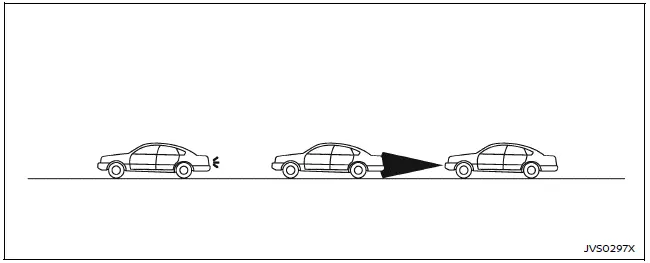
Illustration C
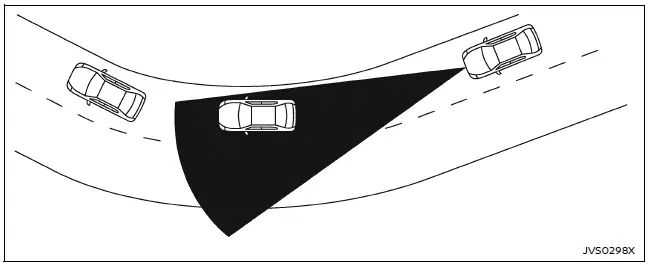
Illustration D
WARNING
The following limitations apply to the Nissan Armada I-FCW system. Ignoring these limitations may result in serious injury or fatal accidents.
- The Nissan Armada I-FCW system cannot detect every object or vehicle under all driving conditions.
- The radar sensor does not detect:
- Pedestrians, animals, or stationary obstacles
- Oncoming vehicles
- Vehicles crossing from the side
- (Illustration A) The system may not recognize narrow vehicles such as motorcycles.
- The radar sensor may fail to detect vehicles ahead in conditions such
as:
- Heavy rain or snowfall
- Obstruction by dirt, ice, or snow on the sensor
- Interference from external radar sources
- Road spray from surrounding traffic
- Driving through tunnels
- When towing a trailer
- (Illustration B) When the vehicle ahead is being towed.
- (Illustration C) When following distance is extremely short and radar detection is obstructed.
- (Illustration D) When driving on steep descents or sharply curved roads.
- The Nissan Armada system performs automatic sensor checks but may not
detect all obstructions such as ice, stickers, or debris.
Regular inspection and cleaning of the sensor area are essential to maintain optimal performance.
- Excessive cabin or environmental noise may prevent the driver from hearing warning chimes clearly.
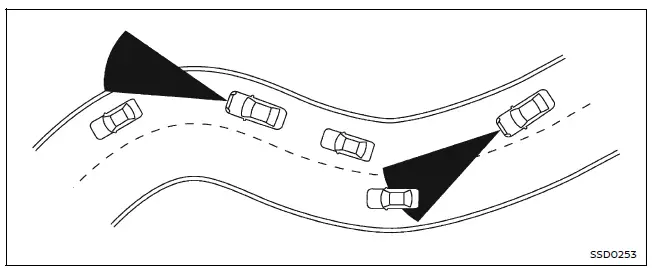
When driving the Nissan Armada on complex road types such as winding, hilly, narrow, or under-construction roads, the radar sensor may mistakenly detect vehicles in adjacent lanes or temporarily lose detection of the vehicle ahead. This may lead to inconsistent system behavior.
Vehicle handling characteristics, including steering inputs or lane positioning, as well as external factors, may influence detection accuracy. In such cases, the Nissan Armada I-FCW system may issue unexpected alerts, including flashing indicators and audible warnings.
The driver must remain attentive and manually maintain a safe following distance, as the Nissan Armada system is intended only as a support feature and not a substitute for safe driving practices.
Other materials
Engine Cover
Exploded View
Engine cover
Stud bolt
Engine cover bracket 1
Engine cover bracket 2
: N·m (kg-m, in-lb)
: N·m (kg-m, ft-lb)
Removal and Installation
REMOVALRemove engine cover.
If necessary r ...
Door Mirror
Exploded View
Door mirror cover
Power folding motor
Door mirror finisher
Side turn signal lamp
Puddle lamp bracket (with puddle lamp)
Puddle lamp (with puddle lamp)
Door mirror housing assembly
Glass mirror
Door mirror base cover
Door mirror base gasket
Door mirror ...
Combination Meter
Removal and Installation
CAUTION:
When replacing the combination meter, always replace it with a new one. The functions controlled by the combination meter does not operate properly in case of reuse of the combination meter from another vehicle.
Be sure to perform the configuration when replacin ...