Exploded View
Without air suspension
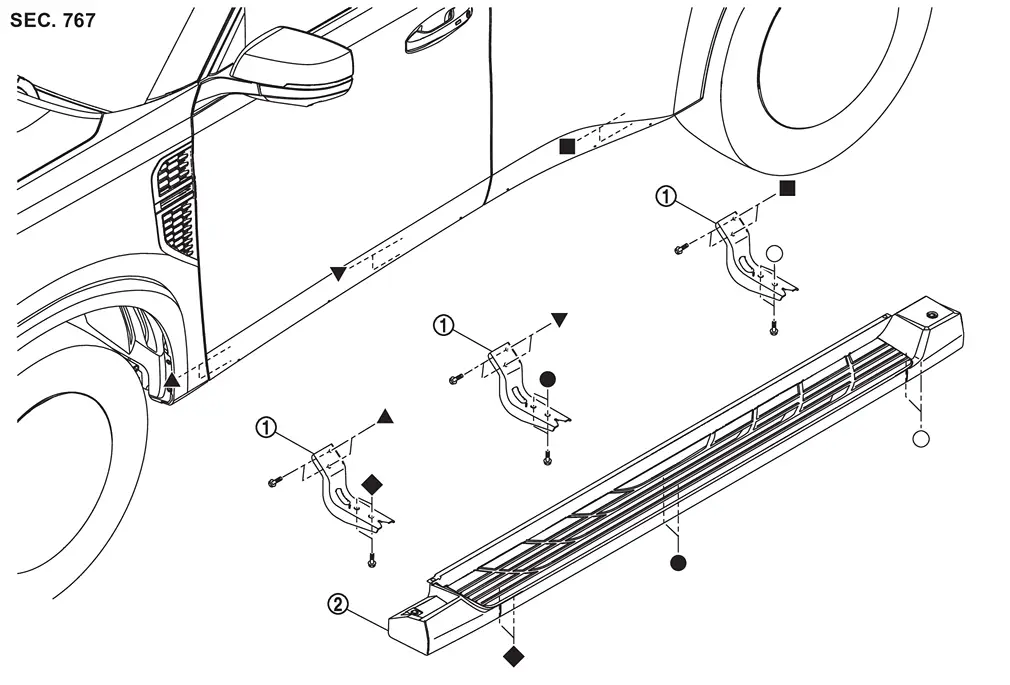
 |
Side step bracket |  |
Side step | ||
 , , , ,  , ,  , ,  , ,  : Indicates that the part is connected at points with same symbol in actual vehicle. : Indicates that the part is connected at points with same symbol in actual vehicle. |
|||||
With air suspension
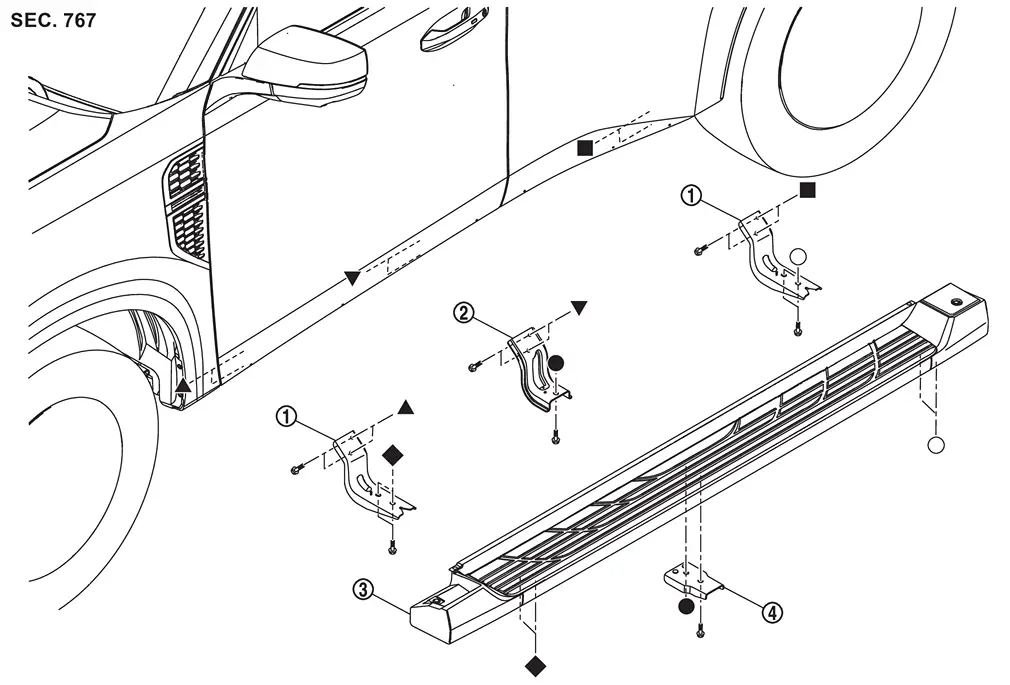
|
Side step bracket A | |
Side step bracket C |  |
Side step |
 |
Side step bracket B | ||||
| , , , , , : Indicates that the part is connected at points with same symbol in actual vehicle. |
|||||
Removal and Installation
WARNING:
REMOVAL
Without Air Suspension
Remove mounting bolts, and then remove side step.
Remove mounting bolts, and then remove side step bracket A.
With Air Suspension
Remove air tank. Refer to Removal and Installation.
Remove mounting bolts, and then remove side step.
Remove mounting bolts, and then remove side step bracket B.
Remove mounting bolts, and then remove side step bracket C.
Remove mounting bolts, and then remove side step bracket A.
INSTALLATION
Install in the reverse order of removal.
Other materials
Passenger compartment
Example
The interior of the Nissan Armada is designed for comfort, technology, and convenience.
This section outlines key controls, storage areas, and comfort features that enhance
the driving and passenger experience in the Nissan Armada.
Inside mirror
Overhead console
Map lights
...
Differential Lock Indicator Lamp Flashes While Driving
Description
The differential lock indicator lamp will flash once every 2 seconds when the differential lock system is in standby condition. Standby condition is the time between when the differential lock mode switch is turned ON and when the differential lock control unit sees all conditions are me ...
Camera Aiming Adjustment
Work Procedure
Always adjust the camera aiming after removing and installing or replacing the front camera unit.
Always adjust the camera aiming after removing and installing or replacing the windshield glass.
CAUTION:
Place the vehicle on level ground when the camera aiming adjustment is ope ...