WARNING
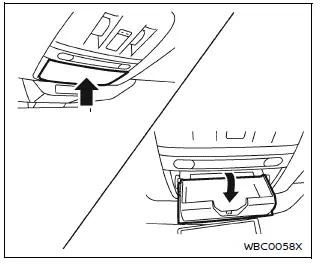
Always keep the Nissan Armada overhead console closed while driving to prevent obstruction of the driver’s view and reduce the risk of accidents.
CAUTION
- Use the Nissan Armada overhead console only for storing sunglasses or similarly small items.
- Avoid leaving sunglasses in the console when parked in direct sunlight, as heat may damage them.
To open the Nissan Armada overhead console, press and release the compartment lid. It is recommended to store only one pair of sunglasses inside.
Glove box
WARNING
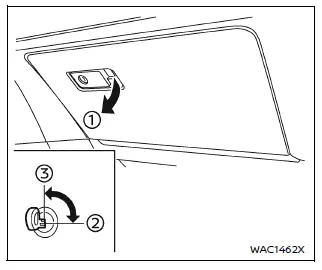
Keep the Nissan Armada glove box securely closed while driving to prevent injury during sudden stops or collisions.
To open the glove box, pull handle 1. To close, push the lid until it locks into place.
The Nissan Armada glove box can be locked 2 or unlocked 3 using the mechanical key for added security.
Console box
Front
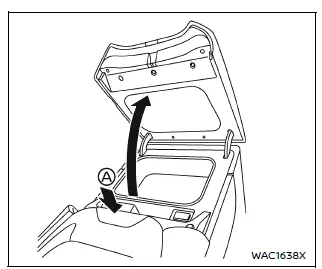
To open the Nissan Armada console box, press knob A and lift the lid upward.
To close, press the lid down firmly until it locks securely.
Lower console tray
CAUTION
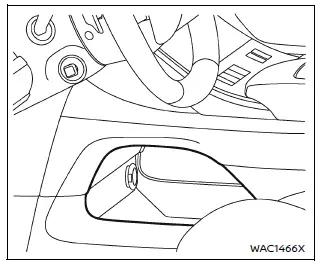
Do not place unsecured items in the Nissan Armada lower console tray, as they may shift and cause injury during sudden braking or impact.
Card holder
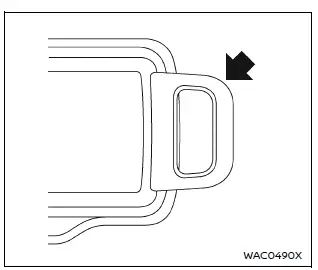
Insert cards into the Nissan Armada card holder for convenient access while driving.
Coat hooks
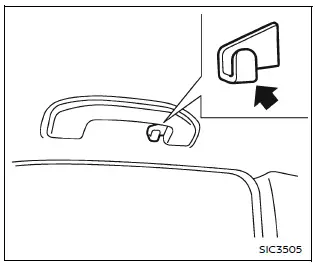
The Nissan Armada coat hook is located above the second-row side window for hanging lightweight garments.
CAUTION
Do not exceed a load of 2 lb (1 kg) on the Nissan Armada coat hook.
Luggage hooks
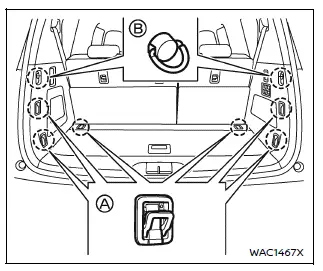
WARNING
- Always secure cargo properly in the Nissan Armada using appropriate ropes and hooks.
- Unsecured cargo may become dangerous during sudden stops or collisions.
- Never allow passengers to ride in the cargo area of the Nissan Armada, as this can result in serious injury or death.
- Ensure all occupants are seated properly and wearing seat belts at all times.
- Loose cargo may damage child restraint tether straps in the Nissan Armada.
Always secure items to prevent injury in case of an accident.
CAUTION
Do not exceed a load of 22 lb (10 kg) A or 7 lb (3 kg) B on the Nissan Armada luggage hooks.
Cargo floor box
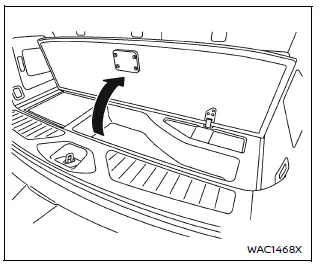
Lift the cargo floor panel in the Nissan Armada to access the hidden cargo floor storage box, which provides additional space for tools and small items.
This storage solution enhances practicality and helps keep the Nissan Armada interior organized and clutter-free.
Other materials
Driver Monitor (ProPILOT Assist 2.1)
Basic information
In the Nissan Armada equipped with ProPILOT Assist 2.1, the Driver Monitor system
plays a critical role in ensuring driver awareness and safety. Using a driver-facing
camera mounted on the steering column, the system continuously evaluates the driver’s
attentiveness by ana ...
Exhaust System
Exhaust System
Commercial Service Tool
Tool name Description
Power tool
Loosening bolts and nuts
Exhaust System
Inspection
WARNING:
Jacking up or lift up the vehicle may the vehicle height to go down which cause a personal injury and/or damage to the air suspension component par ...
Rear Final Drive: R240 (dl) Tools and Preparation
Preparation
Special Service Tools
The actual shapes of the TechMate tools may differ from those of the special service tools illustrated here.
Tool number
(TechMate No.)
Tool name Description
KV10122000
(NI-53383)
Side oil seal puller
Removing side oil seal
KV10123000
(NI-53384)
Side oil ...