Exploded View
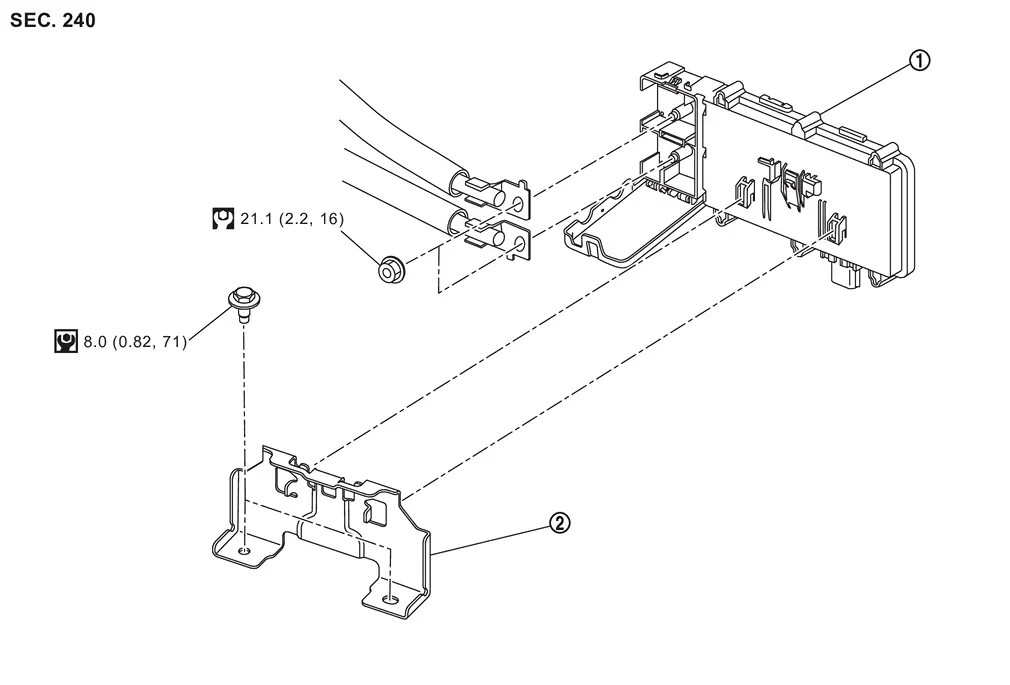
 |
Power network separate relay |  |
Power network separate relay bracket | ||
 |
: N·m (kg-m, ft-lb) | ||||
 |
: N·m (kg-m, in-lb) | ||||
Removal and Installation
REMOVAL
Disconnect the 12V battery cable from the negative terminal.
Remove 12V sub battery (lithium ion battery). Refer to Removal and Installation.
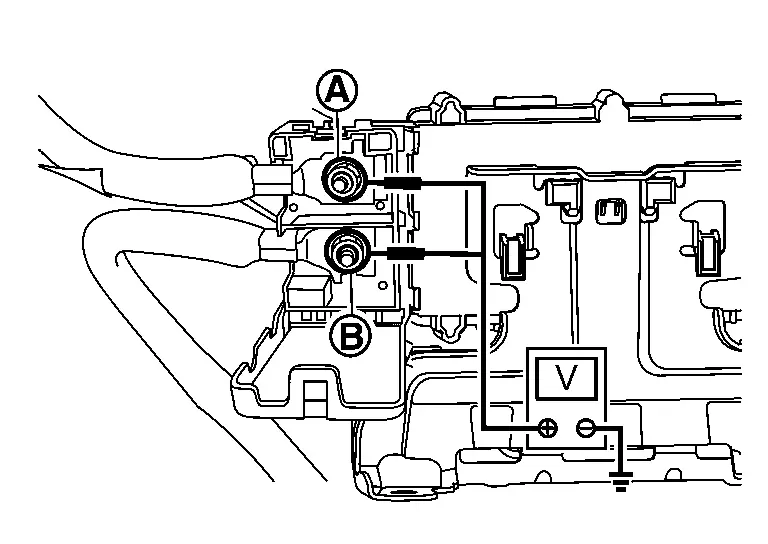
Check that there is no voltage (Approx. 0 V) between power network separate relay terminal and ground and power network separate relay terminal
 and ground.
Remove the power network separate relay terminal nuts
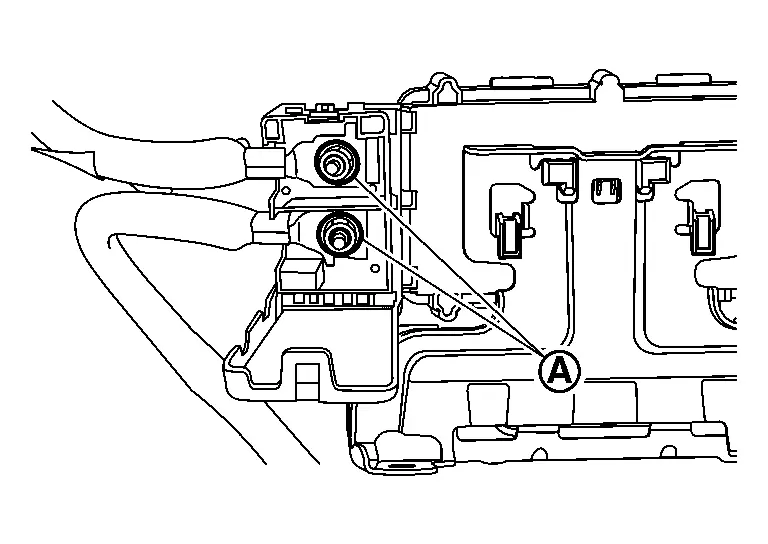
CAUTION:
Protect each terminal with insulated tape so that each terminal of the power network separate relay does not come into contact with each other.
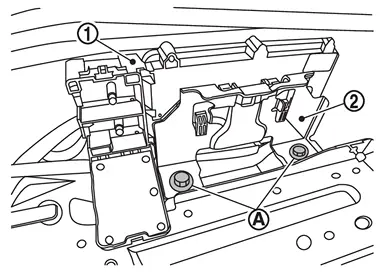
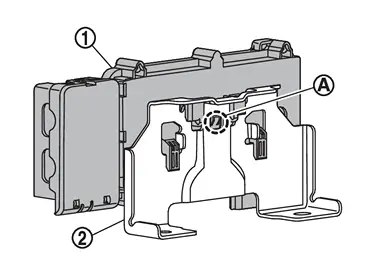
Remove the power network separate relay bracket mounting bolts , and remove the power network separate relay bracket and power network separate relay bracket .
Disconnect power network separate relay connector.
Push the lock and remove the power network separate relay from the bracket .
INSTALLATION
Installation is in the reverse order of removal.
Other materials
Vehicle load capacity
Basic information
Before operating a loaded Nissan Armada, always verify that the total vehicle
weight does not exceed the specified Gross Vehicle Weight Rating (GVWR) or the Gross
Axle Weight Rating (GAWR). These critical limits are clearly indicated on the F.M.V.S.S./C.M.V.S.S.
certificatio ...
Diagnosis and Repair Work Flow
Work Flow
DETAILED FLOWINTERVIEW FROM THE CUSTOMER
CAUTION:
Customers are not professional. Never guess easily like “maybe the customer means that...,� or “maybe the customer mentions this symptom�.
>>
GO TO 2.
CHECK SYMPTOM
Reproduce the symptom that is indicated by the customer, b ...
Seat Sliding
Diagnosis Procedure
CHECK SLIDING MECHANISM
Check for the following.
Mechanism deformation or pinched foreign materials.
Interference with other parts because of poor installation.
Is the inspection result normal?
YES>>
GO TO 2.
NO>>
Repair or replace the malfunctioning parts.
CH ...