CAUTION
- Avoid leaving your Nissan Armada with the ignition switch in the ON position while the engine is not running for extended periods, as this can drain the battery.
- Use electrical accessories in your Nissan Armada primarily when the engine is running. If accessories must be used without the engine running, limit their usage time and avoid operating multiple devices simultaneously to prevent battery discharge.
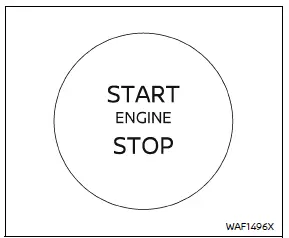
When the ignition switch in the Nissan Armada is pressed without depressing the brake pedal, the switch will illuminate to indicate its active state.
Press the center of the ignition switch as follows:
- Press once to switch to the ON position.
- Press twice to switch to the OFF position.
If the ignition switch in your Nissan Armada cannot be turned to the OFF position, follow these steps:
1. Press the park button to shift the transmission into P (Park).
2. Press the ignition switch to move it to the ON position.
3. Press the ignition switch again to switch it OFF.
The transmission in your Nissan Armada can only be shifted out of the P (Park) position when the ignition is ON and the brake pedal is pressed.
Push-button ignition switch positions
ON (Normal operating position)
In this mode, the Nissan Armada ignition system and electrical components are activated without starting the engine.
The ON position includes a battery-saving function that will automatically switch the ignition OFF after a certain period if the engine is not running and the following conditions are met:
- All doors are closed.
- The vehicle remains in P (Park).
OFF position
In this position, the Nissan Armada engine is completely shut down and all major systems are deactivated.
Auto ACC position
When the Nissan Armada is in P (Park), the Intelligent Key is present, and the ignition transitions from ON to OFF, certain electrical features—such as power mirror controls—may remain active for a limited time.
Depending on environmental or system conditions, the Auto ACC function in your Nissan Armada may not activate or may operate for a shorter duration than expected.
Emergency engine shut off
To stop the engine of your Nissan Armada in an emergency situation or when the Intelligent Key battery is depleted, follow one of the methods below:
- Press and hold the push-button ignition switch for more than 2 seconds, or
- While driving, press the ignition switch rapidly three times within 1.5 seconds.
After shutting off the engine, open the door to reset the Nissan Armada system to its normal state.
Automatic engine shut-off
The Nissan Armada is equipped with an automatic engine shut-off system that turns off the engine after an extended idle period when the transmission is in P (Park). This feature helps reduce unnecessary fuel consumption and emissions.
The final 30 seconds before shutdown are displayed in the Nissan Armada information screen. During this time, you can use the steering wheel controls to choose:
- "OK" — confirm and allow the engine to shut off (default action if no selection is made).
- "Disable" — temporarily prevent the engine from shutting off during the current trip.
NOTE:
- The idle timer in your Nissan Armada will reset if the brake or accelerator pedal is pressed, delaying automatic engine shut-off.
- The automatic shut-off system will reactivate the next time the engine is started.
The Nissan Armada push-button ignition system is designed to provide convenience, efficiency, and enhanced control, ensuring a modern and safe driving experience.
Other materials
Traffic Sign Recognition (TSR)
Basic information
The Nissan Armada Traffic Sign Recognition (TSR) system is designed to enhance
driver awareness by identifying and displaying the most recently detected road signs,
particularly speed limits. Using the advanced multi-sensing front camera unit positioned
near the interior ...
Basic information
The Vehicle Dynamic Control (VDC) system in the Nissan Armada is an advanced
stability and traction management system that continuously monitors driver inputs
and vehicle behavior through multiple sensors. By analyzing steering input, wheel
speed, and vehicle motion, the Nissan Armada VDC syst ...
Transfer Cam Position Sensor
Exploded View
Transfer assembly
Transfer cam position sensor
: N·m (kg-m, in-lb)
Removal and Installation
WARNING:
Jacking up or lift up the vehicle may the vehicle height to go down which cause a personal injury and/or damage to the air suspe ...