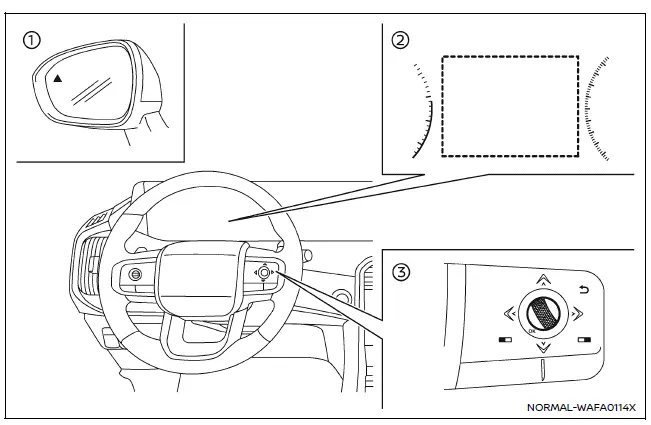
- Side indicator light
- Vehicle information display
- Steering-wheel-mounted controls (right side)
The Nissan Armada RCTA system enhances driver awareness by monitoring cross traffic when reversing. When the transmission is shifted into R (Reverse) and the vehicle speed remains below approximately 5 MPH (8 km/h), the system becomes active.
If an approaching vehicle is detected from either side, the Nissan Armada emits an audible warning (single chime), and the corresponding side indicator light flashes on the side where the vehicle is approaching.
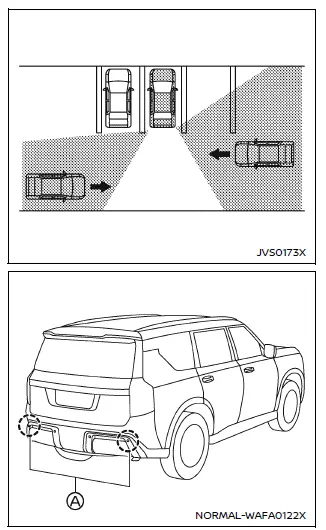
Example
The Nissan Armada utilizes radar sensors (A) located on both sides of the rear bumper to monitor cross traffic. These sensors can detect vehicles at distances of up to approximately 66 ft (20 m), providing early warning to the driver.
Other materials
Spark Plug
Exploded View
Bank 1 side
Ignition coil
Spark plug
Rocker cover
Rocker cover gasket
Blow-by hose 1 (bank 1)
Clamp
Blow-by hose 2 (bank 1)
Intake camshaft position sensor
Exhaust camshaft position sensor
Crankcase pressure sensor
Comply ...
High Pressure Fuel Pump and Fuel Hose
Exploded View
CAUTION:
Never remove or disassemble parts unless instructed as shown in the figure.
High pressure fuel pump insulator
High pressure fuel pump
O-ring
High pressure fuel pump lifter
Bracket
Holder
Fuel feed hose
To fuel rail (bank 1). ...
Additional Service When Replacing Distance Sensor
Work Procedure
Always perform the distance sensor configuration after replacing the distance sensor.
Always perform the radar alignment after removing and installing or replacing the distance sensor.
CAUTION:
The system does not operate normally unless the distance sensor configuration and the r ...